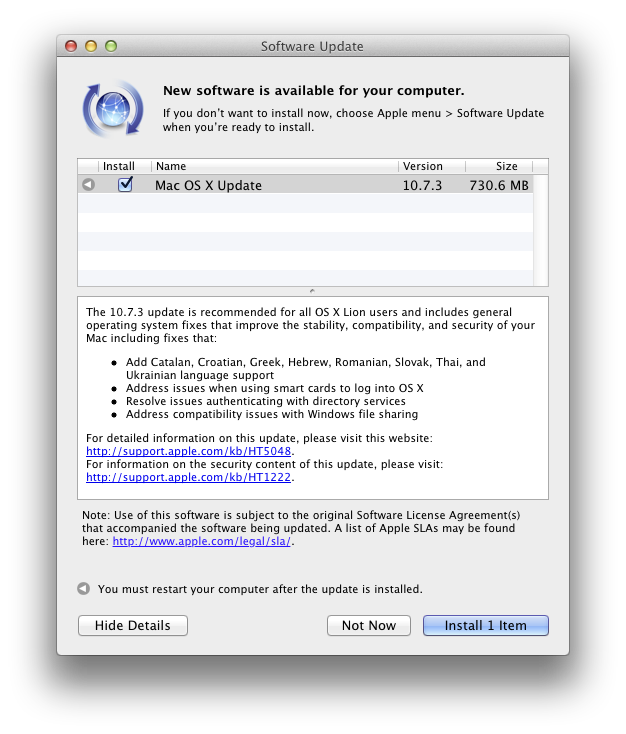
Reports from earlier this week noted Apple had recently blocked Java 7 browser plug-ins again on OS X. While the exact reason was unclear, a terminal workaround is no longer required. Oracle released update 13 for Java 7 for Mac OS X today. The critical patch brings over 50 new security fixes for Jave SE products, in addition to re-enabling plug-ins on OS X.
The original Critical Patch Update for Java SE – February 2013 was scheduled to be released on February 19th, but Oracle decided to accelerate the release of this Critical Patch Update because active exploitation “in the wild” of one of the vulnerabilities affecting the Java Runtime Environment (JRE) in desktop browsers, was addressed with this Critical Patch Update.
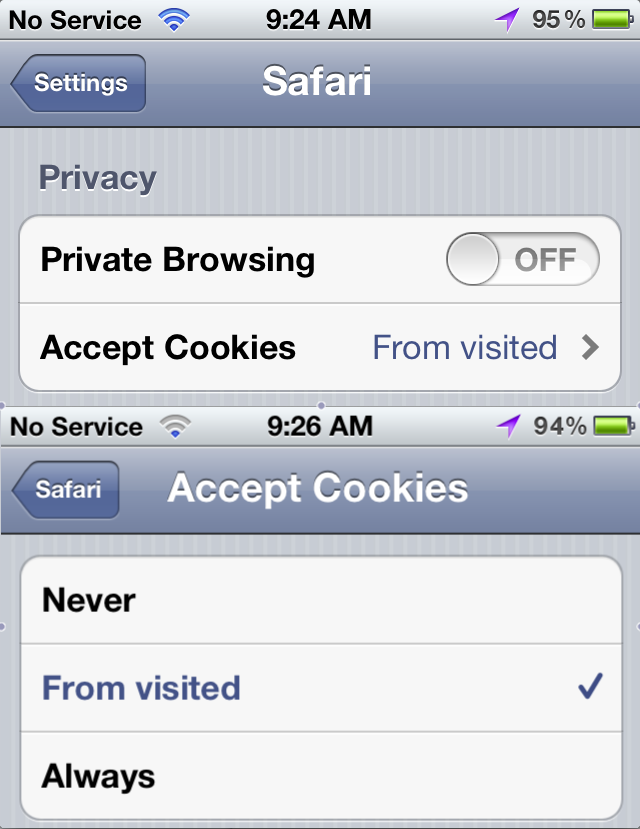
Google agreed to pay a record $22.5 million Federal Trade Commission fine in August following an investigation into whether it bypassed mobile Safari security settings to install tracking cookies without user consent. Now, 12 iPhone users in the United Kingdom have launched a lawsuit against Google that seeks compensation related to the tracking. They also want a “proper explanation” about how their personal information was used. The Telegraph via Business Insider has the full story:
It is thought the case, being brought against Google by law firm Olswang on behalf of the internet users, is the first of its kind in the UK. They say that cookies, small tracking files, were installed by Google on the Apple computers and mobile devices of those using the Safari internet browser without their knowledge .
Claimants thought that cookies would be blocked because of assurances given by Google in the time their devices were allegedly affected, from summer 2011 to spring 2012, and also because of Safari’s default settings.
“We hope that they will take this opportunity to give Safari users a proper explanation about what happened, to apologize and, where appropriate, compensate the victims of their intrusion.”
Apple just made OS X Mountain Lion 10.8.3 build 12D54 available to testers after releasing build 12D50 earlier this month on Jan. 8 with no known issues. Apple said the new build includes significant changes to Wi-Fi and listed the following focus areas for developers: AirPlay • AirPort • Game Center • Graphics Drivers • Safari.
Don Melton, a now-retired programmer who once worked at Apple under the Safari and WebKit projects, posted an interesting anecdote on his blog yesterday that detailed how Apple’s Internet browser barely escaped the monikers “iBrowse,” “Alexander”, and even “Freedom”.
Melton started at the beginning:
As I remember, Steve just started saying some names out loud — I suppose trying them out to see how they felt in his mouth and to his ears. Which is not as odd as it seemed then — it’s a good technique now that I think about it.
I don’t recall all the names, but one that stands out is “Freedom.” Steve spent some time trying that one out on all of us. He may have liked it because it invoked positive imagery of people being set free. And, just as possible and positive, it spoke to our own freedom from Microsoft and Internet Explorer, the company and browser we depended on at the time.
Melton did not want the browser named after a “feminine hygiene product,” though, and so, as he described it, “Freedom” was then “moved off the candidate list.” From there, “Alexander” floated around internally for about a year, and even “iBrowse” surfaced a few times, but eventually Marketing Product Manager Kurt Knight told Melton that “Safari” had been picked:
I honestly didn’t know what to think. My mind was a blank because I just didn’t expect it. The name seemed to come out of nowhere. It sounded more foreign at that moment than its actual origin.
“It doesn’t suck,” I finally offered.
Melton admitted he soon grew to really like the name, and he could imagine seeing “Safari” in the Mac OS X dock:
So, to whoever suggested the name “Safari,” thank you.
Well, that’s the story behind Safari’s handle. For the entire anecdote, check out Melton’s blog.
Shortly after releasing iOS 6.0.2 to the masses this afternoon, Apple seeded build 12D43 of OS X 10.8.3 to developers. The folks in Cupertino have not listed any new features or known issues, but they asked developers to focus on AirPlay, AirPort, Game Center, Graphics Drivers, and Safari. The last pre-release build was released on Dec. 5. You can check today’s release out on the developer center, while the full release note is below:
You can now watch all of those free Amazon Prime videos on your iPhone or iPod touch. Amazon updated its Instant Video App today to support Apple’s smaller screens. The app also lets you watch any of your Amazon collection of paid videos, buy videos, and allows you to store for offline viewing as well. Great for the holidays! More info here.
Amazon Instant Video is now playing on your iPhone, iPad, and iPod Touch. Videos you’ve purchased or rented with Amazon Instant Video will show up instantly on your Apple device once you download and sign into the app. Amazon Prime members can stream titles from the entire Prime Instant Video library.
Famed iOS hacker Comex tweeted today that his internship at Apple has ceased. “So… no point in delaying,” he said to 195,000 followers. “As of last week, after about a year, I’m no longer associated with Apple.” Comex, whose real name Nicholas Allegra, explained to Forbes that his employment at Apple was terminated for not responding to an email. Forbes Andy Greenberg wrote:
When I followed up with Allegra in a phone call, he explained that the email he forgot to answer was an offer to continue his employment at Apple as a remote intern. At Apple, apparently, offer letters are taken rather seriously, and Allegra soon learned that his had been rescinded. “I wasn’t too happy about it, but it didn’t seem like I was able to fix it,” he says. “So that’s what it is.”
Before joining Apple as an intern over a year ago, Comex’s hacking work most notably included JailbreakMe. It is a popular tool to jailbreak iOS devices through an exploit within Safari. He also developed another popular jailbreak tool called “Spirit”. Expand Expanding Close
As predicted yesterday, Google’s Street View is now available on Mobile Safari and Chrome on iOS devices. Having a quick look around, the service is very fluid, especially for a web page, and the quality is superb with graphics that really look solid on a Retina display.
Perhaps Apple should make a “pop-out” service that lets you open a Street View web page from within the new iOS Maps.app? Expand Expanding Close
Update: Commenters pointed out the update is not going well…so proceed with caution.
As Roxio’s Toast moves from burning DVDs and BluRays to a “media toolkit” that allows easy social sharing and converting of audio/video (as well as burning/archiving), it is also getting updated with new Macintosh features. Today, Roxio’s Optical media burning software goes to 11.1 and adds the following updates:
Toast has been fully Cocoa-ized – Hundreds of changes and fixes implemented as a part of this effort
Added OS X 10.8 Mountain Lion compatibility
Added support for recording to 100GB and 128GB BDXL media
Implemented Gatekeeper Support
Web-Video feature improvements
Requires using Safari to capture web-video
YouTube users may need to OPT OUT of HTML5 Trial
Mountain Lion users will need to update to 10.8.1 or later to publish video to YouTube
We reported last week that the Federal Trade Commission voted to fine Google $22.5 million for violating browser security settings in Safari, but now Google has agreed to pay the record-setting amount and finally settle its dispute.
SAN FRANCISCO (MarketWatch) — Google Inc. GOOG +0.27% Thursday agreed to pay a $22.5 million penalty to settle a dispute with the U.S. Federal Trade Commission. The FTC said the penalty stems from charges that Google misrepresented users of Apple Inc.’sAAPL +0.13% Safari Web browser after saying it wouldn’t place tracking “cookies” or serve targeted ads to Safari users. The FTC said Google’s actions violated and earlier privacy settlement between the FTC and Google. Google shares were up less than 1% at $643.63 in early trading Thursday.
The allegations against Google began in February, when the search engine and other ad companies were caught bypassing Safari security settings to install tracking cookies on devices and computers without consent.
“The record setting penalty in this matter sends a clear message to all companies under an FTC privacy order,” said FTC Chairman Jon Leibowitz in another presser. “No matter how big or small, all companies must abide by FTC orders against them and keep their privacy promises to consumers, or they will end up paying many times what it would have cost to comply in the first place.”
It is worth noting that the hefty fine roughly equals five hours of revenue for Google based on Q2 2012 sales.
While Safari 6 brought a number of great new features, including unified search and offline Reading List for Lion, many were disappointed that Apple dropped the RSS button next to the URL bar. Luckily, developer Daniel Jalkut at Red Sweater Software wrote an extension to add the functionality:
My beta-quality, more-or-less unsupported Subscribe to Feed extension adds a handy button to the toolbar that, when a page offers RSS or Atom feeds, can be clicked to easily open the feed:// link, which should automatically open your favorite news reader… I hope this extension fills a void for those of you missing the beloved RSS button.
It is not perfect… it currently defaults to 9to5mac’s comments feed. It is better than nothing, though, especially if you are missing the feature from Safari 5.
The last time we updated you on the Federal Trade Commission’s investigation into Google’s method of bypassing the default Safari browser settings on iOS devices, reports claimed the company was facing possible fines that could reach tens of millions. Today, The Wall Street Journal said Google is close to reaching a $22.5 million settlement with the FTC, according to people close to the negotiations:
The fine is expected to be the largest penalty ever levied on a single company by the U.S. Federal Trade Commission. It offers the latest sign of the FTC’s stepped-up approach to policing online privacy violations, coming just six months after The Wall Street Journal reported on Google’s practices.
While the fine likely will represent only a tiny portion of Google’s revenues—last year, the Internet giant raked in that much cash roughly every five hours or so—it counts among a series of negative reports about Google’s privacy practices that could undermine users’ trust in its services.
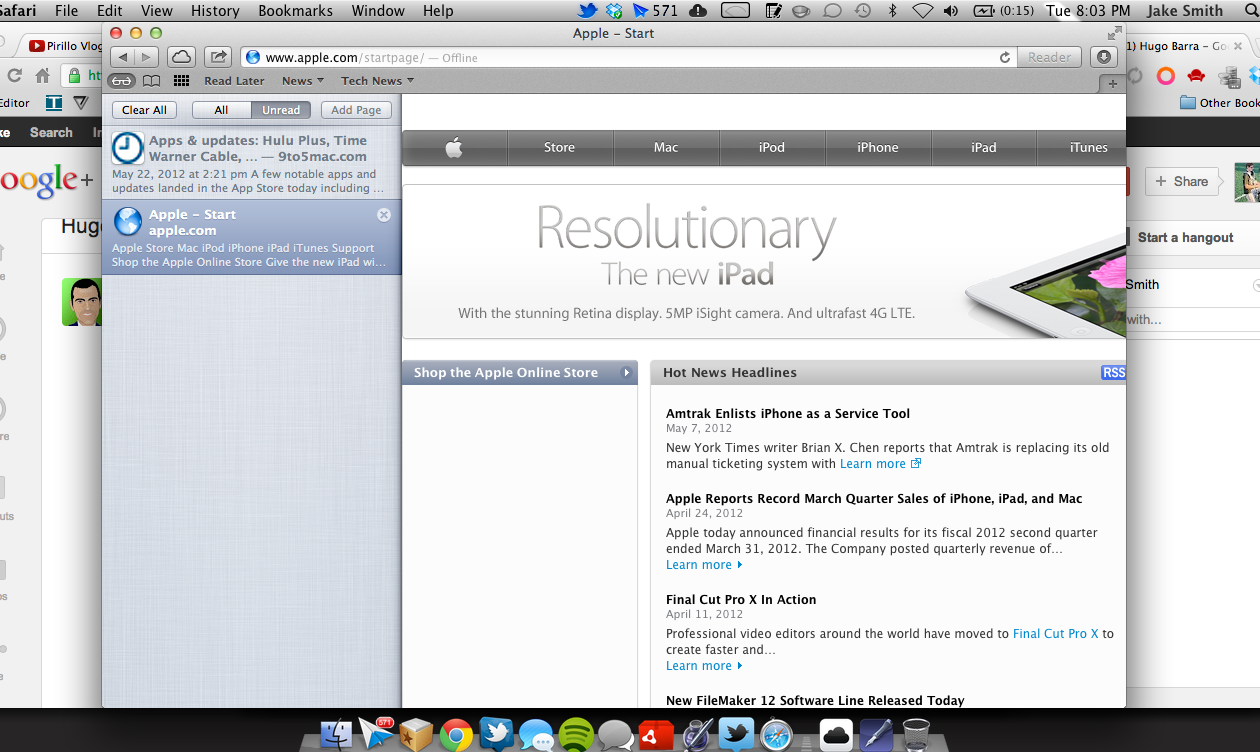
Safari Reading List is definitely a nice, simple alternative to third party apps like Instapaper, Readability, and Pocket for those who use Safari. Reading List allows you to save and sync links for later reading between both your Mac and iOS devices. It has been known that offline reading is coming soon to Safari on Mountain Lion, and it looks like that feature finally landed. Found by Gear Livetoday and a commenter on Control Your Mac10 days ago, offline reading was enabled in recent builds of Mountain Lion. However, offline reading is sadly still not available on iOS devices; although, we would guess iOS offline support is coming at some point.
Offline reading is pretty self-explanatory. While connected, you can mark items to read in your Reading List. Once the Internet is disconnected, you can still load the article thanks to a bit of caching work done on Apple’s end. Apps like Instapaper, Readability, and Pocket have offered a similar feature for quite some time, so it is nice to see Apple finally utilize offline reading.
Earlier this week, Instapaper owner Macro Arment said (video queued below) his app has been pretty much left unfazed after the introduction of Reading List over a year ago, which points to the lack of offline reading to a possibility why Reading List may have not caught steam. Sadly, you can only use Reading List in Safari too, so Chrome users are left to find another option. This looks to be like a nice solution for the mainstreamers, however.
With all the rumors that Apple plans to increase the next iPhone’s display to approximately 4-inches, and yesterday’s reports from Wall Street Journal confirming the rumors, there is much speculation regarding the exact dimensions and resolution of the upcoming display. Overdrive Design blog’s Niilo Autio pointed us to the mock-ups he did of how apps might benefit from a 4-inch display using a resolution of 640-by-1,152. The images below are compared to apps on the existing iPhone 4/4S design. The added screen real estate is especially noticeable in the Safari and Mail apps.
While Apple has released updates for both Lion and Snow Leopard to remove the Flashback malware that is making the rounds, the company had not released a fix for Leopard until today. Apple released a Flashback Removal Security Update for Leopard this afternoon that weighs 1.23MB. Along with removing the Flashback malware, it also disables the Java plug-in in Safari. Apple described the update:
This update removes the most common variants of the Flashback malware. If the Flashback malware is found, a dialog will notify you that malware was removed. In some cases, the update may need to restart your computer in order to completely remove the Flashback malware…To improve the security of your Mac, this update also disables the Java plug-in in Safari.
Apple also released Security Update 2012-003 for Leopard that “disables versions of Adobe Flash Player that do not include the latest security updates and provides the option to get the current version from Adobe’s website.” A similar update was issued for Lion and Snow Leopard in Safari 5.1.7, which released with OS X 10.7.4 late last week—hit up Software Update.
This is the first major update Apple has released for Leopard since Lion debuted last July. Unlike Adobe, it looks like Apple is devoted to keep its old products up-to-date—even if the update is a few weeks behind. For those of you unaware, Adobe recently told users to upgrade from CS5 to CS6 to avoid a security flaw in older versions of software, instead of just patching it. However, Adobe quickly backed down after receiving a ton of backlash from the community and promised an update in the coming weeks. Still sketchy.
Google Inc. (GOOG) is negotiating with the U.S. Federal Trade Commission over how big a fine it will have to pay for its breach of Apple Inc. (AAPL)’s Safari Internet browser, a person familiar with the matter said. The FTC is preparing to allege that Mountain View, California-based Google deceived consumers and violated terms of a consent decree signed with the commission last year when it planted so-called cookies on Safari, bypassing Apple software’s privacy settings, the person said.
Little Snitch alerts you to outgoing network connections.
A firewall protects your computer against unwanted guests from the Internet. But who protects your private data from being sent out? Little Snitch does!
As soon as you’re connected to the Internet, applications can potentially send whatever information they want to wherever they want.
Sometimes they do this for good reason, on your explicit request. But often they don’t. Little Snitch allows you to intercept these unwanted connection attempts, and lets you decide how to proceed.
Little Snitch informs you whenever a program attempts to establish an outgoing Internet connection. You can then choose to allow or deny this connection, or define a rule how to handle similar, future connection attempts. This reliably prevents private data from being sent out without your knowledge. Little Snitch runs inconspicuously in the background and it can also detect network related activity of viruses, trojans and other malware.
In February, the story broke that Google and other advertising companies were bypassing iOS Safari’s privacy settings and continuing to track users without their consent. Google quickly disabled its code responsible for the tracking after a story from The Wall Street Journal published, and Apple then claimed it was “working to put a stop” to the issue.
Now, a new report fromMercury News claimed the U.S. Federal Trade Commission is considering whether to fine Google over the incident. The decision is expected in the next 30 days:
The Federal Trade Commission is deep into an investigation of Google’s actions in bypassing the default privacy settings of Apple’s (AAPL) Safari browser for Google users, according to sources familiar with ongoing negotiations between the company and the government… Within the next 30 days, the FTC could order the Mountain View search giant to pay an even larger fine in the Safari case than the penalty the Federal Communications Commission hit Google with Friday, say the sources, who spoke on condition of anonymity.
The report is referring to Google being recently fined $25,000 by the FCC after it allegedly “deliberately impeded and delayed” an investigation related to Street View cars. The heart of the Safari bypassing investigation is whether the company is violating a previous privacy agreement made with the FTC following controversy over the failed “Buzz” service. The report claimed Google could face up to $16,000 per violation per day for violating the agreement. Google said to Mercury News today it would “cooperate with any officials who have questions” and explained making its +1 compatible on mobile Safari created the issue:
Lets talk about Aereo—the service that streams over-the-air local TV to any Mac, iOS device, or PC running Safari for $12 per month.
The decidedly McGyver tech behind this venture relies on fingertip-sized TV antennas in data centers that allow servers to live-stream channels with high-definition reception through a speedy Internet connection. Aereo also works with Apple TV via iTunes’ AirPlay and a source iOS device, and Roku-lovers can use the Aereo channel through set-top boxes. The service even flaunts 40 hours of DVR storage space and an HTML 5 experience. That’s right, no apps—nor cords, cables, and boxes. Hence the startup’s “It’s TV made simple” badge.
Aereo is currently an invite-only 90-day free trial to New York City residents. Oh, and the behind-the-scene gurus verify billing and IP addresses, so there is no fooling Aereo when requesting login credentials.
That’s enough with the basics; now time to spill the juicy details:
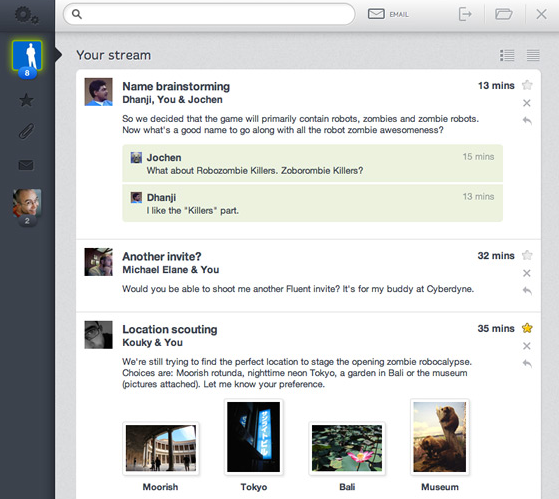
Fluent is a web-based workflow stream that works with existing Gmail accounts to bring a Sparrow-like user interface to email.
Users can stream email threads and replies, preview aggregated attachments in a tab, quickly reply or compose inline, archive messages, and even add a to-do list with the new design concept that claims to run on any web browser.
Sparrow is a great success as a Mac-only application, and now Fluent hopes to balance the playing field and snag users whom are in dire need of a new Gmail look and functionality. Fluent’s website specifically praises its workflow ability, multiple accounts options, and “blazing” fast search-as-you-type filter.
The streaming email UI is the work of three former Googlers who quit the Mountain View, Calif.-based Company. BusinessInsidersaid Cameron Adams, Dhanji Prasanna, and Jochen Bekmann left because designers were “less valuable” than engineers at Google, and they felt disconnected from Google’s culture while operating from across the world in Sydney, Australia…
Internet giant Google found itself in a middle of a potential public relations nightmare following a Wall Street Journalarticle this morning. Tentatively titled “Google’s iPhone Tracking,” the article asserts that “Google Inc. and other advertising companies have been bypassing the privacy settings of millions of people using Apple Inc.’s Web browser on their iPhones and computers” to follow iPhone users even after they explicitly set Safari’s privacy controls to disable such tracking. According to authors Julia Angwin and Jennifer Valentino-Devries, Google used “special computer code that tricks Apple’s Safari Web-browsing software into letting them monitor many users.” Google apparently disabled the problematic code after the newspaper contacted the Mountain View, Calif.-based Company.
Stanford researcher Jonathan Mayer discovered that although mobile Safari’s default setting blocks cookies from third parties and advertisers, Google and advertising companies Media Innovation Group, Vibrant Media, and Gannett PointRoll fooled mobile Safari into thinking “a person was submitting an invisible form to Google,” letting them in turn install a tracking cookie on users’ iPhones and PCs without consent.
Once a cookie installed, a Safari glitch allowed subsequent cookies to attach. Both Google and Apple issued statements following this morning’s report…
Apple seeded its registered developers last night with a new version of Mac OS X Lion 10.7.3. The software carries a build number of 11D46 and arrives just a week following the 11D42 build. It has no known issues, indicating that public release is around the corner. Developers are asked to focus on iCloud Document Storage, Address Book, iCal, Mail, Spotlight and Safari. The Delta update weighs in at 996.98MB and combo update is a 1.26GB download. The OS X Lion Server 10.7.3 build 11D46 is also available for download (Delta:1GB, Combo: 1.34GB, Server Admin Tools: 202.59MB). Additional build notes after the break.