Safari

See All Stories

Millions of British Safari users able to sue Google over secretly-dropped cookies

Site default logo image

UK Safari users have been given the go-ahead to sue Google for continuing to drop cookies on their devices even after they had refused permission through their browser settings.

It was revealed in 2012 that Google bypassed the setting in Safari which instructed sites not to drop cookies, enabling it to deliver personalized ads. The FTC in the US fined the company $22.5M for the practice, with millions more in additional fines levied by 38 US states. There was no government action in the UK, but a group of British iPhone users took Google to court, seeking compensation for breaching their privacy.

Google had attempted to have the case dismissed, claiming that there was no case to answer as the plaintiffs had not suffered any financial harm, but the UK’s Court of Appeal has rejected this argument, allowing the case to proceed …


Expand
Expanding
Close

Unscrupulous website adverts again redirecting some users to App Store from Safari

[youtube https://www.youtube.com/watch?v=MucM1Cwe3t8]

Update: Some of the websites shown in the video cannot be explained by the hypothesis posted below about adverts redirecting to the App Store. The large amount of corroboration by readers about this happening to them suggests there is a mechanism, somewhere along the line, causing a real problem.

Website advertisement companies have found a way to circumvent the protections introduced in iOS 8 to stop users from being kicked to the App Store because of certain cleverly-coded JavaScript advertisements.

I am now experiencing this myself, and it makes browsing on the iPhone unusable. Browsing to websites such as Reddit and Reuters and others now automatically open the App Store. In many cases, there is no way for me to read the actual content on the pages. You can see this happen in the video above.

This flared up as a serious issue last year, when users found they were being taken to random App Store pages without granting any kind of permission…

In iOS 8 beta 2, Apple supposedly had remedied the issue: “Safari now blocks ads from automatically redirecting to the App Store without user interaction.”. However, it seems that ad companies have now managed to work around these safeguards.
Expand
Expanding
Close

Security flaw places Mac, iOS & Android users at risk from hacking on some major websites

Site default logo image

Cryptographers have discovered that a security flaw dating back to the ’90s is placing OS X, iOS and Android users at risk from hacking attacks when visiting some major websites, including American Express, Airtel, Bloomberg, Business Insider, Groupon, Marriott and many more.

The FREAK exploit allows an attacker to force a website to use lower-grade encryption for HTTPS connections, which can be cracked within a few hours when using a small botnet of just 75 computers. Once cracked, attackers would be able to hack the website as well as steal personal data from those visiting the site … 
Expand
Expanding
Close

Google brings smooth Safari-like zoom to Chrome Canary for Mac

The latest build of Chrome Canary for Mac packs a great new feature that’s likely familiar to those who use Safari on a daily basis. While current stable builds of Chrome have a jaggedy pinch-to-zoom functionality that only zooms in 10% increments, the latest build of Chrome Canary provides a smooth buttery zoom experience like Apple’s browser.

As of right now, it looks like the feature works a little bit less fluidly than Apple’s offering, but that’s to expected in the most experimental public release version of Chrome. Zooming works the same way that it does in Safari and current versions of Chrome, so all it takes is pinching two fingers on the Trackpad.

If you’re sticking with Safari on your Mac for this reason or others (battery life, anyone?), it looks like this feature—once it makes its way to the stable release—will give you one more reason to switch over to Google’s browser. If you want to give it a try, head over and download the latest build of Chrome Canary.

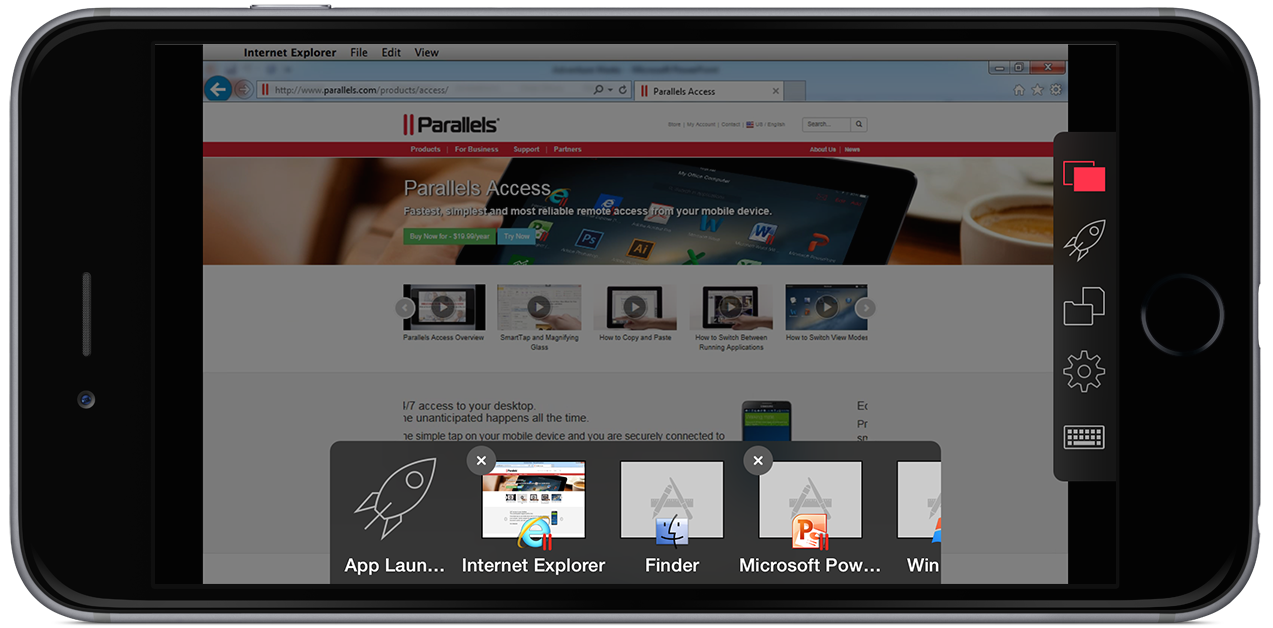
Parallels Access gains new file manager, iPhone 6 support & web version

Site default logo image

Parallels Access today received a significant version 2.5 update with support for the iPhone 6 & iPhone 6 Plus, a new file managing system, improved audio controls, and a new web browser-based version. Parallels Access, as we covered upon its launch for the iPhone last year, is a robust remote computing application that allows you to view and control multiple Macs or Windows PCs via an iPhone, iPad, iPod touch, or Android device.

Besides support for the larger, higher-resolution iPhone 6 and iPhone 6 Plus displays, this new version introduces an improved file management system. The new file picker leverages the new tools in iOS 8 to better work with other applications like Dropbox and Google Drive. Parallels shares the list of enhancements to the feature:


Expand
Expanding
Close

Site default logo image

Apple seeds Safari 8.0.3, 7.1.3, and 6.2.3 betas to developers

Following the release of the third OS X 10.10.2 pre-release version, Apple has seeded individual Safari betas for testing via its developer program.

While the pre-release version of OS X 10.10.2 included Safari 8.0.3 beta, Apple has made beta versions for OS X Mavericks and OS X Mountain Lion available to download from the developer portal. The latest Safari beta versions include Safari 6.2.3, Safari 7.1.3, and Safari 8.0.3.

Apple lists the following focus areas for the latest beta versions of its web browser:
Expand
Expanding
Close

Site default logo image

Apple releases latest Safari updates for OS X Yosemite, Mavericks, & Mountain Lion following pulled versions

Apple has released updated versions of Safari for OS X users running 10.10 Yosemite, 10.9 Mavericks, and 10.8 Mountain Lion. The latest versions of Safari for each respective OS X version now comes to Safari 8.0.2, Safari 7.1.2, and Safari 6.2.2.

Earlier this month Apple released updates for Safari for OS X, but later pulled the releases after a short period. Today’s update addresses a number of issues relating to iCloud Drive, iCloud Keychain, and what Apple calls a rare issue caused by the previous release.

Apple has posted a document detailing the changes in the latest versions. The update is available through the Mac App Store. In addition to releasing new Safari updates, Apple also updated its TestFlight beta distribution app to version 1.0.2 noting “minor stability and performance improvements.”

Site default logo image

Apple releases Safari updates for OS X Yosemite, Mavericks, and Mountain Lion (Update: pulled)

Update: Apple appears to have pulled this update. Apple previously pulled a Safari update when it accidentally released a beta to the general public, but this doesn’t seem to be the same type of situation. The security document for the update is still live.

Apple has released a small patch for the three most recent versions of Safari running on OS X Yosemite, Mavericks, and Mountain Lion. The new versions are 8.0.1, 7.1.1, and 6.2.1, respectively.

The updated builds include fixes for features like WebGL graphics running on Macs with Retina displays, and problems with iCloud Keychain and syncing of browsing history. There is also a new option for importing saved usernames and passwords from the Firefox browser.

You can download the updates from the Software Update tab of the Mac App Store. There are no standalone installers, as Safari is now bundled with OS X.

Microsoft begins inviting users to Skype for Web beta

Site default logo image

We told you Microsoft released a redesigned version of Skype for the Mac earlier last month, and today Microsoft says the communication software is starting to roll out as a service on the Web. Skype for Web will allow users to chat, video call, and manage contacts from a web browser without having to download the Skype app. Microsoft is currently offering Skype for Web as a beta to select users.
Expand
Expanding
Close

How to Fix Safari Push Notifications in Yosemite

If you’ve visited any of the 9to5 sites in Safari on OS X 10.9 Mavericks or 10.10 Yosemite since early 2014, you may have opted into website push notifications. Powered by PushUp Notifications, which integrates closely with WordPress, 9to5mac alone has over 400,000 subscribers receiving breaking Apple news the moment a hot story is published. On a busy news day, we’re delivering over 2 million unique notifications.

Unfortunately, the underlying Safari Push Notifications service on Apple’s end has some bugs on OS X 10.10 Yosemite. PushUp is reporting that many Yosemite users intermittently lose connectivity to APNS on a per site basis (the bug does not present in Mavericks). The bug has been reported to Apple, and appears to be confirmed by a few sources. The beta builds of 10.10.1 highlight Notification Center as an area of focus, although a fix is not definitively confirmed yet.

In the mean time, if you haven’t seen any 9to5 notifications for a while, and you’re already subscribed, there’s an easy fix.


Expand
Expanding
Close

Site default logo image

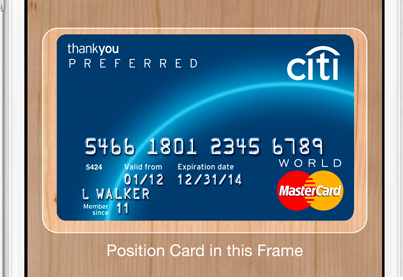
iOS 8 How-to: Use Camera to enter in credit card info

With iOS 7, Apple added a new feature in iBooks, iTunes and the App Store that allowed users to scan iTunes gift cards with the device’s camera rather than manually entering the string of characters on the back of the card. Now in iOS 8, you can use the device’s camera to scan and enter credit card information.

To add your credit card for purchases open up Settings and tap on Safari.


Expand
Expanding
Close

App developer warns not to enter personal info using in-app browsers due to security issue

Site default logo image

[youtube=https://www.youtube.com/watch?v=2Bl-pJBHYuc]

App developer Craig Hockenberry has published an article today titled “in-app browsers considered harmful” warning both devs and users of security issues related to apps that take advantage of the feature. “Would it surprise you to know that every one of those apps could eavesdrop on your typing? Even when it’s in a secure login screen with a password field?”
Expand
Expanding
Close
Talking Schmidt: Google’s executive chairman challenges Tim Cook on privacy citing Chrome’s ‘incognito mode’

Site default logo image

In his letter on privacy shared last week, Apple CEO Tim Cook contrasted the business model of Apple against that of its competitors while strongly taking a shot at Google, Gmail, and Android without actually naming the company and services. The infinitely entertaining executive chairman of Google and former Apple board member Eric Schmidt was recently asked by ABC News about Cook’s open letter on the company and privacy.

In short, Schmidt, who is making the media rounds to promote his upcoming book How Google Works, said Cook’s description of Google and privacy is incorrect, which you would expect from the Google chairman. But his first shot at debunking Cook’s claim was sort of out of left field (okay, as you also might expect):
Expand
Expanding
Close

Site default logo image

Apple releases Safari 7.1 for Mavericks w/ DuckDuckGo search engine, encryption for Yahoo searches

Apple has just released Safari 7.1 to all users of OS X Mavericks following several beta releases in recent weeks. The update adds DuckDuckGo as a default search engine option, which was also just added to Apple’s mobile version of Safari alongside iOS 8. The update also includes a security improvement for Yahoo search engine users: Apple says Yahoo searches from the search field are now encrypted. 

In addition, Apple notes the release improves Reader and AutoFill compatibility with websites.

The release follows OS X 10.9.5 becoming available to all users yesterday with Safari 7.0.6. The Safari 7.1 update is available to users on OS X Mavericks 10.9.5 now through Updates in the Mac App Store. 

Early reviews confirm the iPhone 6 Plus has the same 1GB RAM as the 4.7-inch model (Updated)

Site default logo image

Early reviews confirm that the iPhone 6 Plus has the same 1GB RAM as the iPhone 6. It had been suggested by some that the 5.5-inch model might have a higher spec, with 2GB RAM.

They reveal that both models of the iPhone 6 have identical specs bar the display, battery and optical stabilisation in the camera of the larger model (the 4.7-inch model having only electronic stabilisation) … 
Expand
Expanding
Close

Site default logo image

Apple seeds OS X Mavericks 10.9.5 build 13F24 to developers

Apple has released yet another beta build of the upcoming OS X Mavericks 10.9.5 update. The current build number on today’s release is 13F24, while the previously build released to developers for testing came in at 13F18. Apple continues to ask developers to test USB, USB Smart Cards, Safari, Graphics, and Thunderbolt integration with 10.9.5. The update is available for developers running the previous 10.9.5 seed via Software Update in the Mac App Store.

Site default logo image

OS X Server 3.2 developer preview, Safari 7.1 and 6.2 beta 3 now available for developers

Apple has released new beta builds of two coming versions of its Safari browser, versions 7.1 and 6.2. The two updates will be available for Mavericks and Mountain Lion users later this year, presumably. The update will introduce updates to the WebKit engine, including support for IndexedDB, Javascript Promies, and new CSS capabilities.

The last seed for these updates was published nearly a month ago, while the first build of each was made available in early July. You can read the full seed notes below. The betas are available on Apple’s developer website. OS X Yosemite will ship with Safari 8.0.

Also available for the first time today is the beta version of OS X Server 3.2. It requires OS X 10.9.4 and has a build number of 13S5165.


Expand
Expanding
Close

Report claims next-gen iPad Air will double RAM amount to 2GB

Site default logo image

A new report from Asian site TechNews.tw claims information from the Apply supply chain points to the next generation iPad Air doubling up on RAM from 1GB to 2GB. The additional memory would benefit system performance, especially during multitasking, when more memory-intesive tasks like browsing multiple websites in Safari and using other apps requires more RAM to function smoothly.

While most of the parts and component leaks out of the supply chain have centered around the next generation iPhone, which is expected to debut at an Apple event next month, the new report that the next generation iPad Air will double its memory follows a Bloomberg report earlier this month that new iPads with an anti-reflective coating over the display have entered production.
Expand
Expanding
Close

Apple releases Safari 6.1.6 and Safari 7.0.6 with security fixes

Site default logo image

Apple today has released new versions of Safari for OS X Lion/Mountain Lion and OS X Mavericks that address security and WebKit issues. The Safari 6.1.6 update for the older versions of OS X and Safari 7.0.6 update for the latest OS X are available in Software Update on the Mac App Store. Here are the release notes from Apple’s support page:


Expand
Expanding
Close

Site default logo image

Apple seeds OS X Mavericks 10.9.5 build 13F14 to developers

Apple today has provided developers with a new beta of the upcoming OS X Mavericks 10.9.5 release. Today’s build number is 13F14, which is two builds newer than last week’s 13F12 build. Apple has asked developers to continue testing USB, USB Smart Cards, Safari, Graphics, and Thunderbolt integration with 10.9.5. The update is available for developers running the previous 10.9.5 seed via Software Update in the Mac App Store.


Expand
Expanding
Close

Wikipedia app re-launches on App Store ahead of iOS 8 integration

Site default logo image

The popular online service Wikipedia has re-launched its iOS app with a new native version that features editing and an offline mode. The free app has some unique features other than browsing through Wikipedia entires, as Wikipedia tells us:

  • Fastest way to get into the content. Other highly-rated unofficial free iOS apps have hurdles to access the content. Either downloading some content, or just simply not being able to dive right in to it. That doesn’t happen with the official app.
  • You can edit with this app, unlike other unofficial apps. And you can do it logged out, if you choose.
  • Wikipedia Zero for developing and emerging countries. If you’re on one of the participating operators, you can use Wikipedia free of data charges.

Wikipedia also shared some other important features:


Expand
Expanding
Close

Apple seeds first beta of OS X Mavericks 10.9.5 & Safari 7.0.6/6.0.6 to developers

Site default logo image

Apple today provided a few new seeds to developers. First on the list is the first beta build of the upcoming OS X 10.9.5. The build is labeled as 13F7, and it will likely come as the final update to OS X Mavericks, which will be succeeded by OS X Yosemite in October. The update is available for Mavericks users signed up for pre-release updates in the Software Update section in the Mac App Store.

It also now available on the official Developer Center. Apple asks developers to focus on Safari, USB, USB Smart Cards, and Graphics for this update…


Expand
Expanding
Close

1Password debuts extension for third party apps on iOS 8

Site default logo image

http://vimeo.com/102142106

The popular password and security management app 1Password has already previewed its iOS 8 extension and Touch ID support for unlocking and accessing its content outside of its iOS app, and today AgileBits has announced its 1Password app extension for third party apps as you can see in the video above.
Expand
Expanding
Close

Apple seeds Safari 7.1 and 6.2 beta 2 to developers, asks developers to test password and credit card autofill

Site default logo image

Earlier this month Apple seeded the first beta versions of Safari 7.1 (for Mavericks) and 6.2 (for Mountain Lion) to developers. Tonight a second beta has been published. Interestingly, aside from the focus areas outlined with the previous beta, Apple is also requesting that developers taking this beta for a spin try out the password and credit card auto-fill feature.

The 7.1 and 6.2 updates are expected to be the last big updates to those specific versions of Apple’s browser before the release of OS X Yosemite, which ships with Safari 8. The 7.1/6.2 update features big changes to the WebKit engine and extensions systems built into Safari. You can find the full seed notes for this beta below:


Expand
Expanding
Close