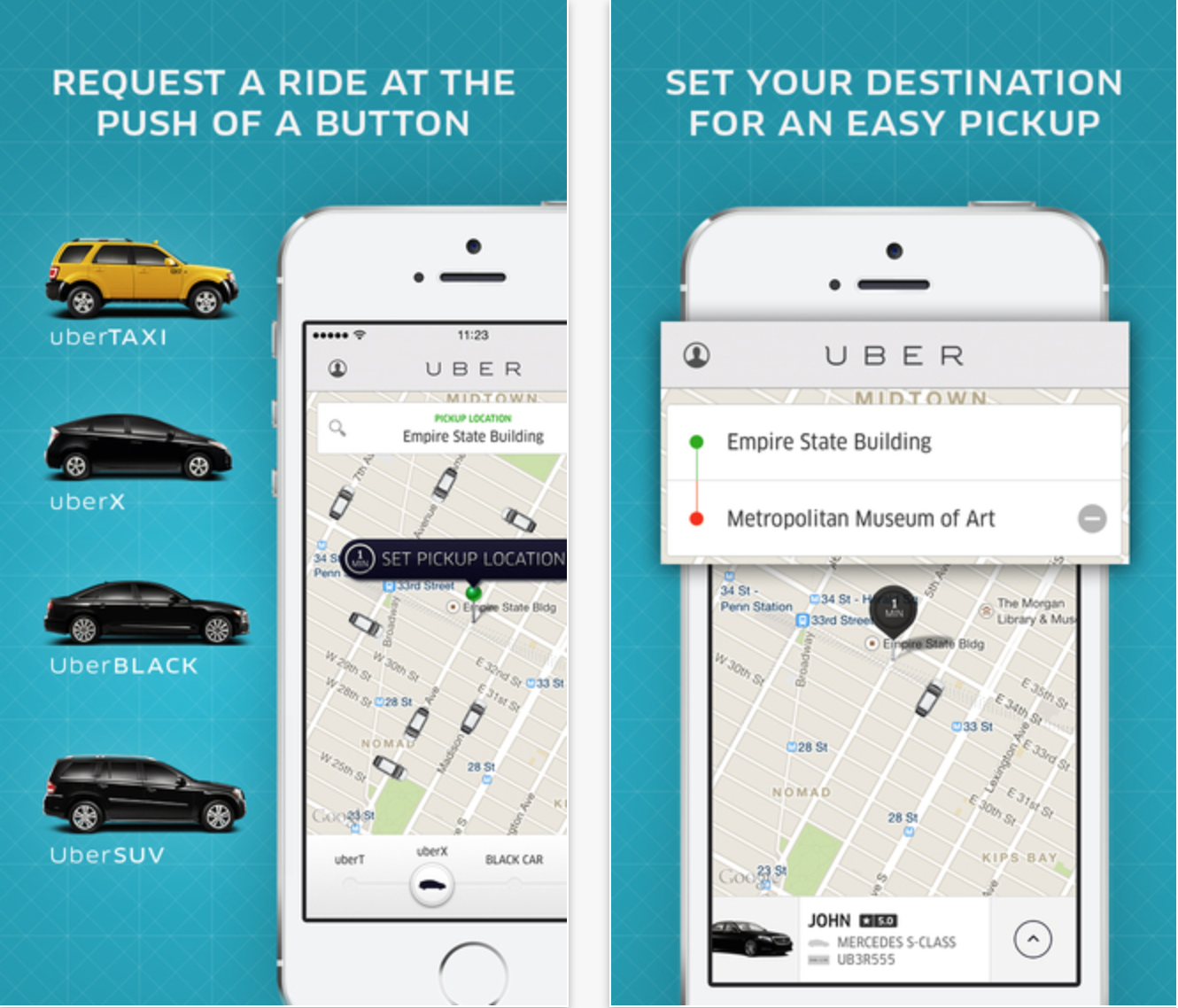
If you’re an iPhone 6 user running the botched iOS 8.0.1 update and can’t make a phone call to ask for a ride, Uber has some great news for you today. The company has updated its iOS application with full optimization for the iPhone 6 and 6 Plus screens. The update does not add much else today, but expect an update in the near-future with support for the upcoming Apple Pay payment service.
Today Uber is taking a major step toward integrating its service into even more apps and services as it introduces an API for developers to use in their own apps and a list of partners already planning to take advantage of it.
As of today, we officially open—to all developers—access to many of the primitives that power Uber’s magical experience. Apps can pass a destination address to the Uber app, display pickup times, provide fare estimates, access trip history and more.
Have you ever wondered what it’s like to become an Uber driver? It’s not a very magical transformation, but there’s a hiring process involved and they send out a pretty cool care package as well. Well, we were able to get a hold of an Uber driver starter kit and thought it would be neat to share the experience…
Uber announced today that it’s added new features that will make the experience even more seamless for both users and its drivers.
We envision a day when there is no coordination necessary to take an Uber ride. Simply push the button, and the rest is essentially on cruise control: the car quickly shows up at exactly the right place and whisks you away to your destination via the best possible route. The latest rider and driver app releases take us one step closer to that world with two new features:
A new destination entry feature lets users quickly enter destination details into the Uber app that are then automatically available to the driver when they arrive. “You can literally skip the step where you tell the driver where you’re going.”
Uber has also added turn-by-turn navigation to its driver app: With one tap, the driver can enable turn-by-turn navigation to the destination you’ve provided. There’s no need to juggle multiple apps or waste time typing in an address.
Chris Blumenberg, a senior engineering manager at Apple who manages the Maps Apps and Frameworks team, has left the Cupertino, California company for a new role at Uber, The Information reports. Blumenberg’s time spent at Apple dates back over 14 years according to his LinkedIn profile, and his past experience includes building the original Maps app for iPhone as well as porting the Safari web browser to iOS.
As you may recall, Apple first introduced its in-house Maps data in 2012, which was met with enough user complaints to prompt a publicly posted apology from Apple CEO Tim Cook, as it began the process of moving away from relying on Google’s mapping data.
Google released a major feature update to Google Maps for iOS today bringing a handful of useful features for navigation and travel with your iPhone and iPad including integration with the private transportation service Uber.
First up is a feature found on many dedicated GPS devices: lane guidance. The feature will present which lane is necessary with current directions to help you avoid missing important turns. Notably, Apple’s Maps software does not currently offer this feature. Google says lane guidance is currently only available for users in the US and Canada… Expand Expanding Close
If you’ve never been in a Lyft car, Conan has teamed up with rapper Ice Cube and comedian Kevin Hart to offer some insight on what the experience is like. Your move, Uber.
As announced on the company blog, popular transportation app Uber will have ice cream trucks available from 11-5 in 33 cities tomorrow.
If you are lucky enough to live in one of the cities, you can pop open the app tomorrow and slide to the “Ice Cream” option. The ice cream isn’t cheap – around $4-5 per person and bundled together for five or six people – but the near-instant gratification and overall experience may make the high cost worth it.
Gmail version 2.0:Google has just released a major update to its Gmail iOS app, introducing multiple account support, a new look that appears to be partly inspired by its Sparrow acquisition, search predictions and much more. The update also brings interactive Google+ posts support, an infinite scroll inbox, new welcome screen, and the ability to respond to Google Calendar invites. Google walked through some of the new features of the overhauled Gmail app in a blog post noting the app was six months in the works:
Six months ago, our team set out to completely rebuild the Gmail app for iPhone and iPad to give you you a faster, sleeker, and easier experience on iOS. The result? Version 2.0. With version 2.0 of the app, you’ll get a totally new look and feel, plus a bunch of improvements like profile pictures in messages, numerous new animations from swivels to transitions and infinite scrolling in the message lists.
Kindle version 3.5: Amazon previously rolled out its X-Ray feature, which used to be exclusive to Kindle devices, to iOS devices back in October. At the time, it was only making the feature available for textbooks on iOS. Today, Amazon has updated the Kindle iOS app to extend the X-Ray to all books. The update also includes “Manga Image Rendering Improvements”:
• X-Ray for Books – see the “bones of the book”. X-ray helps you learn more about notable characters, places, and phrases with descriptions from Shelfari.com and Wikipedia.
• Manga Image Rendering Improvements
– Added support for Stream Marker
– Added Unified Stream option
– Added support for img.ly as an image service
– Performance improvements for older devices
– Better support for image annotations