update

See All Stories
Site default logo image

iWork for Mac and iOS updated with bug fixes and stability improvements, iMovie for Mac with iCloud fixes

Apple has published updates to all of the apps in its iWork suite on the Mac and iOS platforms. Pages for iPhone and iPad was bumped to version 2.2.2, while Pages for Mac reached version 5.2.2. Keynote for Mac was updated to version 6.2.2 and its iOS version went to 2.2.2. Both versions of Numbers were also updated, with the iOS version coming to 2.2.2 and the Mac version hitting 3.2.2.

Each of today’s update has the same exact change log:


Expand
Expanding
Close

Site default logo image

OS X Server 3.2 developer preview, Safari 7.1 and 6.2 beta 3 now available for developers

Apple has released new beta builds of two coming versions of its Safari browser, versions 7.1 and 6.2. The two updates will be available for Mavericks and Mountain Lion users later this year, presumably. The update will introduce updates to the WebKit engine, including support for IndexedDB, Javascript Promies, and new CSS capabilities.

The last seed for these updates was published nearly a month ago, while the first build of each was made available in early July. You can read the full seed notes below. The betas are available on Apple’s developer website. OS X Yosemite will ship with Safari 8.0.

Also available for the first time today is the beta version of OS X Server 3.2. It requires OS X 10.9.4 and has a build number of 13S5165.


Expand
Expanding
Close

Vine for iOS updated with new camera, packs a plethora of new capture tools

Vine for iOS is getting a big update today, packing a new camera that adds a feature that those who use Instagram to share video have had for quite some time: the ability to create posts using clips from your camera roll. The new camera does more than add this method of creating posts, though, and includes many new tools for editing these videos to make your posts exactly what you want them to be.
Expand
Expanding
Close

Simple for iOS gets redesigned from the ground up in 2.0 update

If you haven’t heard of Simple, it’s definitely one of the most 2014-friendly banks out there. Known for its excellent mobile applications, the bank works just like any bank, but gives you a plethora features in both its mobile and web applications to make banking and tracking spending much easier. Today, the company is pushing version 2.0 of the app to Android and iOS users—and the latter will be especially happy because the app still hadn’t been updated to match the iOS 7 aesthetic until today.
Expand
Expanding
Close

Mailbox for Mac reaches public beta, packs draft support, new “snooze to desktop” feature

The team behind the famed Mailbox mobile application demoed a very early preview of the app for Mac back in April of this year, not long after announcing that the platform had been acquired by Dropbox. But the team has seemingly been making steady progress, hoping to create the perfect desktop counterpart to its mobile email client. Today, Mailbox announced that the app has reached public beta and that it will be rolling out soon to those who have signed up for the wait list.
Expand
Expanding
Close

Site default logo image

TweetDeck for Mac gets Regional/City Trends column, other improvements

TweetDeck for Mac was updated via the Mac App Store to version 3.8.4 and with it comes a new feature that will show regional and city trends. “You can now find locally trending topics for Regions and Cities, and add a column based on the trend.”

The update also includes a number of other improvements and fixes. You can now remove scheduled tweets from the Scheduled column by removing the time from a tweet and the other update also includes improvements for multiphoto tweets in large columns. In addition, the updated app fixes a few annoyances like the empty columns bug after a computer wakes from sleep as well as retweets with emoji not display properly.

The updated TweetDeck for Mac is available on the Mac App Store now.

What’s New in Version 3.8.4

– Fixes issue with empty columns after computer wakes from sleep.
– Regional + City level Trends. You can now find locally trending topics for Regions and Cities, and add a column based on the trend.
– Retweeting a Tweet with emoji no longer scrambles Tweet contents
– Removing time from a scheduled tweet now removes that Tweet from the Scheduled column.
– Multiphoto inprovements for large columns

Site default logo image

Uber adds destination entry for riders & turn-by-turn navigation for drivers to mobile apps

Uber announced today that it’s added new features that will make the experience even more seamless for both users and its drivers.

We envision a day when there is no coordination necessary to take an Uber ride. Simply push the button, and the rest is essentially on cruise control: the car quickly shows up at exactly the right place and whisks you away to your destination via the best possible route. The latest rider and driver app releases take us one step closer to that world with two new features:

A new destination entry feature lets users quickly enter destination details into the Uber app that are then automatically available to the driver when they arrive. “You can literally skip the step where you tell the driver where you’re going.”

Uber has also added turn-by-turn navigation to its driver app: With one tap, the driver can enable turn-by-turn navigation to the destination you’ve provided. There’s no need to juggle multiple apps or waste time typing in an address.

Uber says the features are live now, although doesn’t list the features in the latest update that hit the app yesterday.

Site default logo image

Facebook 13.1 released for iOS, boasts crash rate reduction of over 50 percent

Facebook released version 13.1 of its iOS client today with a rather uninteresting change log noting that the app had received “bug fixes” and nothing more. However, over on Facebook’s engineering blog the company has outlined what exactly went into this fix, and it turns out the update contains a significant fix that will resolve over 50% of reported crashes.

According to the blog post, the issue arose from a file corruption error that appeared in iOS’s Core Data system:


Expand
Expanding
Close

Site default logo image

Facebook Paper gets a speed boost and design improvements

Facebook Paper got a small, but important update today. The social network boosted the app’s speed and says that the design is sharpened:

• Speed and stability updates: To help you get the most out of your Paper, we’ve been working hard to make all your sections, stories, photos and videos load faster and more reliably.
• Design improvements: We’ve sharpened details to make your Paper even more appealing.

A more significant update with improved photo management and trending news sections arrived last month.


Expand
Expanding
Close

Site default logo image

Yelp updates iOS app with Bing-powered review translation feature

Yelp has updated its iOS app with a new feature that automatically translates foreign-language reviews to a users’ native tongue. The feature is powered by Microsoft’s Bing translation service. It currently works for 15 languages, according to a Yelp blog post:

The translation feature works for all 15 officially supported Yelp languages: English, Czech, Danish, Dutch, Finnish, German, Spanish, Italian, Norwegian, French, Polish, Portuguese, Swedish, Turkish, and Japanese.

The update doesn’t appear to have rolled out on the App Store just yet, but the company says it will be available later today. The Yelp app is free for iPhone and iPad.

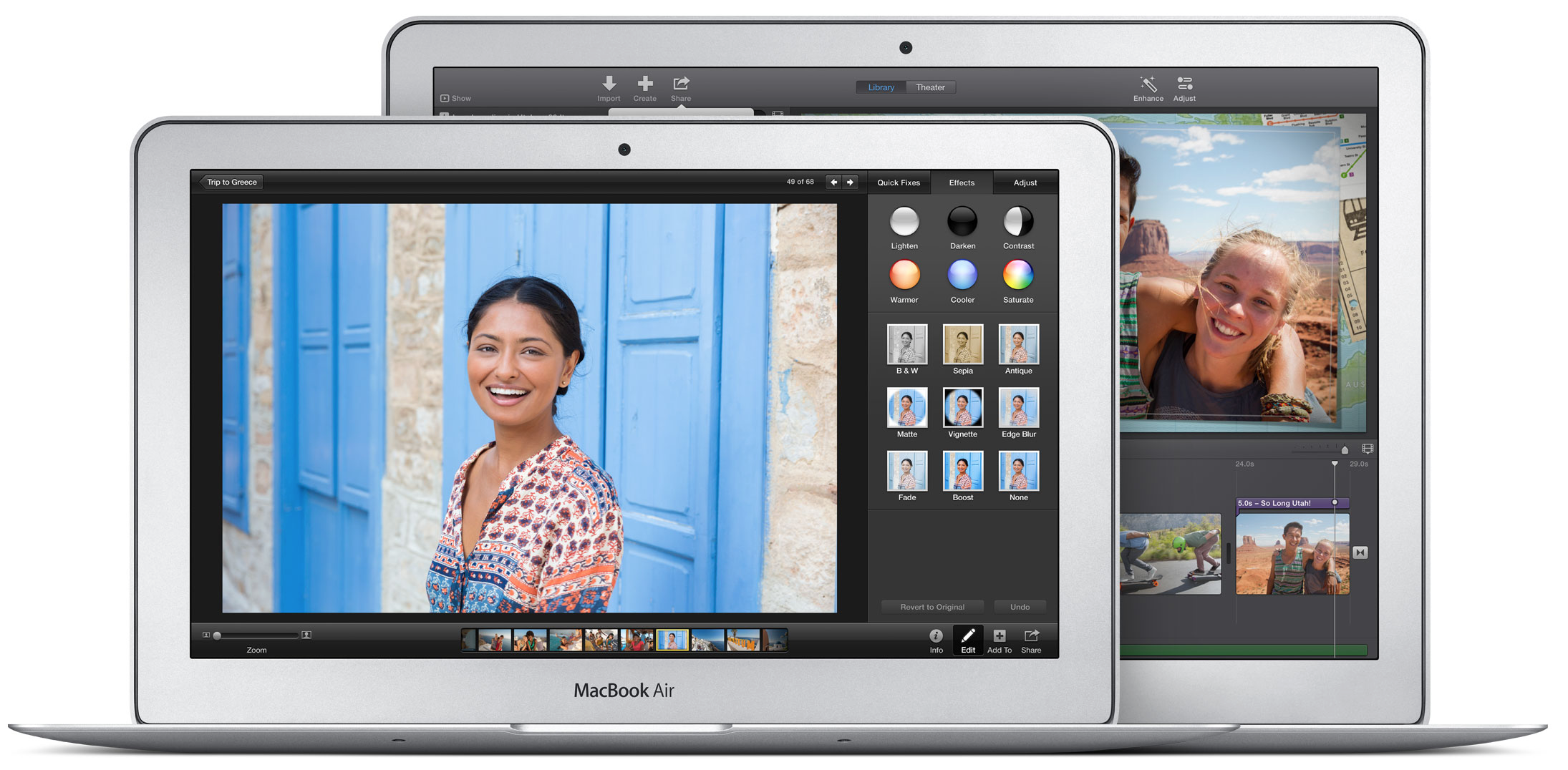
Apple re-releases MacBook Air EFI 2.9 update after bugs discovered

Site default logo image

Earlier this month, Apple released a MacBook Air EFI update (version 2.9) with fixes for issues with the laptop waking from sleep. Approximately a week ago, the firmware update was removed by Apple because of bugs causing MacBook Airs to crash.

Today, Apple has re-released the update with fixes as version 2.9.1:

This update replaces EFI Firmware Update 2.9 and is recommended for MacBook Air (Mid 2011) models.

The update can be found for mid-2011 MacBook Air owners in the Software Update section of the Mac App Store.


Expand
Expanding
Close

Site default logo image

Microsoft OneNote iPhone, iPad, & Mac apps updated with new features

Microsoft updated its OneNote apps for iPhone, iPad, and Mac today with a number of highly requested features including the ability to insert files, lock and unlock protected sections, PDF printouts, and much more.

In addition, the update also includes the ability to organize notebooks by moving and reordering sections and pages, support for formatted text copied from other apps, and an option to create notebooks and save them to OneDrive for Business.

The updated Microsoft OneNote for iPhone and for iPad is available on the App Store now. A full list of what’s new is below:

What’s New in Version 2.3

•Insert Files – You asked, we listened. Now you can insert files into your notes, open them with a double-tap, and easily share them using AirDrop.
•Protected Sections – Now you can lock or unlock password-protected sections created in OneNote for Windows.
•PDF Printouts – Add a PDF printout to any notebook page, then add your own notes.
•Organize Notebooks – Now you can move and reorder sections, and move pages anywhere you want in OneNote.
•Formatted Text – Copy and paste formatted text between application – whether it’s an article from Safari or a document in Word, any content you paste into OneNote will look great!
•Creating Notebooks – Now you can create notebooks and save them to OneDrive for Business. Have multiple accounts? No problem! It’s easy to select exactly where you want to store your new notebook.

The Microsoft OneNote for Mac app gets a similar update today plus the ability to share a page from OneNote through email. 

Site default logo image

NPR One app arrives on iPhone with curated public radio streams

Alongside the release of its new app for Android today, the new NPR One app has just arrived on the App Store for iPhone users.

NPR One is the new audio app that connects you to a stream of public radio news and stories curated for you… Great storytelling and rigorous reporting that informs, engages, inspires and surprises—from the ends of the earth to your own city or town—available to you whenever, wherever.

Not to be confused with its NPR News apps already available for iPhone and iPad, the new app offers users a more personalized experience by providing a curated stream of news based on your preferences. It also focuses solely on audio streams rather than mixing written stories like its full news app. It does so by curating stories from public radio stations around the country while mixing in local station news:

*Features*
– A personalized stream of NPR and local station news and stories
– Skip, rewind, pause and share
– Search for your favorite shows, stations and podcasts
– International, national, regional and local content
– A simple, intuitive interface

The new NPR One app is available as a free download for iPhone now.

Site default logo image

CNN iPhone app exposing login info of its iReporters unencrypted, according to security researchers

Update: Apple tells us CNN submitted fixes for both their iPhone and iPad apps that are now live on the App Store.

Security researchers at Zscaler claim to have found a security flaw in CNN’s iPhone app that exposes personal login and passwords of its users. The CNN app for iPhone, which includes an iReport feature that allows users to sign-up and submit news stories, is reportedly not using SSL encryption for registration/login and SSL certificate pinning like its Android app counterpart and sending the personal user info to and from the app unencrypted. The report notes that CNN’s iPad app is not subject to the same vulnerability as it currently doesn’t have the iReport feature:

The current CNN for iPhone App (verified on Version 2.30 (Build 4948)) has a key weakness whereby passwords for iReport accounts are sent in clear text (unencrypted). While this is always a problem, it’s especially concerning that this relates to functionality which permits people to anonymously submit news stories to CNN. This occurs both when a user first creates their iReport account and during any subsequent logins.

As can be seen, both transmissions are sent in clear text (HTTP) and the password (p@ssword) is sent unencrypted, along with all other registration/login information. The concern here is that anyone on the same network as the user could easily sniff the victim’s password and access their account. Once obtained, the attacker could access the iReport account of the user and compromise their anonymity. The same credentials could be used to access the user’s web based iReport account where any past submissions are also accessible.

Zscaler said it notified CNN of the security flaw on July 15th and that the company confirmed it’s investigating. The CNN app for iPhone received an update today with “bug fixes” listed in the release notes, but the company is yet to confirm if the update was to address the security flaw detailed by Zscaler.

Site default logo image

Last week’s MacBook Air firmware update reportedly failing to install for some, leaving users with bricked machines

Apple released an EFI firmware update (version 2.9) for the mid-2011 MacBook Air last week to address problems the computer could have while waking from sleep, but recently users have started to report on the company’s support forum that the software was failing to install on their machines, and in some cases leaving them with completely non-functional computers, as first noted by MacRumors.

While some users report that their MacBook Airs shut down for several hours only to suddenly spring back to life, others claim that their machines still won’t startup. In other cases, users are finding that the Mac App Store prompts them to re-install the update over and over. So far there aren’t any reports of a successful resolution to the issue, even through AppleCare channels.

If you haven’t already installed the update, it may be best to sit this one out until Apple has fixed whatever problem seems to be plaguing users at the moment.

Intel launches updated Haswell chips, likely to appear in upcoming MacBook Pro spec bump

Site default logo image

Intel has debuted the next generation of its Core i5 and i7 processors, according to a report from CPU World. Each of these updated chips sports a 200 MHz speed boost over its previous incarnation, which can currently be found in the MacBook Pro lineup. It’s likely that these processors will be found in a spec-bumped version of the MacBook Pro later this year.

The current series of MacBook Pro processors are available at clock speeds of 2.0 GHz (in the lowest-end 13-inch model) up to 2.6 GHz (in the top-of-the-line, built-to-order 15-inch model). The next-gen models released this week range from 2.2 to 3.0 GHz, which will provide a decent speed boost to each model.


Expand
Expanding
Close

Facebook introducing ‘Save’ read later feature for iOS & Android

Site default logo image

[vimeo 101133002 w=700 h=381]

Facebook announced today that it’s rolling out a new feature for its mobile apps that will let users save content for easy access at a later date. A list of saved content from Facebook— including links to things like places, movies, TV, and music— will appear in the Facebook mobile apps in the “More” section and on the left side bar on the web.
Expand
Expanding
Close

Site default logo image

Upcoming Twitter for iPhone update will allow you to browse your entire DM history

Twitter has announced that an upcoming update to its mobile clients will allow users to go back and review their entire direct message history. Currently the app only provides a limited look back, but that restriction will be removed in a new version that will also make deleting messages more reliable across its web and mobile platforms.

[tweet https://twitter.com/Support/status/490260546818543618 align=’center’]


Expand
Expanding
Close

Site default logo image

HBO’s Game of Thrones Ascent game arrives on iPhone

Following a release for iPad back in March, HBO’s Game of Thrones Ascent game developed by Disruptor Beam & Kongregate is now available for iPhone. The game already racked up around 2,500,000 players on Facebook and the web before making its way to iPad in March, and it comes to the App Store with new art, optimized imagery for Retina displays, and Game Center leaderboards.

With Game of Thrones Ascent, fans can immerse themselves beyond the books and show, living the life of a noble in Westeros, working with (or against) each other in a persistent, authentic game world. Taking part in thousands of story-driven quests, players delve deeply into the lore and develop their own lands and reputation among the Great Houses. Players explore an expansive world filled with deep political and social play involving diplomatic agreements, pacts, marriages, and betrothals. Through Alliance challenges, players work with hundreds of others to accomplish great tasks and rise to the top of the Power Rankings.

The developers update the game weekly and alongside new episodes of the TV show when it’s airing. That includes new quests, in-game items and more that follow the storyline of the show.

Game of Thrones Ascent is available for iPhone now as a free download on the App Store.

Google Chrome for iOS update adds Cast support to web pages, gets a tweaked icon

Site default logo image

Google has released an updated version of the Google Chrome application for iOS today, bringing at least one interesting new feature to the app: mobile websites that have Cast support will now work with all of your Cast-capable devices. It’s unclear how the feature works at the moment, but according to the release notes, developers are going to need to add support to their webpages before they can take advantage of the feature.

Also, as will likely be praised by iOS users everywhere, the version 36.0.1985.49 update goes the way of Google Hangouts and finally gets rid of the infamous “lip” located at the bottom of the app icon:


Expand
Expanding
Close

Site default logo image

Scribd for iPhone updated with redesigned book view, improved library management, and more

The Scribd iPhone app has been updated with several design tweaks and functionality improvements today that make browsing and reading even easier. The new version includes a redesigned book view with descriptions and the ability to read user reviews. Browsing between books is now seamless, and an updated library manager allows you to download books to your phone or add them to collections.

You can grab the Scribd update for free on the iOS App Store. The change log is below:

  • A redesigned book page that includes in-depth descriptions, reader reviews, and related books
  • Seamless book-to-book browsing
  • Streamlined management of your Library – tap the new “+” sign on books to instantly save them to your device, add them to your library, or add them to a collection

Apple seeds Safari 7.1 & 6.2 with WebKit improvements to developers and AppleSeed users

Site default logo image


Apple has released a new beta version of Safari to beta testers in the AppleSeed program and Mac developers. The new version for Mavericks is 7.1, while Moutain Lion users will see version 6.2. The update includes several upgrades to the WebKit engine that powers the browser.

According to the release notes, the changes include support for WebGL, IndexedDB, and JavaScript tweaks, among other things. There is also apparently a change to the way the app handles extensions, as the beta disables all installed add-ons by default and the notes request that developers check for any compatiblity issues.

Version 7.1 will likely be the last major update to Safari for Mavericks before the launch of OS X Yosemite, which will include the all-new Safari 8. The full seed notes for this beta are below:


Expand
Expanding
Close

Apple blocks all outdated versions of Adobe Flash in Safari due to vulnerabilities

Site default logo image

Due to a security flaw discovered in its Flash Player software, Adobe released an update to the web plugin earlier this week. Today Apple confirmed that it had updated its plugin blacklist for OS X to stop the system from using a version of Flash Player older than 14.0.0.145 (or 13.0.0.231 on older systems).

According to Apple’s product security team:

Due to security issues in older versions, Apple has updated the web plug-in blocking mechanism to disable all versions prior to Flash Player 14.0.0.145 and 13.0.0.231.


Expand
Expanding
Close