update

See All Stories
Site default logo image

Apple releases Safari 7.0.4 & 6.1.4 for OS X with security improvements

Alongside the release of OS X 10.9.3 and iTunes 11.2 last week, Apple released Safari version 7.0.3 and 6.1.4. Apple has since released a minor bug fix to that version of iTunes, and today Apple has released a security update to Safari bringing the latest version to 7.0.4. Users can find the latest version in the Mac App Store.

Safari 6.1.4 and Safari 7.0.4

  • WebKitAvailable for: OS X Lion v10.7.5, OS X Lion Server v10.7.5, OS X Mountain Lion v10.8.5, OS X Mavericks v10.9.3Impact: Visiting a maliciously crafted website may lead to an unexpected application termination or arbitrary code execution

    Description: Multiple memory corruption issues existed in WebKit. These issues were addressed through improved memory handling.

Read Apple’s documentation on the latest version of Safari here.

Site default logo image

Amazon Cloud Drive Photos app gets revamped albums w/ large cover photos & more

Amazon updated its Cloud Drive Photos app for iOS today with a few nice new features for viewing and managing photos and video stored in the app.

The app, which offers 5GB of storage free and automatically backs up photo and video from your iOS device, now includes a revamped album view with large cover photos in addition to other new photo management features. You’ll also now see your photo as its being uploaded within the progress indicator as well as dates when transitioning between months and years while viewing photos: Swiping through photos in the single photo view now lets you know when you transition between months or years. 

Lastly, Amazon notes the app now includes a filter to sort photos by newest or oldest first.

The updated Amazon Cloud Drive Photos app is available now on the App Store.

What’s New in Version 3.1.0

– New Album View: Quickly scroll through your albums with large, beautiful cover photos for each of them
– Upload Progress: See your photos as their being uploaded to the cloud
– Know when your photos were taken: Swiping through photos in the single photo view now lets you know when you transition between months or years
– Sort your Photos: Choose to see your photos newest first or oldest first
– Bug and Crash Fixes

CARROT Fit updated with new workout module involving dragons and Justin Bieber

Site default logo image

Meatbags rejoice! Or, perhaps more accurately, cower in fear. CARROT, the “fun”-loving AI construct who just wants to hurt you in ways you can’t even imagine, has returned with a brand new CARROT Fit update.

In this update, you’ll find a new 7-minute workout module that’s just a little different from the rest. That’s because this one involves punching Justin Bieber in the face and performing a dragon mating dance, among other, equally-ridiculous activities.


Expand
Expanding
Close

Coda 2.5 won’t be coming to the Mac App Store, but there’s no need to panic

Site default logo image

Mac and iOS development team Panic announced today in a company blog post that the next major version of its Coda web development tool would not be coming to the Mac App Store. The reason? App Store apps need to be sandboxed (a security feature in OS X that doesn’t let apps modify data outside of their designated “sandboxes”), and Coda 2.5 simply doesn’t work as a sandboxed app.

According to Panic, Apple worked with the developers as much as possible to provide temporary exemptions and workarounds that could help alleviate some of the issues encoutered, but ultimately the decision was made to only release the update through the Panic website.


Expand
Expanding
Close

Site default logo image

Logic Pro X updated with improvements for 12-core Mac Pros, bug fixes, and more

Logic Pro X has been updated today with a number of bug fixes and improvements. First on the list of changes is better support for 12-core Mac Pros, which can now utilize up to 24 threads at once. Fixes to step sequencer issues when using Low Latency Mode and alignment guides have been implemented, and several XML import and export bugs have been taken care of.

A few extra enhancements also appear in this update: You can now copy automation data and paste it to any location using the Marquee tool; MIDI devices with volume and pan controls can now be set to control the software instrument rather than the channel strip the instrument is recorded on; and volume, pan, and effect send values can now be inserted into the automation track at the current playhead position.

There are also upgrades to the app’s accessiblity features. You can grab the update for free if you already own Logic Pro X. The app is $199.99 for new users on the App Store.

What’s New in Version 10.0.7

• Now supports 24 processing threads on 12-core Mac Pro models
• The current volume, pan, and send values for all selected tracks can now be inserted at the playhead position
• Enabling Low Latency Mode no longer creates sync issues for Drummer, Ultrabeat, Native Instruments Machine and other plug-ins with integrated step sequencers
• Automation can now be copied and pasted to any location using the Marquee tool
• Adds an option for MIDI volume and pan data to control the instrument plug-in instead of the channel strip
• Resolves several snap and alignment guide issues
• Various fixes that improve XML import and export with Final Cut Pro X
• Contains multiple enhancements to Accessibility

Site default logo image

Google Search for iOS 4.0 adds new voice search options, more relevant results, and more

Google has updated its iOS search app to version 4.0, which introduces a variety of new and useful changes. The app now recognizes new voice search cues and conversational input similar to the way Siri works. For example, Google says you can ask the app “What’s the weather like?” and follow up with “How about this weekend?” to get results relevant to the weekend rather than the current day.

The app will now also alert you when you new articles on certain topics appear. The feature is powered by Google Now, which learns your favorite authors, blogs, and more to provide you with customized alerts.

Finally, a few other changes to the app include faster loading, cricket sports data for Google Now, and an updated images search page.

Google Search is available for free on the App Store. The full change log is below:

What’s New in Version 4.0.0

With today’s update, you can ask questions with your voice & get updates on topics you care about.

Have a smarter conversation with Google:
• Tap the microphone or say “Ok Google” to start
• Ask questions such as “What’s the weather like?”
• Then follow up with “How about this weekend?”

At Google, we know the web well. With Google Now, we’ll tell you when there’s an interesting article for:
• Your favorite topics
• Your upcoming trips
• Your favorite authors and blogs

Smaller updates include:
• Cricket sports cards in Google Now
• Faster loading of Google Search and Google Now
• More beautiful and fluid image results

Site default logo image

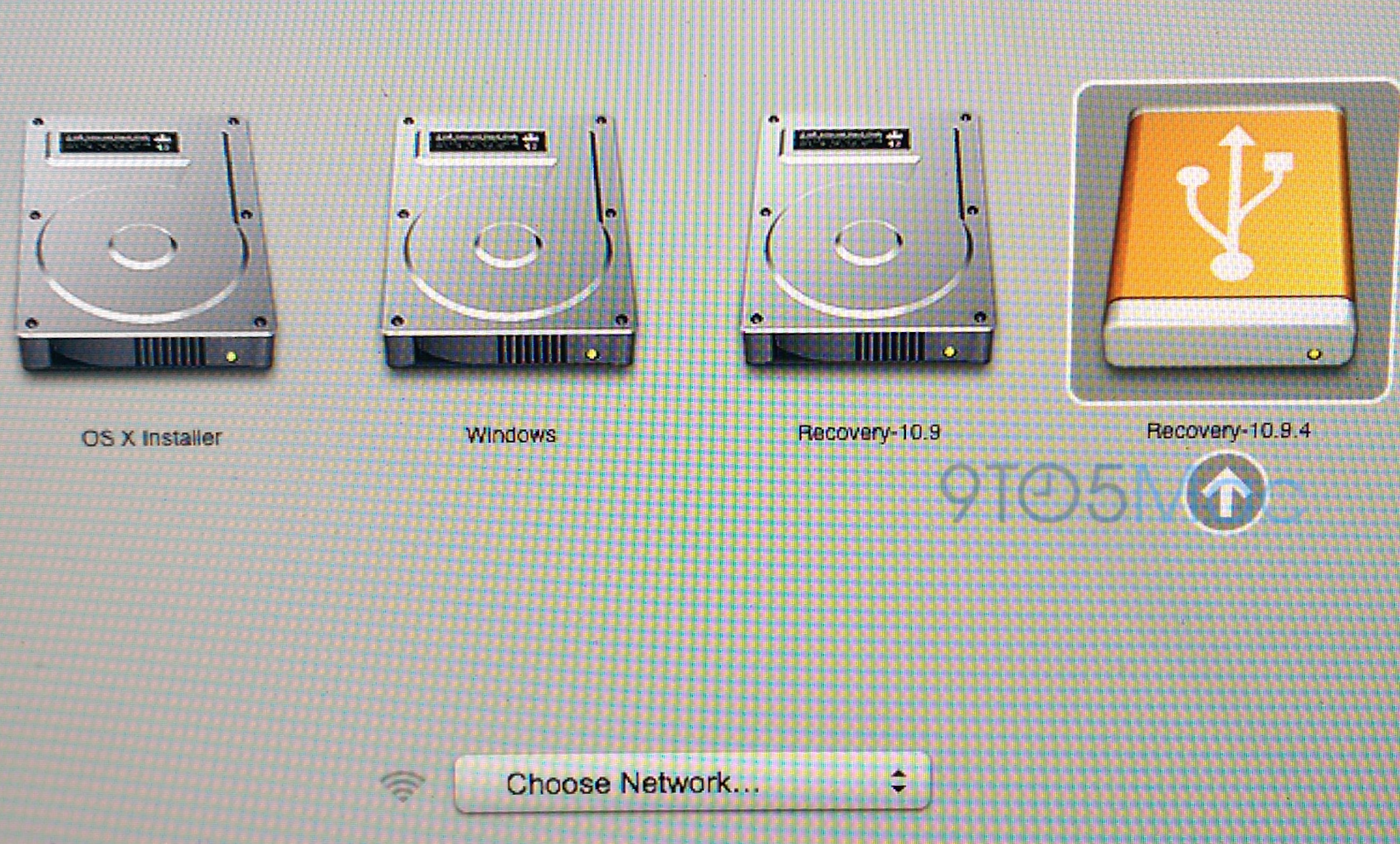
Apple seeds OS X 10.9.3 build 13D61, Safari 7.0.4 to developers

Apple has seeded a new build (13D61) of the upcoming OS X 10.9.3 update to developers. The developer update comes just hours after Apple seeded a slightly newer build to its AppleCare team. 10.9.3 is expected to ship in the near future and features improved support for 4k monitors on newer MacBook pro models. The update also re-introduces the ability to sync contacts and calendar data to an iOS device from iTunes over a USB connection.

The update is accompanied by the very first seed of Safari 7.0.4. At the moment there are no details as to what’s new in the Safari update, aside from the typical performance updates and such. These updates don’t yet appear to be available for AppleSeed users.

First OS X Mavericks 10.9.4 ‘Epic’ build seeded inside Apple as 10.9.3 release approaches

Site default logo image

Even as the redesigned OS X 10.10 approaches, Apple is continuing work on OS X Mavericks. According to multiple sources, Apple has provided its employees with the first seed of OS X 10.9.4. Codenamed “Epic,” 10.9.4 will continue to bring bug fixes and various stability enhancements to Mavericks…


Expand
Expanding
Close

Site default logo image

Microsoft updates OneNote for iPhone & Mac w/ top requested features

Following updates to the Office apps for iPad yesterday that introduced printing support, Microsoft announced today that it’s updating the OneNote apps for iPhone and Mac with the top requested features from users. Included in the new features for iPhone users is the ability to create new notebook and sections, a revamped look that fits in more with iOS 7, and the Office Lens feature that was already available to iPad users. 

We’ve built Office Lens into OneNote for iPhone. Similar to Office Lens on OneNote for iPad, this popular feature turns your iPhone into a pocket scanner so you can use it to take pictures of things like receipts or whiteboard notes. Then, with Office Lens you can trim, enhance and make pictures more readable. Best thing is, images are automatically synced to OneNote, and if your picture includes printed text, OneNote can recognize the text with optical character recognition (OCR) so you can search for words in the image.

The Mac app gets improved printing, drag and drop images from the web, and much more:

  1. Print notes: You can now print out your lecture notes, travel itineraries or recipes by simply navigating to the page of your choice and bringing up the standard system print dialog from the menu. In addition, you can save the page as a PDF file through the Print dialog.
  2. Drag and drop images: Yes, this is as easy as it sounds! If you are browsing the web for ideas for a remodeling project and find some pictures you want to capture, you can easily drag and drop those into OneNote. If you have an album on your local machine, you can simply drag and drop multiple photos from Finder into OneNote. Additionally, this update also adds image formatting tools so you can restore the size of the picture if it’s been modified from its original state, or rotate pictures as desired.
  3. Format Painter: You may recognize this option from other Office applications. Format Painter is a handy tool to quickly apply the same text formatting throughout your notes. For example, if you copy and paste content from different sources with different formats, you can easily apply the same consistent format across all the content in a couple clicks. WARNING: this tool is highly addictive. Once you start using it, you won’t be able to stop.
  4. Copy and paste formatted content: When using OneNote for project management, class research or travel planning, capturing content from other places into OneNote is essential. Whether it’s formatted text from a Word document, tables from Excel or webpages, you can easily capture rich content and place it in your notes so it looks the same as it did in Word, Excel or on the webpage.
  5. Hyperlinks: Sometimes links can be long, unwieldy and aren’t always self-explanatory. You can now keep your notes organized by adding a display name for links in your notes.

The OneNote for Mac and OneNote for iPhone apps are available on the App Store now.

Site default logo image

Adobe updates Photoshop Express for iOS with new design and features

Adobe has published an update for its mobile photo editing app, Photoshop Express, bringing the version up to 3.3. The update includes a redesigned interface to match iOS 7’s look along with a handful of new features.

Feature-wise, the update adds a ‘green eye’ correction filter, an auto-save feature, improved tool tips, a better photo picker, and new sharing options for Instagram and SMS.

The update is available for free to everyone on the iOS App Store.

What’s New in Version 3.3

• A brand new editing experience with a new look for iOS7
• Share via Instagram or SMS
• Pet-eye (a.k.a. green-eye) correction
• Save your work without saving now that the app resumes where you left off
• Navigation improvements throughout the app, including Tool Tips and updates to the Photo Picker
• Bug fixes and performance improvements.

Microsoft adds printing support to Office for iPad apps, other features

Site default logo image

When Microsoft launched its Office for iPad apps last month, one of the most requested missing features was printing support. Just over a month later, today the company announced in a blog post that it’s updating the Word, Excel, and PowerPoint iPad apps with support for printing in addition to other new features and fixes.

Your top request is here! You can now print Word documents, Excel spreadsheets, and PowerPoint presentations to an AirPrintTM printer. In Word for iPad, you can choose to print a document with or without markup. In Excel, print a selected range, a single worksheet or an entire spreadsheet. Of course, you can select the pages or slides you want to print.

In addition to printing, the company also announced that its updated PowerPoint with SmartGuides, the tool that allows users to easily “align pictures, shapes, and textboxes as you move them around on a slide.” You’ll also find other new features for Excel, as well as fixes and improvements in the other apps:
Expand
Expanding
Close

Site default logo image

Yahoo Mail iPhone app adds weather, web search, news, scores & more (for better or worse)

Yahoo released an interesting update to its Yahoo Mail app for iPhone today. In version 3.0, Yahoo is integrating many of its other services including weather, sports scores, stocks, images, news, and web search directly into the mail app. The goal is to provide users one easy place to access all their content from Yahoo, but it’s unclear what that means for the future of Yahoo’s other iOS apps for each of the services. The feature is currently only available to iPhone users running iOS 7 and up.

When you’re finished reading and replying to your email, see what’s happening in the world by tapping on the News icon. From celebrity gossip to the latest political news, you’ll find it in your personalized, visually rich news stream.

Let’s head over to the Today icon. Here’s where you’ll find a snapshot of the information you care about most every day and search — from your local weather to a news digest to the latest stock quotes and sports scores you care about.

The updated app provides new three new tabs along the bottom—  Mail, News, and Today— with Mail bringing you to your inbox, News providing a stream of all stories from Yahoo, and Today providing an overview of weather, trending content, scores, and access to web search. While I have a feeling that some might not be too happy about their Mail app being bombarded with all this new content, Yahoo has done a pretty good job of keeping it out of the way if you only ever want to see your inbox.

Yahoo Mail version 3.0 is available on the App Store now.

What’s New in Version 3.0

– Feature updates for iPhone iOS7+. Your Yahoo Mail app is now enhanced with news, search, and snapshots of the weather, sports scores, stocks, and News Digest. Access the info you need, all in one app.
– Performance improvements
– Bug fixes

[youtube=https://www.youtube.com/watch?v=pSjEMBLANjw]

New MacBook Airs likely launching tomorrow

Site default logo image

Update: Here are the specs…

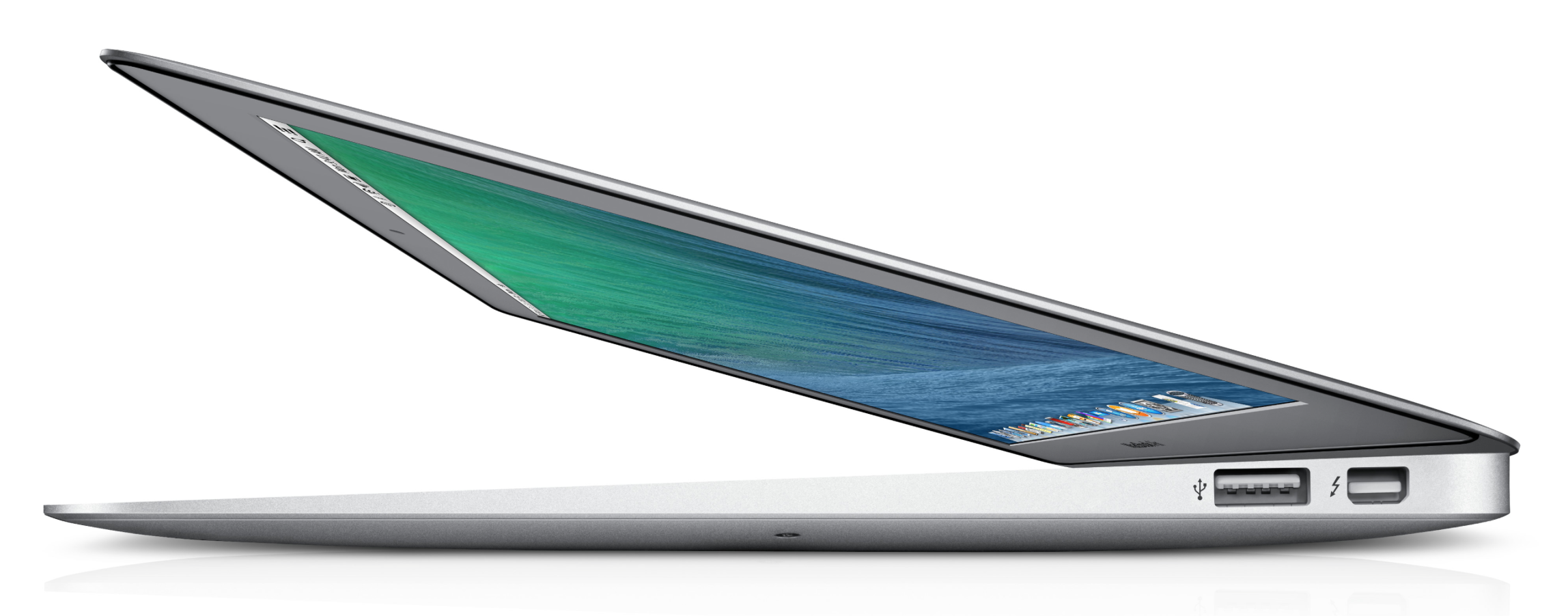
Apple is preparing to launch a refreshed line of MacBook Air laptops as soon as tomorrow, according to multiple sources. These sources say that shipments of new MacBook Airs have begun arriving in large quantities to Apple Stores across the country. Another source adds that Apple Stores are scheduled to re-arrange the placement of Macs in stores to focus on the MacBook Air tomorrow morning…


Expand
Expanding
Close

Site default logo image

Weather Channel launches redesigned iPhone app with ‘social weather’ and flight info

The Weather Channel app for iPhone has been updated with a brand new iOS 7-inspired design and features. The new design gives each bit of information a more prominent location on the screen, though it does so at the expense of an all-in-one overview. Where previously all relevant weather information was contained on the main screen, the updated app places various types of information on separate pages that can be swiped through.

The addition of a new airport mode that provides users with information about weather-related flight delays and cancellations could serve as a useful tool for travelers. A new severe weather mode causes the entire app’s interface to change if severe weather is reported in your area, putting critical information front-and-center. Finally, a social component has been added that allows users to submit weather reports and photos of their own.

You can grab the redesigned Weather Channel app on the iPhone App Store free of charge.

Apple releases iOS 7.1.1 update with Touch ID, keyboard improvements, bug fixes

Site default logo image

Following our report earlier this month that Apple was preparing to deliver a bug fix in an upcoming iOS 7.1.1 update, today the update is going live as an over-the-air update for iOS users. Apple’s release notes say the update includes “improvements, bug fixes and security updates” including enhancements to Touch ID fingerprint recognition and fixes for keyboard responsiveness and Bluetooth keyboards used with VoiceOver:

This update contains improvements, bug fixes and security updates, including:

  • Further improvements to Touch ID fingerprint recognition
  • Fixes a bug that could impact keyboard responsiveness
  • Fixes an issue when using Bluetooth keyboards with VoiceOver enabled
  • For information on the security content of this update, please visit this website:

http://support.apple.com/kb/HT1222


Expand
Expanding
Close

1Password for iOS updated with all-new design, support for multiple vaults, and more

Site default logo image

1Password 4 launched last year to much fanfare as a major redesign of the most powerful password management software available. Today the app has been updated to version 4.5, which brings the biggest update to the app’s design since the 4.0 release.

With this update, the entire app has once again been redesigned completely, this time for compliance with iOS 7’s new look. You’ll still find the layout familiar, though some tweaks have been made to a few areas.


Expand
Expanding
Close

Site default logo image

iPhone SMS notifications coming to Google Glass this week

An iMessage sent to Glass

Google announced today that it’s about to bring SMS for iPhone and a new Calendar Glassware to Google Glass users following an update to KitKat and the introduction of new features earlier this month. First up, iPhone users will now be able to receive text messages on Glass but, as Google points out, they “won’t be able to reply from Glass due to some limitations with iOS.

SMS for iPhone – iOS fans, by popular demand you can now get texts from your friends on Glass. Get started by going to your iPhone’s Bluetooth settings and turning on “Show Notifications” for your paired Glass. When you receive a new text message, it will appear as a notification on Glass. Keep in mind that you won’t be able to reply from Glass due to some limitations with iOS. (Android fans, don’t feel left out – you’ve got SMS on Glass already.)

The support for SMS is a feature that Glass users have long had access to when paired to an Android device. You’ll begin receiving notifications as long as the “Show Notifications” option for your paired Glass is selected from Bluetooth settings. 

Beats Music updated with subscriptions via in-app purchase, Facebook friend search, and a lot more

Site default logo image

Beats Music for iOS was updated today to version 1.0.7, but don’t let the minor version number bump fool you: this update has a lot of new stuff, including an entirely new subscription model, packed in.

The biggest news in this update is the option to purchase a subscription directly from the iTunes Store through an in-app purchase. Previously users had to add the Beats Music service to their carrier phone bill in order to enjoy the full feature set, such as on-demand streaming music and downloads.


Expand
Expanding
Close

Site default logo image

Facebook for iPhone updated to version 9.0, allows replying to comments on certain pages and more

Facebook has pushed out version 9.0 of its iPhone application today, adding new features to the commenting system among a few smaller changes. The biggest change in this minor update allows users to reply to comments on pages that have enabled that specific feature.

Aside from that, administrators will now be able to review and approve posts by group members, and everyone will see posts related to the site’s trending topics highlighted in the iPad version’s News Feed. This update follows the news from earlier today that the company is launching a “friends near me” feature within the app, similar to Apple’s “Find My Friends” service.

Facebook 9.0 is available on the iOS App Store. The full change log is below:

What’s New in Version 9.0

• Reply directly to comments on stories by Pages that have this feature turned on
• Group admins can easily review and approve pending posts by group members
• See posts about trending topics highlighted in News Feed on iPad

Site default logo image

Chase Mobile updated with new design for iOS 7, adds secure messaging and more

Chase updated its iPhone app today with a new design for iOS 7—nearly a year after the operating system was first shown to the public—and a few new features. The update also includes the ability to see and reply to secure messages from the bank, as well as the ability to view limits on your mobile desposits.

Other updates to the app include Spanish localization, improved accessibility features, and a revised frequently asked questions page about the app’s security.

You can grab the updated Chase app for free on the iOS App Store.

What’s New in Version 2.331

•User interface optimized for iOS7
•See & reply to secure messages
•See current Chase QuickDepositSM limits
•Spanish version available when you change your phone’s language setting to Spanish
•Improved accessibility for visually-impaired users
•Updated FAQs for mobile security

Our take? We’re in full agreement with the below:

https://twitter.com/chronic/status/457505589342392321

MLB At Bat mobile apps adding Chromecast support today for Premium subscribers

Site default logo image

Google announced today on its Chrome blog that Major League Baseball is adding support for its $35 Chromecast streaming stick through the MLB At Bat app for Android and iOS. That means that users with the app and an MLB.TV Premium subscription will be able to stream live and on-demand video content from the app (or from a browser tab in Chrome through MLB’s site) to a Chromecast connected TV. You’ll also be able to use the phone or tablet you’re streaming from as a second-screen experience to “check scores, stats and news” while watching the game on the bigger screen:
Expand
Expanding
Close

Site default logo image

Windows Phone 8.1 update lets users add Passbook cards to Microsoft Wallet

WPcentral notes that the upcoming Windows Phone 8.1 update introduces support for Apple’s Passbook iOS app, allowing users to load coupons, tickets, boarding passes, etc, designed for Passbook into the Microsoft Wallet app.

While the Microsoft Wallet app will be able to load the various coupons and loyalty cards usually reserved for Passbook, it’s still a little unclear exactly what’s going on behind the scenes. Microsoft appears to be allowing users to download the Passbook files and rendering its own card for Microsoft Wallet, but the report speculates Windows Phone won’t be able to tap into the push notifications Apple’s uses to update cards like on iOS.

There seems to be some confusion over whether or not Mircosoft is officially supporting Passbook in one way or another, but with a developer preview of Windows Phone 8.1 rolling out today, I’m sure we’ll be hearing more about this soon.

Site default logo image

Pandora adds alarm clock feature for iPad, new app for Pebble users

After introducing a new alarm clock feature for iPhone users back in December, streaming music service Pandora today updated its iPad app with the same functionality. The app already let users fall asleep to music using a Sleep Timer feature, and with today’s update to version 5.3 iPad users will now be able to set song or artist stations as alarm clocks.

The alarm clock feature also packs in the usual snooze feature and can be configured from Settings inside the Pandora app. The update also includes “other improvements and bug fixes” for both iPhone and iPad users. 

Also available starting today is a Pandora app for Pebble smartwatch users available through the app store within the Pebble Smartwatch app for iOS. Pandora announced the new feature on its blog today and noted Pebble is the first wearable platform that Pandora is debuting on:

Using the Pebble, you can view and change stations, thumb songs up and down, skip, play and pause tracks – all from your wrist!   If you already have a Pebble that is paired to your mobile device, you should get a notification that you can install Pandora, or you can start the install process at any time from the Pebble Settings Page.

Pandora version 5.3 is available on the App Store now.

What’s New in Version 5.3

Start waking up to music you love – the Pandora alarm clock is now available for iPad
• Pick your your favorite station to play as your alarm
• Not ready to wake up? Adjust the snooze time to catch more zzz’s
• Use with the sleep timer to hear your music morning and night

Other improvements and bug fixes to give you the best listening experience

Site default logo image

Readdle’s Calendar apps get new iPad UI, custom reminders on iPhone, & more

Readdle, the developer behind popular Calendar apps for iPhone and iPad, today updated both its free Calendars by Readdle and the $2.99 Calendars 5 with a number of notable new features.

First up, both apps get an updated iPad UI that includes a number of tweaks for improved navigation and layout. For iPhone users, version 5.4 of the apps brings the ability to create custom reminders, while both iPhone and iPad users gain Smart Input support in new languages including Italian, French, and Spanish. Those new features are in addition to a handful of other improvements and fixes that you’ll notice throughout both apps.

Calendars by Readdle is available for free on the App Store, while the more feature filled Calendars 5 sells for $2.99.

Yesterday Readdle’s popular Print Pro for iPhone app went free for 24 hours and quickly became the #1 free app in 15 countries.

What’s New in Version 5.4

– updated iPad UI
– Smart Input now supports French, Italian, and Spanish.
– custom reminders on the iPhone
– lots of minor improvements