update

See All Stories
Site default logo image

Apple releases iMovie for Mac 10.0.3 with new sorting options, improved titles, and more

Apple has just published its third update to the revamped Mac version of iMovie launched last year. The update, version 10.0.3, makes changes to the default font in the new titles first added to last year’s release. It also includes the ability to sort events by date to quickly find clips by when they were recorded.

Other improvements include the ability to rotate and crop clips within events rather than projects, an easier method of accessing transition duration settings, faster access to clip speed controls, improvements to how speed changes are handled, and various bugs that could cause the app to crash or not do what was expected.

You can grab the update for free in the Updates tab of the Mac App Store if you already own iMovie 10. Users on previous versions of iMovie can buy the current version for $14.99. The full change log is below:


Expand
Expanding
Close

Site default logo image

Amazon updates Instant Video iOS app with iOS 7 inspired redesign

Amazon has just updated its Amazon Instant Video app, which provides access to its catalogue of over 40k movies and TV shows, with a redesign of the entire UI inspired by iOS 7.

Amazon isn’t listing any new features in the iTunes release notes other than bug fixes and stability improvements, but you’ll also find a new icon and some UI tweaks that come as part of the new redesign. The overall navigation of the app remains the same but buttons and icons within have been flattened along with streamlining of other UI elements to make the app fit in with Apple’s iOS 7 redesign.

The redesign isn’t just for iPhone users, as the iPad version has been given a similar facelift:

The updated Amazon Instant Video app version 2.4 is available now on the App Store for iPhone and iPad.

Site default logo image

IFTTT app update brings support for push notifications, new iPad version

If This Then That (IFTTT), the popular web service that allows users to automate tasks from a long list of other mobile apps and web services, is today announcing an update to its iOS app that also introduces full support for iPad and new features for the iPhone version (via TNW).

The most notable new feature is push notification support, allowing any IFTTT “recipe” to result in a push notification to your iPhone or iPad. While you could already get push notifications to show up in a recipe from many apps that send out their own, this will bring universal support for the feature allowing a push notification for any recipe you can think of.

IFTTT allows users to setup “If this then that” recipes that act as rules for when a certain app or web service should begin automating a task. For example, users could setup a recipe that automatically uploads photos posted to Instagram by a certain user directly to Dropbox. With today’s update, users can now setup recipes that end in a push notification being sent to their iPhone or iPad.

The iPad app introduces a new take on the IFTTT mobile UI and the updated app also brings a new Recipe Collections feature that highlights a curated selection of recipes grouped by category. 

The updated IFTTT app is available now in the App Store as a free universal download for iPhone and iPad.

Apple releases Safari 7.0.3 with push notification changes, security improvements, and more

Site default logo image


After updating iWork for iCloud and its Mac and iOS counterparts, Apple has pushed out a new Safari update as well. The new version is 7.0.3 and contains mostly bug and security fixes. Apple has been beta testing this update with developers for the past few weeks. The two biggest parts of this update are changes to push notifications and the way URLs are handled.

For users who don’t want to be asked about push notifications from any site, there’s now a checkbox in the notification preferences that disables them entirely. Unchecking the box for “Allow websites to ask for permission to send push notifications” (seen above) will block all notification prompts in the future.

The second big change enables Safari to recognize new generic top-level domains (the .com bit at the end of the URL). The organization responsible for managing these has recently created several new ones for generic terms (like “.pizza”). Safari will now recognize these and go to the correct URL rather than trying to search for the term.
Expand
Expanding
Close

Apple updates iWork for Mac and iOS with read-only sharing modes and much more

Site default logo image

Following today’s iWork for iCloud update, Apple has pushed out new versions of the iOS and OS X version of the productivity suite, providing feature parity with the online version. Pages (iOS / Mac), Keynote (iOS / Mac), and Numbers (iOS / Mac) each received a new read-only sharing mode to work with the iCloud version of that feature.

Each app also got a long list of changes and enhancements, which are listed below. You can get all of the updates for free if you already own the latest version of iWork. Apple recently started including a copy of the iWork and iLife suites along with new iOS devices and Macs, but users with older devices will need to purchase the current version separately if they haven’t already.
Expand
Expanding
Close

MLB At Bat app updated for 2014 season w/ new expanded instant replay feature

Site default logo image

This season will be the first that Major League Baseball uses a new expanded instant replay system that it first announced back in January. Now, the MLB At Bat app for iOS devices has been updated with support for the 2014 season and the new replay system. That means that users of the app will be able to view “every decisive instant replay video clip and review explanation,” the same footage the umpires review, through the app’s Gameday feature. 

A little more on the new replay system from the MLB’s announcement:
Expand
Expanding
Close

Site default logo image

Facebook Messenger updated to version 4.0 with groups and message forwarding

Facebook has updated its Messenger app for iPhone to version 4.0. The new update introduces the ability to create and manage groups of contacts within the app. You can find all of your groups in a new tab and quickly select one to send a message to everyone at once.

Also new in this update is the ability to select a message to forward to a new recipient, much like you can do with an iMessage in the native Messages application. The usual general bug fixes and improvements round out the 4.0 update.

You can grab the app for free on the iPhone App Store. The full change log is below:

What’s New in Version 4.0
Groups: Now you can create groups for the people you message most. Name them, set group photos and keep them all in one place

Forwarding: Want to send a message or photo to someone who isn’t in the conversation? Just tap to forward it

Plus, continued improvements to make the app faster and more reliable

Twitter announces photo tagging, multiple photo uploads per tweet rolling out to iPhone users

Site default logo image

Twitter has announced a few new features for its iPhone app today. Users with the latest update to the Twitter for iPhone app will soon see the ability to select up to four photos at a time to upload when composing a tweet. These photos will be displayed as a collage on the tweet’s detail screen.

Along with the multi-photo support, users are also now able to tag other people in their photos. A new “who’s in these photos?” button allows you to add the username of other people in the picture. Photo tags won’t take up any characters in the body of the tweet, so the full character count will be available for composing a message.


Expand
Expanding
Close

Apple updates Trailers app with push notifications, better Rotten Tomatoes integration, and more

Site default logo image

Apple has updated its iTunes Movie Trailers app with several new features and upgrades. The biggest new feature is the ability to get push notifications when movies marked as favorites hit theaters or iTunes. The in-app movie reviews have also been tweaked. Where previously you could only see a movies overall Rotten Tomatoes rating, you can now read full reviews right from within the app.

A few smaller features are also included in the update. You can now share links to movie trailers via AirDrop to other iOS devices, and a few bugs have been squashed. You can grab the app for free on the iTunes App Store. The full change log is below:


Expand
Expanding
Close

Site default logo image

Tweetbot for Mac updated with larger in-line image previews, bug fixes

Tweetbot for Mac, the desktop counter to the incredibly popular iOS Twitter client, was updated to version 1.5 today. The new update brings a few bug fixes and a big visual change that was first introduced in the most recent update to the iPhone version. This change brings large image previews to the feed, much like those found in the official Twitter for iPhone app.

For those who don’t like the new look, there’s a setting in the app’s preferences to get the smaller previews back or disable image previews completely. The smaller previews have also been tweaked to be a bit bigger and no longer have a border. Other issues addressed by the update include bugs with context menus, tweet detail layouts, and swipe gestures.

Tweetbot for Mac 1.5 is available on the Mac App Store. It’s a free update for existing users and a $19.99 purchase for new users. The full change log is below:

What’s New in Version 1.5

– Large image thumbnail option (as well as an option for no thumbnail) in the display settings.
– Refreshed design of image thumbnails
– Three finger left/right swipes in your timeline function if trackpad settings are configured that way.
– Fixed the issue where some context menus had the first option highlighted by default
– Fixed layout issues when viewing tweet details

Site default logo image

YouTube for iOS updated with changes to comments, improvements to playlists

Google updated YouTube for iOS today to version 2.5 with a few new changes and enhancements. The bigger changes include support for sharing entire playlists (where previously you could only share individual videos) and the option to quickly get to your own saved playlists from the sidebar.

Comments have also received some upgrades, giving users the ability to reply to other commenters and create conversation threads. Users can also now delete their own comments and see whether another user’s comment was posted publicly or not.

You can grab the free YouTube app on the App Store.

What’s New in Version 2.5.0

* Share and like playlists
* Quickly access your favorite playlists from the Guide
* Reply to comments and delete your own
* See if a comment was shared privately or publicly

Paper by FiftyThree app gets complete redesign for iOS 7 w/ new features

Site default logo image

Paper by FiftyThree, the popular iPad app for creating illustrations, is today finally getting its iOS 7 overhaul with version 1.6 introducing a complete redesign of the app. The company tells us the newly updated Paper app hitting the App Store today is “a blend of metaphor and flat aesthetics that required the team to update every visual asset in the app.”

While the app maintains much of the look and feel of the previous version, you will notice that everything has been given a fresh coat of paint. That includes “faster menus, simplified icons, lighter colors, journal covers that pop, custom typefaces, and overall improved readability.”

There are also new features including a new and improved zoom tool as well as improvements to the dot size for the Draw and Erase tools. Here’s a run down on the new features from FiftyThree:
Expand
Expanding
Close

Site default logo image

Verbs IM client for iOS updated with overhauled design, iCloud message sync, and a lot more

Verbs, the popular instant messaging app for iPhone and iPad, was updated today at long last with a revamped design for iOS 7 and a whole host of new features and fixes, including the removal of an in-app purchase to enable extra features.

One of the bigger notable features in version 3.0 is the ability to keep your conversations in sync across all of your devices via iCloud. This works a lot like iMessage’s syncing function, where every message you get will automatically show up on all devices whether Verbs is currently running on that specific device or not. Previously any devices that didn’t have the app running would miss any messages that were downloaded on other devices.

Other changes include the addition of Dropbox for file sharing (alongside the old CloudApp and Droplr options), Pocket and Safari Reading List options for saving links, tappable URLs in chat bubbles, per-contact muting, the ability to manage your contact lists, in-app notifications for messages that come in while you’re in the settings view or another thread, and notifications when certain contacts come online.

Speaking of notifications, the former “Verbs Pro” in-app purchase has been removed, and all of its features are now included standard in the app. These include push notifications and longer connection times after the app closes.

You can grab the completely overhauled Verbs 3.0 from the iOS App Store for $2.99 today. The complete change log is below:

What’s New in Version 3.0.0

• Designed for iOS 7
• Completely rewritten server side code
• Supports Jabber protocol
• Added OAuth support for GTalk
• Real time syncing of chat messages across devices
• New Conversations view
• Use Dropbox to share files in chat
• Sync Chat, File Sharing and Read Later accounts over iCloud
• Pocket (Read later) support
• Safari’s Reading Lists support
• Sent bubble color changes when messages are delivered
• Notify when a buddy comes online
• Ability to mute buddies
• New Notification sounds
• HTML hyperlinks are supported in messages
• Use shapes to indicate Buddy Status
• Ability to create Lists (Groups)
• In-app notifications
• Lotta bug fixes!

IMPORTANT NOTES:
• Before upgrading, please back up your existing conversations using the “Email conversation” feature. Because of the new sync features, your existing (2.x) accounts and conversations would not be available after upgrade.
• We’re removing Facebook chat support for the time being
• Also, we’re deprecating Verbs Pro and the basic app itself will include all the pro features.

New in iOS 7.1: Big iPhone 4 performance improvements, better navigation audio, and more [Videos]

Site default logo image

Apple launched iOS 7.1 this morning after what seemed like an eternity in beta, making the first major update to the mobile OS since it was redesigned last year. Included in the update are several key features such as CarPlay, but also a collection of smaller tweaks and improvements that make system more convenient.

Among those features are two very important ones that haven’t really gotten enough press: huge performance improvements on the iPhone 4 and something called “HFP prompts” in the Maps application…


Expand
Expanding
Close

Synology gets even better w/ version 5.0: Why every Mac & iOS user should have a DiskStation

Site default logo image

I’ll admit, I’ve never felt the need to purchase network-attached-storage (NAS) hardware for storing and accessing my media or backing up my files. These days most of my content, from photos and movies to back ups of important files for work, are already stored in the cloud. My photos are (supposed to) auto backup to Photostream in iCloud, iTunes has all of my music downloadable from all my devices from the cloud, and any important files and everything else go directly to Dropbox or Google Drive. Around 90% of my content is already stored and accessible from anywhere in the cloud.

That being said, for the last year or so I’ve been hearing more and more about Synology DiskStation products. Coworkers can’t stop talking about them, and the products have received a lot of praise from many other reviewers as well.

I’ve been putting the Synology DiskStation hardware and brand new DiskStation Manager 5.0 software to the test in recent months to see if I could really benefit from a NAS solution despite all my content already being on the cloud and backed up. With today marking the release of 5.0, the company’s biggest software update yet, I thought now would be as good a time as any to share my experience. 
Expand
Expanding
Close

Site default logo image

NBA Game Time iOS apps updated with classic games & historical videos

The NBA Game Time apps for iPhone and iPad were updated today with a new Class Games section that brings a collection of “carefully selected classic games and historical videos from past seasons.”

The new Classic Games section starts out with a selection of videos and more will be added in future updates during the 2014 season.

The new videos, like much of the app’s content, is available for free to Sprint users or those with a NBA Game Time Plus subscription or League Pass through their cable provider.

The update is available for the NBA Game Time 2013-2014 iPhone app as well as the NBA Game Time for iPad app.

What’s New in Version 5.2.3

Classic Games – Addition of carefully selected classic games and historical videos from past seasons. New videos will be added periodically throughout the season. These are available free for users who have purchased League Pass.

Additional bug fixes and enhancements.

Retail section of Apple.com updated with new design inspired by iOS 7

Site default logo image

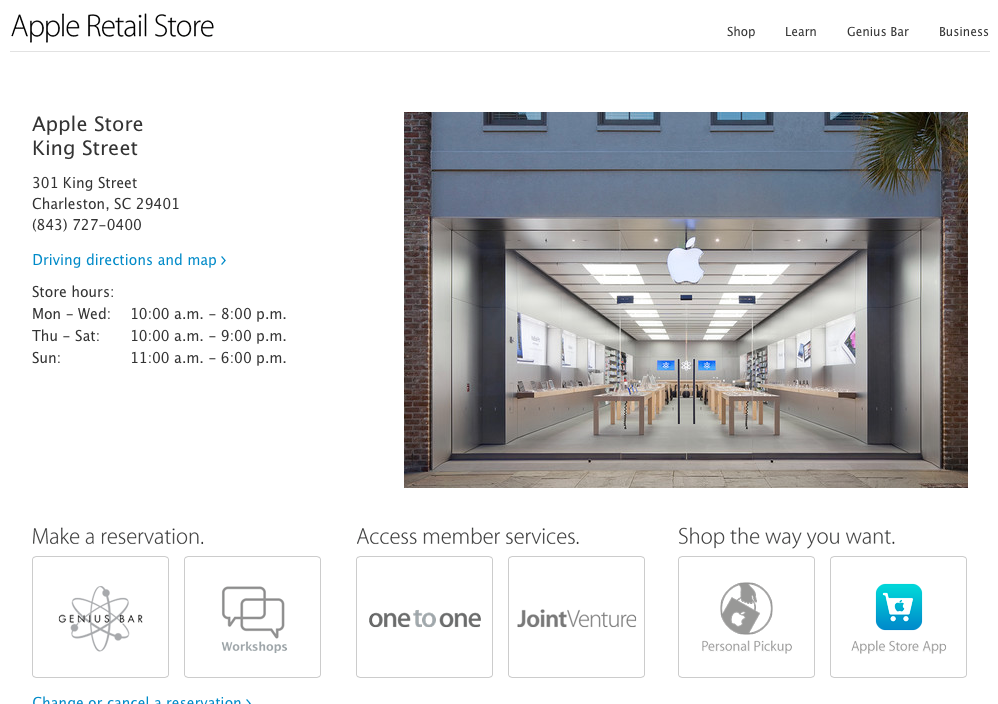
Apple quietly updated the retail section of its website today with a new look that more closely resembles iOS 7. Where the previous version of these pages used content boxes, borders, textured backgrounds, and gradients, the new page instead utilizes ample whitespace and thinner typefaces.

The change is probably best illustrated on the section’s home page, where images previously constrained by content boxes now fill the entire page. On the “Learn” page, buttons with heavy gradients have been replaced by thinly-outlined, lighter versions of the previous design. Gradient-filled headers have disappeared from every page, now replaced by unadorned text.

Oddly, the “Make a Reservation” button that allowed users to quickly create a Genius Bar appointment has been removed from the site’s navigation. Appointments can only be made by navigating to the Genius Bar page and clicking a link in the first paragraph of that page’s content. The Concierge page has not been updated to the new design yet.

You’ll find a bunch of before-and-after comparisons and take our poll on the new design below:


Expand
Expanding
Close

WWE Network comes to Apple TV with in-app subscriptions as service debuts

Site default logo image

Update: The WWE Apple TV app is now live for users in at least the US and Canada.

Following rumors back and forth regarding the new WWE network launching today, the company has just announced that the service will be available to Apple TV users. WWE confirmed to us in a statement that the Apple TV app will arrive today.

The Apple TV app will provide access to all 12 live WWE Pay-PerView events including WrestleMania, original programming from the network like reality shows and documentaries, as well as 24/7 programming from WWE and a ton of on-demand content.

The update appears to have hit Apple TVs (at least in the US or Canada) with the ability to access the network and purchase subscriptions. The subscription-based WWE network allows users to sign up for service directly within the Apple TV app using an iTunes account. The company notes that subscriptions purchased through Apple TV are “billed as a single charge of $59.99 (plus applicable tax) for the six month subscription period.”
Expand
Expanding
Close

Site default logo image

Camera+ iPhone app adds 16×9 widescreen shooting mode, improved filters & editing

The popular Camera+ iPhone app from developers tap tap tap was updated today with a number of new features and improvements. On top of a “a bunch of refinements to The Lab” and photo editing, the app gains a new BOOST feature for setting filters to 200% intensity and widescreen 16×9 shooting mode. The update to version 5.1 also includes a number of bug fixes.

Camera+ for iPhone is available on the App Store now for $1.99.

Full release notes for the update below:

What’s New in Version 5.1

For Camera+ 5.1 we’ve made a bunch of refinements to The Lab, making the best photo editing on a mobile phone even better. We’ve made several usability tweaks to further streamline the whole experience. One slightly hidden, but handy addition is that you can now tap & hold an adjustment to reset it.

We’ve added a new setting so that you can choose whichever section you’d like to begin in when you edit your photos. This is nice if you always want to go straight to The Lab, for instance.

For those times when you want to go more intense with filters, we’ve added a new BOOST feature. You can now bump the intensity up to 200%.

You can take widescreen photos with the new 16×9 shooting mode. Bring out your inner Scorcese. Or Fellini.

Many of you were hitting a pipe too often while flapping, causing you to lose all your photos. That’s now fixed, thankfully.

And we’ve spent a good amount of time fixing bugs for this version. Many were esoteric and only occurred on particular hardware, but we did our very best to try and resolve all known issues for this release. If any of you experience any further issues, please report them to us.

Take 2: The API issue that was causing apps like Day One to not work properly with Camera+ is fixed now. For realsies this time. Thanks to the chaps at Day One for helping us to resolve this.

Site default logo image

Waze app gets Calendar integration for navigating to upcoming events

Waze, the navigation app maker that Google picked up last year, announced today that its updating its mobile apps with calendar integration. With the updated app, iOS and Android users will now see “events with location info will automatically appear” in the navigation list within Waze. That means any events in your calendar that have location info associated with them will be viewable from within Waze.

The company notes that only two upcoming events from your Calendar will be displayed in the navigation list. Users that want to disable the Calendar integration can do so from the iOS Settings app.

The updated app isn’t yet live on the App Store but should be rolling out any minute.

Venmo update brings the simplicity of AirDrop to mobile payments

Site default logo image

Mobile payment app Venmo received a big update today that introduces a new way to quickly send money to nearby friends. It works just as easily as Apple’s AirDrop sharing system. The app uses Bluetooth to detect nearby Venmo users and lists them above your recent payment recipients when sending money.

While some apps make the process of sending money relatively quick, Venmo has the added benefit of making it easy to pay people around you without needing to enter any contact details at all, even if you’ve never met them before. The only catch is that both parties need to be using Venmo for the feature to work.

Venmo is available for free on the iOS App Store.

Site default logo image

Rdio iOS app gets playlist editing, user & critic reviews, more

Rdio, the popular subscription music service, is rolling out an update today to its iPhone and iPad app that brings a couple of welcomed new features including playlist editing for iPhone and iPod touch and reviews. As for the new playlist editing features, Rdio explained in its blog post:

Now, you can update your playlists from your iPhone or iPod touch — in addition to creating playlists and adding new tracks, you can now remove and rearrange tracks until you’ve made the best playlist ever (or it’s dethroned by your next playlist, of course). You can also customize the playlist artwork, change its visibility and collaboration settings, and more.

The new Rdio app also includes reviews for albums and playlists from both users and critics. Not only will you now be able to write your own album and playlist reviews from within the app, you’ll also be able to browse reviews from critics in addition to reviews written by other users.

Rdio notes in its blog post that it has “also made tweaks to the app’s design, user interface, and overall performance.”

The updated Rdio app for iPhone and iPad is available on the App Store for free.

Site default logo image

Path social networking app finally updated to version 3.4 with new design for iOS 7

Path, one of the last major social apps still holding out on an iOS 7  update, has finally been updated with a new design as well as a set of new preferences and features.

The app’s settings have been reorganized to simplify certain actions, as noted on the development blog:

In Settings, you will find that we’ve simplified the more detailed controls into Account, Notifications and Sharing sections. In Account, you’ll be able to update your profile photo, cover photo, email and other personal information. In Notifications, you’ll be able to manage notifications for your Inner Circle and your Friends. In Sharing you can manage all of the networks you can post to from Path.

The shop that houses in-app purchases for sticker packs and premium account upgrades has also gotten an overhaul and now presents everything in a simpler interface. A new “purchased” tab like the one found in the iOS version of iTunes and the App Store allows users to revisit their list of purchases.

Path 3.4 is available on the App Store for free.