update

See All Stories
Site default logo image

Google+ for iOS updated with full-resolution photo backups, design tweaks, and more

Google has updated its Google+ app for iOS with a few new tweaks. Version 4.6 of the social networking application introduces full-quality photo backups for iOS 7 users, a few design tweaks in the notifications screen, and the ability to share your location with friends (similar to Apple’s own Find My Friends app which was recently updated).

What’s New in Version 4.6.0

– Full resolution backup of your photos and videos (iOS7 only)
– Updated design for the notification tray
– Share your location, see where your friends are, control who is displayed on the map
– Translate posts and comments inline
– Additional bug fixes and performance improvements

Google+ is available for free on the iOS App Store.

Site default logo image

Dropbox updated with new design for iOS 7, AirDrop, and more

As first shown by 9to5Mac, Dropbox has updated its iOS app with an all-new design for iOS 7 and several new feature and improvements. The update brings a streamlined iPad interface, improvements to the sharing process, an updated PDF viewer, and AirDrop support on iOS 7 devices.

Version 3.0 also includes fixes for HTML rendering problems and a variety of crash bugs. Along with the bug fixes, users will find that the app is now faster at certain tasks.

The update is available free to all users on the iOS App Store. You can find the complete change log below.

What’s New in Version 3.0

• Beautiful new design for iOS 7
• Streamlined iPad experience: just tap on your files and photos to toggle fullscreen
• Improved sharing and exporting makes it easier than ever to send files to your favorite apps
• AirDrop support lets you send links and files in a snap
• Seamlessly save videos to your library
• Speed! Faster launch, photo loading, and video playback
• Vanquished our most common crashes
• Fixed bug that caused HTML to render as text
• Oodles of PDF viewing updates

Apple seeds OS X 10.9.1 beta build 13B35 to developers, includes release notes; Safari 6.1.1 seed also updated

Site default logo image

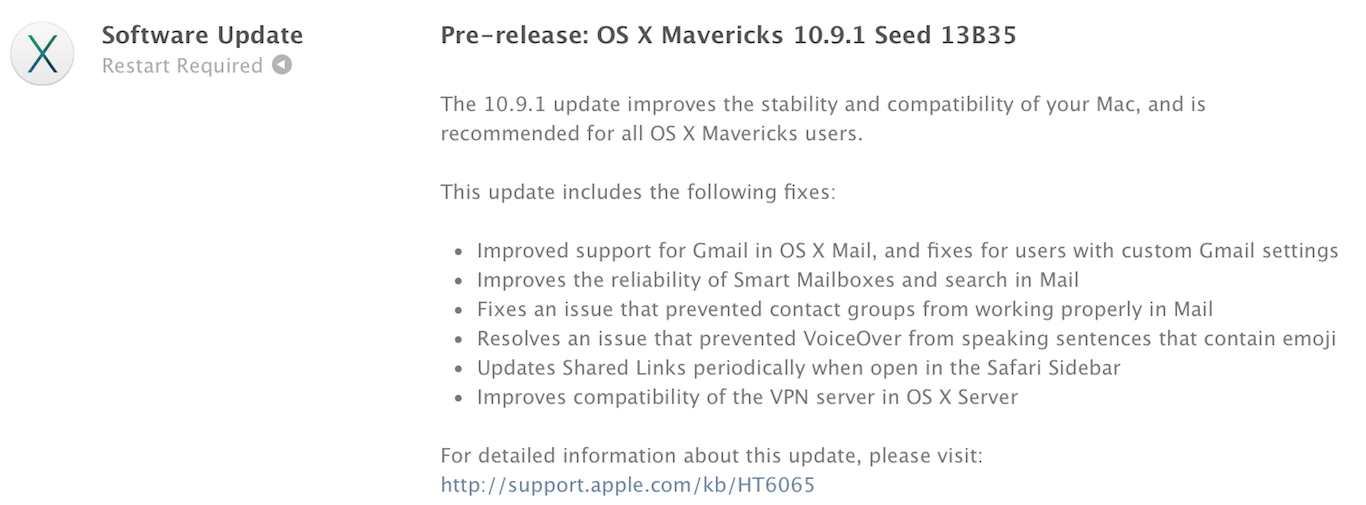
Apple has just released an update for the developer seed of OS X 10.9.1. The new version has a build number of 13B35 and includes fixes for the Mail app, VoiceOver, Safari, and VPN server support. The presence of the release notes indicate that the update is nearing completion and will be available to the public soon.

This update comes just a few weeks after updates to the Mail and iBooks software were released to resolve issues with those apps. Despite the Mail app having been updated to resolve Gmail-related issues, many users are still experiencing problems. The 10.9.1 appears to contain fixes for the remaining bugs.

Apple has also issued a new beta version of Safari 6.1.1 for Lion and Mountain Lion users. This version of Safari is curiously absent from the Mavericks beta that was seeded today.


Expand
Expanding
Close

Site default logo image

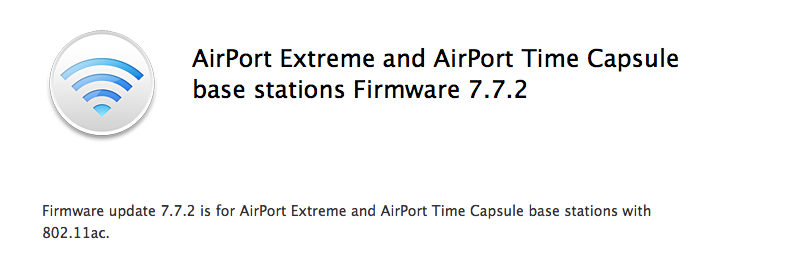
Apple issues AirPort Extreme and Time Capsule firmware update with fixes for WAN connectivity and USB hard drives

Apple issued a minor firmware update today to address issues specifically related to customers using USB hard drives with their routers, and fixes for intermittent loss in WAN connectivity as well as issues that may cause a network loop. You can view the full release notes below:

  • Addresses an issue that prevents a USB hard drive connected to an AirPort Extreme from appearing as an available disk in Time Machine
  • Resolves an issue that may intermittently cause a loss in WAN connectivity
  • Resolves an issue that may result in a network loop

If you own an AirPort Extreme or Time Capsule, you can view more information about grabbing new firmware updates here. 

Site default logo image

ESPN launches new SportsCenter app for real-time, personalized news & scores

ESPN is launching a new app today called ESPN SportsCenter, which actually replaces the old ScoreCenter app with a redesign and all new features. The app does much of what the old app did, offering real-time updates on scores for the biggest sporting events of the day, as well as breaking news, analysis, notifications, and more. You’ll also be able to add your favorite teams to customize your experience and the new app introduces a new Favorites feature for quickly accessing news and scores for the teams you want to keep up with most often.

The new ESPN SportsCenter app also includes a new Clubhouses feature that includes all content for every team and league, an Inbox for getting personalized content such as news and alerts, and enhanced game pages that feature “New native sharing and one-click GameCast access.” Also new in the app is ESPN Now, a feature that lets users get real-time scores and updates from social networks.

In addition, the new SportsCenter app has been given a number of enhancements to search and overall performance.

The free ESPN SportsCenter app is available for iPhone now.

What’s New in Version 4.0.0

– ScoreCenter is now SportsCenter
– Speed: Faster than Calvin Johnson going deep
– Favorites: Your team news and scores in an instant
– Clubhouses: Content central for every team and league under the sun
– ESPN Now: Your one-stop-shop for real-time scores and social updates
– Inbox: A dedicated home for personalized content from news to alerts to scores
– Enhanced Game Pages: New native sharing and one-click GameCast access
– Search: Easily navigate to teams, leagues, and sports to view content or add to favorites

Site default logo image

iMovie for Mac update enables installation on some older systems, fixes reliability issues

Apple has released a small update to iMovie for Mac today which allows the app to be installed on some older Macs. The change log doesn’t specify which machines are included, stating only that “computers with some older video cards” can now run the latest version of the video-editing software.

The update also introduces fixes for unreliable behavior when importing old iMovie projects into the updated app, which uses a new format for storing and maintaining video footage, events, and projects.

The app is availble for $14.99 on the Mac App Store for new purchases, although users who already own previous versions of iLfe may be able to update for free.

What’s New in Version 10.0.1

• Allows iMovie to be installed on computers with some older video cards
• Addresses reliability issues when updating projects and events from previous versions of iMovie

Site default logo image

Tumblr iOS app completely redesigned for iOS 7

Tumblr has finally released a complete redesign of its app for iOS 7 today. The app introduces a new streamlined look and feel for both the iPhone and iPad and also a few new features.

On top of a complete redesign for the Dashboard, you’ll notice a new UI for composing, choosing a post style, and reblogging. The updated app also includes a new autocomplete feature for tags.

What’s New in Version 3.5

We’ve completely redesigned Tumblr for iPhone and iPad! It’s faster and has a beautiful new look and feel, just like iOS 7.

• Total Dashboard makeover
• New post compose screen
• New post chooser
• New fast reblog
• Tag autocomplete!

Tumblr version 3.5 is available now for iPhone and iPad. Screenshots of the iPad app below:

Site default logo image

Google Chrome iOS app updated w/ synced Autofill, long press for related image search

Google today released an update to its Chrome app for iOS that it first announced last week and released for Android. As promised, Google has added a new synced Autofill feature that allows users to autofill forms in a few taps and also sign into their Google account on Mac or other iOS devices to sync the data.

Version 31 of Chrome for iOS also adds a new long press feature for images. When holding an image with a long press, Chrome will now automatically run a search for related images.

In addition, Google says the update brings stability and security enhancements.

What’s New in Version 31.0.1650.18

• Fast form completion with Autofill
Tired of filling out web forms with the same information time and time again? The Autofill feature lets you complete forms with just a few clicks. Sign in to sync this data from your computer to your iPhone or iPad and save even more typing.
• Long press on an image to search for related images
• Stability / security improvements and bug fixes

Site default logo image

PayPal iPhone app updated w/ iOS 7 redesign, withdraw to bank, QR/bar code scanning, more

PayPal is releasing an updated iPhone app today that on top of introducing a redesign for iOS 7 also introduces a few new features.

You’ll notice a number of UI tweaks in the new app and a redesign that fits in with the look and feel of iOS 7, but you’ll also now be able to withdraw money from your PayPal balance to your bank account within the Wallet tab. Also new is the ability to pay by scanning QR and bar codes a select retail partners:

Paying just got even easier! Scan a QR or bar code to pay at select merchants

In addition, version 5.2 of PayPal for iPhone includes the ability to choose your home screen for fast access to the features you use most.

What’s New in Version 5.2

5.2
• Need to withdraw some cash from your PayPal balance to your bank? You can do that in your Wallet
• Check out our new iOS7 look and feel
• Paying just got even easier! Scan a QR or bar code to pay at select merchants
• Choose your start screen for fast access to the info you need
• We’re still hard at work finding and fixing bugs

We’re always listening, so please send comments, suggestions, and any words of encouragement to mobile-apps@paypal.com.

Site default logo image

Twitter announces upcoming iPhone app update with new search filters (update: available now)

Update: the new version is available now.

Today Twitter has announced they will be updating their official app for iOS, making it easier to discover what is happening on the microblogging network. The update adds new search filters that allow you to quickly navigate to specific people and Tweets. The filters also allow you to toggle between all relevant Tweets and only the most popular “top Tweets.”

Filters will also allow you to filter by different media types, such as photos and videos. There’s also an option to see Tweets only from the people you follow. The update includes includes a new timeline in the Discover tab that makes it easier to see what’s currently trending. This trending timeline will show topics that are associated with nearby events and TV shows.


Expand
Expanding
Close

Site default logo image

Aperture 3.5.1 released with bug fixes for face-detection overlays, stability improvements, and more

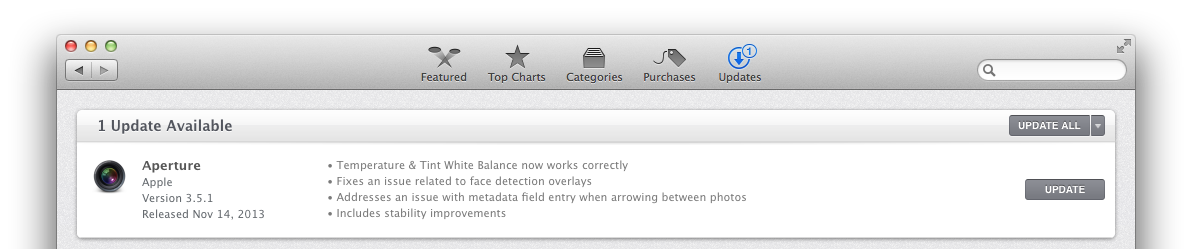
Apple has published an update for Aperture that fixes a few issues with the app. Version 3.5.1 includes fixes for issues with Temperature & Tint White Balance, face-detection overlays, and the metadata field when switching between photos with the arrow keys. The update also fixes stability issues.

Aperture 3.5.1 is available now on the Mac App Store.

What’s New in Version 3.5.1

• Temperature & Tint White Balance now works correctly
• Fixes an issue related to face detection overlays
• Addresses an issue with metadata field entry when arrowing between photos
• Includes stability improvements

Tweetbot 3 updated w/ text size adjusting, lists in timeline, new gesture for Twitter actions

Site default logo image

Popular Twitter client Tweetbot 3 has received an expected 3.1 update with many enhancements. In our review of the application, we noted that it has a great new interface over Tweetbot 2, but it lacked a couple of features from the older version: the ability to adjust the text size independently of iOS’s new system-wide text size setting, lists in the central timeline view, and a right swipe gesture. All three of those features have returned in Tweetbot 3.1, and the new right-swipe gesture can be set to quickly reply to, favorite, or retweet a Tweet…


Expand
Expanding
Close

Site default logo image

Many users reporting Facebook app crashing following latest update

Update: It looks like Facebook is pushing out version 6.7.1 of the app now, with “Bug fixes”, although some users are currently reporting issues downloading the update.

Following a small update to the Facebook app for iOS yesterday that let users edit posts on the iPad for the first time, many users are reporting that the app seems to be inexplicably crashing.

Twitter users have been voicing their frustration about the update today, as they discover the app attempt to launch, and immediately crash. The problem effects both iOS 7 and iOS 6 users, as verified by our own tests. It’s currently unknown whether the bug is on the app side or the server side, but it’s likely that Facebook will release a fix soon.

Some users are reporting that simply deleting the app from your device and reinstalling it will fix the issue:

https://twitter.com/CiRoCoHoLiC661/status/398899650351996928


Expand
Expanding
Close

Site default logo image

Facebook iOS app now lets iPad users edit posts

Back in October Facebook added the ability to edit posts and comments and also view all of your changes. However, at the time the feature was only available to iPhone users. Today iPad users can finally edit posts too with an update to the Facebook iOS app that just rolled out on the App Store.

Also new in version 6.7 of the app is new languages for icons, but Facebook doesn’t list the specific languages in its release notes.

The Facebook app is available on the App Store for free.

What’s New in Version 6.7

• Now in additional languages: Use icons to share how you’re feeling and what you’re doing
• Now on iPad: Edit your posts and tap to see all your changes
• Bug fixes

Apple releases iBooks for Mac 1.0.1 with bug fixes and stabilty improvements

Site default logo image

As we reported earlier this week, Apple has been preparing updates for Mail, iBooks, and other built-in apps on OS X Mavericks to address several issues noticed by users after the operating system’s launch. Earlier today the company released a fix for Gmail-related problems in Mail. Now they have also released an update for iBooks that addresses performance and stability problems as well as other miscellaneous bugs.

The update is only 14 MB and is available for free in the Software Update tab of the Mac App Store.


Expand
Expanding
Close

Site default logo image

Mac Developers also have access to upcoming OS X Mavericks Mail update

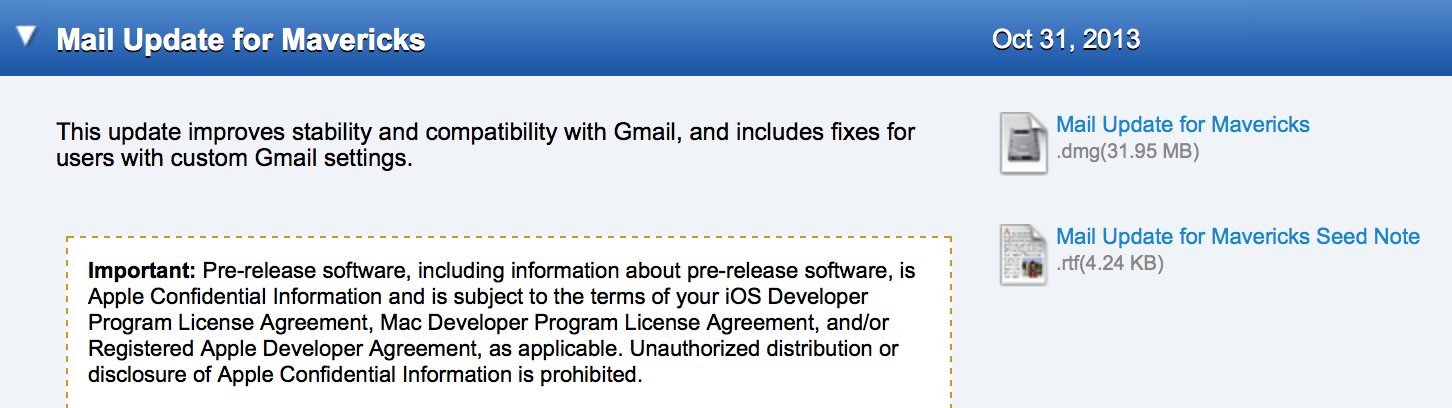
Last week, we reported that Apple had provided its employees with an update to the Mavericks Mail app that solves several issues relating to Gmail account compatibility. While this has seemed to stay under the radar, Apple has also provided the update to registered Mac Developers. Apple says that the update became available on October 31st, but we have not heard any sightings of this update until now. The update should be available for all users in the coming weeks. Thanks, Hunter!


Expand
Expanding
Close

IFTTT adds actions for iOS Photo albums & Reminders

Site default logo image

IFTTT, the popular web service that allows users to automate tasks from a long list of other mobile apps and web services, today updated its iOS app with the iPhone’s Photos and Reminder apps…
Expand
Expanding
Close

Site default logo image

Pebble smartwatch will finally receive all iOS 7 app notifications

Today, smartwatch maker Pebble finally announced a long awaited feature that will allow users to receive all notifications from their iOS 7 device reliably. It also announced version 2.0 of its SDK with new features for developers.

First, we’re introducing a more delightful user experience for Pebble customers using iOS. Pebble is now fully integrated with iOS 7 and works seamlessly with Notification Center. This means that any notifications you’ve enabled in Notification Center on your iOS 7 device will appear on your Pebble — just like that. It’s easier than ever to pick and choose which updates you want to see on your watch.

Back in June, we noted that Apple was introducing Apple Notification Center Service to allow Bluetooth devices to reliably receive all notifications that hit Notification Center on a connected iOS device. Before integrating ANCS, Pebble could only receive SMS, Email and Call notifications reliably from iOS 6+ devices.

Pebble’s SDK 2.0 announced today for developers includes a number of new APIs for Javascript, Accelerometer, Data Logging and Persistent Storage:

These API allow developers to make Pebble apps that interface directly with the web (real-time weather, transit info, location check-in), access the accelerometer (health/fitness monitoring and gesture-based remote control), log data when disconnected from the phone (health/fitness tracking), and store info on the watch (high scores for games, settings). You can find out more about SDK 2.0 on the Pebble developer blog.

The notifications support will arrive via an update to the Pebble iOS app later today for iOS 7 devices. Pebble also announced that it’s offering free worldwide shipping through its website starting today and shared some numbers:

  • Number of Pebbles on wrists worldwide: 190,000
  • Number of apps and faces downloaded: 2 million
  • Number of apps and faces on mypebblefaces.com: 2,200
  • Number of watchfaces created on watchface-generator.de: 80,000
  • Number of companion apps available on the iTunes and Google Play stores: 50+
  • Number of developers: 10,000+

Google Search iOS app gets massive update w/ ‘OK Google’ handsfree voice search, notifications, reminders, much more

Site default logo image

[youtube=https://www.youtube.com/watch?v=p8Ey0AufD9g]

The Google Search iOS app has received a huge update today that brings a number of new features including the ability to activate voice search handsfree. Users on iPhone 4S or later can now simply say “OK Google” to begin a voice search, much like what users have been able to do with Google Now on Android devices for quite some time.

Version 3.1.0 now includes notifications for upcoming events, flights and public transit. For example, the Google Search app will provide notifications for delayed flights, tell you how long you have to catch the last train, and remind you of upcoming appointments . You can also now set reminders within the app:

Ask Google to remember things for you. Just say
• “Remind me to buy coffee beans at Starbucks,” or
• “Remind me to check out the fair this weekend”
and Google will remind you at the right time or place

In addition, Google says users can now set reminders for when their favorite musicians, tv shows, actors or celebrities are releasing new content or appear in headlines. There are also new cards in the app that display info for movie and event tickets, boarding passes, rental car reservations, public transit and upcoming events.


Expand
Expanding
Close

Site default logo image

Here’s a look at Tweetbot 3.1, coming soon w/ swipe to reply/fav/RT & lists as timelines

After an all-new Tweetbot Twitter client from developer Tapbots arrived last week as version 3, it wasn’t long before the app became the top paid app in many countries around the world. As with any redesign of a popular app, some users have been asking about what features that were removed during the redesign could possibly return in future updates. Today Tapbots shared a couple new features that will be arriving in version 3.1, including the ability to use lists as your timeline and swipe to reply, favorite, or RT:

https://vine.co/v/hjWvzTeU2v0

https://vine.co/v/hjWnMPUva0x

https://vine.co/v/hjWvViVYpnx

While there is no timeframe on when version 3.1 might be arriving other than “coming soon”, the developers previously said that new adjustable font settings (pictured in the screenshot above), a nighttime theme, an iPad redesign, and new swiping gestures are all in the plans for future releases.

You can read our full review of Tweetbot 3.0 for iPhone here.

Site default logo image

Google Maps for iOS updated with improved hotel search, tweaked transit directions

The Google Maps app for iPhone and iPad has been updated with a few changes to the hotel search feature and transit directions. When searching for a hotel, the app now presents some sponsored rates (ads, basically—but useful ones). You can also quickly access a map from the transit directions preview screen, as well as a list of upcoming departure times.

The app also include “bug fixes,” which are always nice. The complete change log is below.

What’s New in Version 2.4.3

● Improved hotel search results with sponsored rates and booking links
● Quick access to map and upcoming departures in transit directions preview
● Bug fixes

Apple testing Mail update for OS X Mavericks to fix Gmail, stability, and smart mailbox issues

Site default logo image

Since the launch of OS X Mavericks last week, many users have been reporting widespread, various, consistent issues within Apple’s bundled Mail application.

Many of the issues have mainly affected users of Google’s Gmail email service, and some of the issues have to do with receiving messages, sorting messages into folders, and deleting messages.

Apple is aware of the issue and is testing a fix for the problem…


Expand
Expanding
Close

Site default logo image

App Store banner corroborates impending iOS 7 update for Apple’s Remote app

Image via MacRumors

A banner that appeared in the Colombian App Store seems to indicate that Apple may finally be updating its Remote app with a new design for iOS 7. The banner sports a redesigned icon that we first noticed earlier this month in the iTunes device manager. The new icon uses much more white than the previous version and conforms to the icon grid used to design Apple’s other iOS 7 icons.

Many of Apple’s apps have already been updated with a new design, but updates for Remote, Find My Friends, iTunes Connect and iBooks have been noticeably absent. It seems at least one of those will be redesigned in the near future, although there’s still no word yet on when the others might finally get a makeover.

We haven’t been able to independently confirm the precense of the banner in the App Store, which was likely published earlier by accident.