update

See All Stories
Site default logo image

Twitter for iPhone updated with in-line photos and Vine videos, quick-actions in the timeline

Twitter for iPhone was updated today to version 5.12, which includes in-line photos in the main timeline view rather than using photo links. Vine videos now show up in the timeline as well, although it seems other video services will still require you to tap a link first.

The update also adds buttons to quickly reply, retweet, or favorite a tweet without having to swipe or tap it first. The new version of Twitter for iPhone is available for free in the App Store now.

Site default logo image

Clear iOS apps updated with support for iOS 7’s Background Refresh

The popular Clear productivity apps for iOS have been updated today with support for Apple’s Background Refresh feature new in iOS 7. That means your lists in Clear will now update more often, refreshing from iCloud in the background so they’re always up to date across all of your devices running Clear.

The update is available for the $1.99 Clear app for iPhone and the $4.99 Clear+ for iPhone and iPad now. Developer Realmac Software also teased that it’s working on other big new features for a future update:

We’re hard at work on some great new features for Clear – and today we’re releasing a small update to Clear and Clear+ to take advantage of a great new iOS 7 feature: Background Refresh.

iOS 7 launches your most frequently-used apps in the background throughout the day, allowing them to refresh their data. This means that, with today’s update, Clear will refresh your lists from iCloud to ensure they’re always up to date on all your devices.

Site default logo image

NBA Game Time apps updated for 2013-14 season w/ iOS 7 redesign, new free content, and much more

The NBA Game Time apps for both iPhone and iPad have been updated today with a redesign for iOS 7 alongside full support for the 2013-2014 regular season and new content for both free and paid subscribers.

On top of the redesign pictured in the screenshots above, the apps add home and away broadcasts for every game and archives for each nationally broadcast game for those that have an NBA League Pass. It also adds new content for free users, however, including the Game Recaps, Team Video, Player Statistics, Team Rosters, and Team Statistics features previously only available to paid users.

Version 5.1 of NBA Game Time also includes alerts for live streaming videos and push notifications for League Pass subscribers.

NBA Game Time is available for free from the App Store now as separate downloads for iPhone and iPad.

What’s New in Version 5.1

Redesigned and Optimized for iOS7

Full support for the 2013-2014 NBA regular season

NBA League Pass subscribers will now be able to enjoy both the home and away TV broadcasts from every game.

NBA League Pass subscribers will now be able to enjoy archives from each nationally broadcast game.

Game Recaps from every game now free.

Team Video from every team now free.

Player Statistics, Team Rosters, and Team Statistics now free.

Live Video alerts let you know when we’re streaming press conferences and events live.

League Pass Push Notifications now let NBA League Pass users know when games they can watch get exciting.

Many performance improvements.

Mac App Store bug allows iWork trial users to update the entire suite for free (Update: Aperture, too)

Site default logo image

Users who have previously downloaded the free 30-day iWork trial and kept it on their systems found themselves able to update to the latest version of Apple’s productivity suite for free yesterday due to what is apparently a bug with the way the store finds copies of the software purchased through other sources.

Since the Mac App Store now detects boxed copies of iWork and allows them to be updated to the Mac App Store version, it seems the trial versions of Pages, Numbers, and Keynote are perceived by the App Store as being a full purchased copy. This allows users to install yesterday’s updated apps without having to pay anything.


Expand
Expanding
Close

Site default logo image

OS X Mavericks causing issues for DisplayLink USB displays

As noted by ArsTechnica, following yesterday’s release of OS X Mavericks, some users of USB-powered monitors that use DisplayLink drivers have experienced a variety of problems after updating.

The problems have already been identified by DisplayLink in a knowledge base article published on its website:

The following issues have been found on OS X 10.9 and do not currently have a resolution

  • Some applications can show severe flickering on DisplayLink screens. Examples of applications that show this issue are Safari, QuickTime and the App store.
  • Some applications can show corruption and/or missing contents while updating windows contents. Examples are Maps, iBooks and the Dock.
  • Display arrangement is not kept when using 2 or more DisplayLink displays.
  • All screens black and unusable after unplugging a DisplayLink screen. This is caused by Apple’s Window server crashing. This can be recovered by replugging the DisplayLink device.
  • On the Retina Macbook Pro, changing the layout to mirror logs the user out. Again this is caused by Apple’s Window server crashing.

DisplayLink is working on an update for some of the performance issue with Mavericks, but the company explained that the majority of bugs will have to be fixed by Apple:

Unfortunately there appear to be regressions in these interfaces in OS X 10.9 which are exposed when using DisplayLink screens. DisplayLink does not have workarounds to fix these issues and requires Apple to fix these problems in future 10.9 OS X updates.

DisplayLink has raised these bugs to Apple, but if you are a developer and affected by these problems, please also raise these bugs to Apple to help show fixes are required and it is affecting end users using DisplayLink products.

Site default logo image

Aperture updated to version 3.5 with support for iCloud photo sharing, SmugMug integration, and more

Along with a slew of other updates today, Apple has just released version 3.5 of Aperture, with notable support for iCloud photo sharing, multiple contributors to Photo Streams, and the ability to post videos to shared streams. The “Places” feature inside of Aperture has also switched to use Apple Maps, instead of relying on Google’s mapping data like it did previously. SmugMug integration has also been added, allowing those who use the service to publish and sync galleries of their photos. A full change log for Aperture is listed below. You can grab the app for $79.99 in the App Store.


Expand
Expanding
Close

Apple announces OS X Mavericks available today for free

Site default logo image

Update: OS X Mavericks is available now as a free download on the Mac App Store. 

Apple has done something it hasn’t done before with a major release of OS X, announcing today during its iPad event that it will release OS X Mavericks, the latest version of its desktop OS, later today for free to all users.

Mavericks is available starting today for iMac and MacBook Pros from 2007 or later, 2008 MacBook Air, MacBook, and Mac Pro or later, and the 2009 Mac mini or later.

Apple first showed off Mavericks back in June at its WWDC developer conference and has since seeded several betas as well as Golden Master release followed by silent update to the GM release that could likely be the version Apple ships later this month. Despite not receiving a radical visual overhaul like iOS 7, OS X Mavericks includes over 200 new features and many big new user facing features like iBooks, improved multiple display support, iCloud Keychain, new Finder features, Maps, quick reply and lock screen notifications, auto-updating apps, and a number of under the hood enhancements to improve battery life and performance. (Full press release below)
Expand
Expanding
Close

Site default logo image

Google Hangouts for iOS adds outgoing and incoming voice calls through Google Voice

The Google Hangouts app for iPhone and iPad got a significant update to version 1.3 today. The update introduces Google Voice integration that allows incoming calls to your Google Voice number and outgoing calls to U.S. and Canadian numbers. Also included in the new version is the ability to see which friends are currently online, support for animated GIFs, and a fix to keep the app from stopping your music when a message comes in.

The update is available for free to all users on the iOS App Store now.


Expand
Expanding
Close

Redesigned iPhoto & Garageband iOS icons appear, indicate likely makeovers next week

Site default logo image

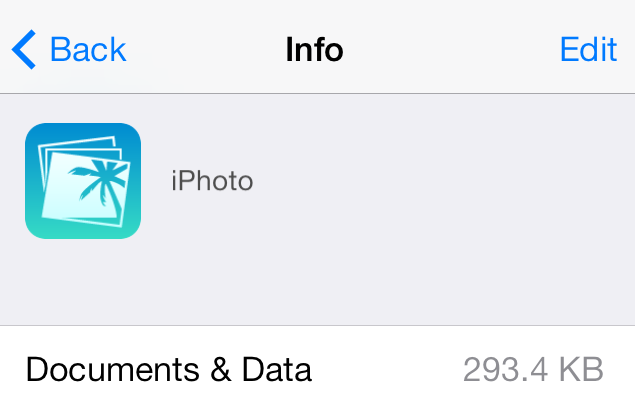
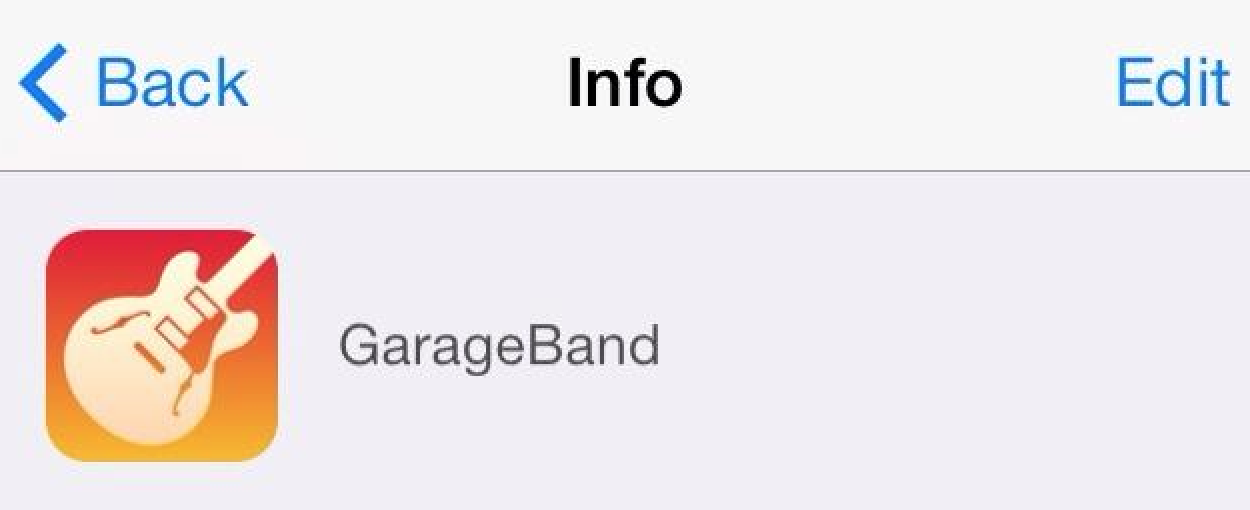
Redesigned icons for iPhoto for iPhone, iPad, and iPod touch and Garageband have appeared in the iCloud Storage Management function in the iOS Settings app. The new icons are simpler, flatter, and is designed with iOS 7’s new icon grid system in mind. They are a stark contrast from the colorful, 3D-like icons used in the current versions of the apps.

In line with the app redesigns for all of Apple’s bundled iOS 7 apps, it is likely that the new icon will come as a complement to a completely redesigned version of the iPhoto app. When Apple released iOS 7 last month, the designs to Apple’s App Store apps went noticeably unchanged. Besides iPhoto, Apple has a slew of other App Store apps (like iWork’s Pages, Numbers, and Keynote & iLife’s iMovie). However, there are yet to be any solid indications of redesigns for the other apps…


Expand
Expanding
Close

Site default logo image

Apple asks developers to begin submitting apps for OS X Mavericks ahead of October 22 event

Ahead of its October 22nd event where the company is expected to unveil new iPads alongside other product announcements, Apple today asked developers to begin submitting apps optimized for OS X Mavericks.

Apple seeded the final Golden Master release of OS X Mavericks to developers along with the Xcode 5.0.1 GM seed earlier this month and today urged developers to download the latest builds to test and submit OS X Mavericks apps to the Mac App Store. The move is likely in preparation of public release and pricing details expected to be announced during Apple’s event on the 22nd.

Submit your OS X Mavericks apps today.

Make sure your app takes advantage of the great new features in OS X Mavericks when the world’s most advanced desktop operating system becomes available to millions of customers later this fall. Download OS X Mavericks GM seed and Xcode 5.0.1 GM seed, now available on the Mac Dev Center. Build your apps with these latest seeds, then test and submit them to the Mac App Store.

Mavericks offers app developers a lot of new features to take advantage of from new energy saving features like App Nap, to Apple’s new Sprite Kit game engine, enhanced multiple display support, and auto-renewable subscriptions.

Apple first showed off and announced OS X Mavericks earlier this year during its WWDC developer conference, but next week’s event will likely be the perfect venue to announce official pricing and release date info for the public.

We previously reported that OS X Mavericks will be available in late October.

Site default logo image

YouTube for iOS updated with ability to choose video quality on Wi-Fi, iOS 7 improvements

YouTube has updated its app for iPhone and iPad today to version 2.2.0 and with it comes a few performance enhancements and new features.

One highly requested feature that YouTube is making available in the latest version of the iOS app is the ability to select video quality, much like you can on the full desktop website, while over WiFi.

The updated app also includes improvements for iOS 7 compatibility and Accessibility.

What’s New in Version 2.2.0

* Choose your video quality while on Wi-Fi
* Accessibility improvements
* iOS 7 compatibility improvements

Site default logo image

Apple releases new Java update, uninstalls Apple-provided Java applet plug-ins

Apple has released Java for OS X 2013-005, which “delivers improved security, reliability, and compatibility for Java SE 6”. The update is available in the Mac App Store.

Of note, the updates “uninstalls the Apple-provided Java applet plug-in from all web browsers.” New Macs do not come with Java installed and newer versions of Java are released and maintained by Oracle.

Apple’s decision to cut off internal support and development stems from the decreased necessity for the platform and the fact that Mac malware usually comes from Java security holes. On Apple’s security page for the latest update, it is noted that some holes existed in the software:

Multiple vulnerabilities existed in Java 1.6.0_51, the most serious of which may allow an untrusted Java applet to execute arbitrary code outside the Java sandbox. Visiting a web page containing a maliciously crafted untrusted Java applet may lead to arbitrary code execution with the privileges of the current user. These issues were addressed by updating to Java version 1.6.0_65. Further information is available via the Java website at http://www.oracle.com/technetwork/java/javase/releasenotes-136954.html

Site default logo image

Yelp iOS app replaces Home tab w/ new toolbar for quick access to reviews, photos, and check-ins

Yelp updated its iOS app today with a slightly tweaked UI that makes it easier for users to quickly post reviews, photos and check-in at locations. The app is getting rid of its old Home tab and now by default loads up the “Nearby” tab. In addition, the the tab in the middle along the bottom of the app now launches quick access to Check In, Review, and Photo buttons (as pictured above).

The updated app also includes “larger notification photos, better scrolling performance, updated icons and animations.”

What’s New in Version 7.2.0

New in v7.2
– We said goodbye to our homepage and hello to a beautiful new navigation that makes it even easier for you to discover great places nearby, add photos and reviews, and check in to your favorite businesses.
– We also added tons of polish to our app, including larger notification photos, better scrolling performance, updated icons and animations, and a whole lot more!

Site default logo image

FireCore announces Infuse 2 with new design coming this fall, 1.5 update available today

Infuse 1.5

FireCore, the makers of the popular aTV Flash Apple TV software announced today that their media player application Infuse will be receiving a substantial update this fall as it hits version 2.0, with a completely new UI to match iOS 7’s design aesthetic, many new Pro features, and more.


Expand
Expanding
Close

Site default logo image

NFL Mobile iOS app adds access to live content from NFL.com

The official NFL Mobile app has been updated today to version 8.6 and with it comes the ability to access live content from the NFL.com/Live website. The feature, which is only available to premium subscribers, will provide the live content previously only streamed on the NFL website in addition to the LIVE NFL games on Thursday, Sunday and Monday nights for both preseason and regular season games offered as Premium features.

Premium features of the app are currently only available to Verizon customers and also offer live streams of NFL RedZone on Sunday afternoons and NFL Network 24/7. Unfortunately, it looks like the app still doesn’t include support for AirPlay.

What’s New in Version 8.6

– Added Fantasy Lineup Reminder alert
– Access to NFL.com/Live content for premium subscribers
– Fixed Fantasy login retention bug
– Performance enhancements and general bug fixes

Site default logo image

Apple adds Vevo and NHL channels to Apple TV in Germany (Update: UK gets NHL too)

German Apple blog Macerkopf notes that Apple TV users in Germany today have been greeted with new content in a server-side update that includes Vevo and NHL channels. Vevo first landed on the Apple TV for US, Canada, and other countries back in August alongside a big update for the platform that also brought content from Disney, the Weather Channel, Smithsonian, and others. The National Hockey League channel, however, has been available in many countries since an Apple TV update back in 2011.

Apple has been adding a ton of new content to Apple TV in recent months fueling rumors that a major revamp to the platform could be on the way. Most recently the company added new content from Major League Soccer and Disney Junior in the US.

Update: Users in the UK are also reporting receiving access to the NHL channel:

https://twitter.com/betterthan/status/384985585146146816

Paper by FiftyThree app now lets you create & order customized Moleskine books

Site default logo image

Paper by FiftyThree, the popular sketching and illustration app, today announced that it has teamed up with Moleskine to offer its users the ability to create and order customized 15-page Moleskin books directly from the app. The partnership with Moleskine means you’ll get a quality, hand-assembled 15-page foldout book on sustainable matte paper, but it also means you’ll have to hand over $40 USD in the process:
Expand
Expanding
Close

Site default logo image

Apple Configurator updates to version 1.4 with support for iOS 7

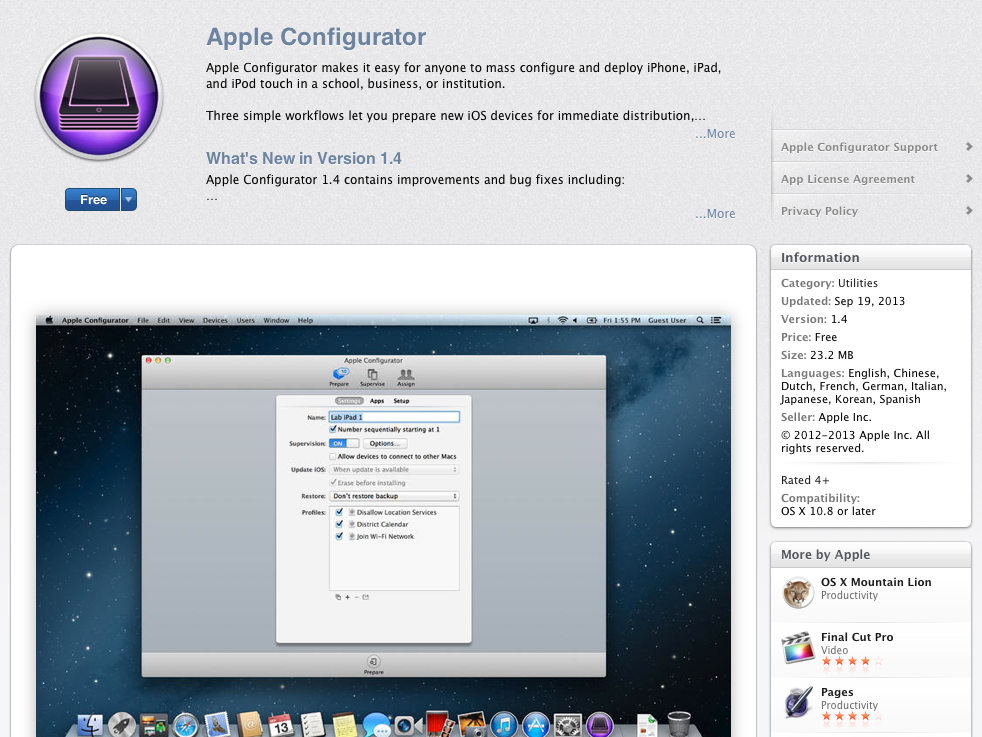
Apple Configurator, allows schools and businesses an easy way to manage multiple iOS devices. Apple Configurator is now updated to include support for iOS 7 and allowing some of the new features or restricting the new features. With Apple Configurator 1.4 you can allow AirDrop, Configure AirPrint Printers, Configure AirPlay mirroring destinations and passwords, Allow Control Center or Notification Center on the lock screen and more. The full release notes are listed here.
Expand
Expanding
Close

Site default logo image

Facebook updates iOS app with new look for iOS 7

Facebook announced on its blog today that it’s rolling out a new update for iOS 7 (alongside just about every other developer today) that brings a brand new iOS 7 style design to the app. On top of a lighter color palette and the new iOS 7 translucent top bar, you’ll also now be able to “swipe from left to right to get back to News Feed” after tapping a story.

There are some other tweaks included in the update as well. The iPhone app, for example, now includes a new tab style menu along the bottom of the screen. The new menu design is something Facebook has actually been testing with many users in recent months, although not with the new iOS 7 design included in today’s update. Facebook is hoping the new menu makes it “easier to switch from News Feed to your friend requests, messages or notifications.”

The new Facebook app for iOS has begun rolling out to the App Store. A video of the new design in action is below:

http://www.youtube.com/watch?v=gnXggjgWC3U&feature=youtu.be

Site default logo image

Digg iOS app gets full iOS 7 support w/ Background App Refresh & Dynamic Text

The Digg iOS client has been updated today to version 5.2.1 and with it comes full support for iOS 7 in addition to the usual performance enhancements and bug fixes.

While the design of the app hasn’t been dramatically overhauled like many others, the update brings a few new features made possible by iOS 7. Among them is support for Apple’s new Dynamic Type and Background App Refresh features.

Digg version 5.2.1 is available for iPhone and iPad on the App Store now.

What’s New in Version 5.2.1

◆ Full iOS 7 support, including Dynamic Type & Background App Refresh.
◆ Performance enhancements & bug fixes.