Last month, we reviewed the Infuse video player app by FireCore, the creators of aTV Flash. Today, the popular app received an update that addresses performance issues, metadata support, and more. FireCore also notes that AirPlay and HDMI support will be arriving soon in a 1.3 update.
The following changes and improvements have been implemented in version 1.2.4:
• Pause or resume videos using headphone controls
• Updated movie search for recent TMDb API change
• Improved support for embedded metadata
• Re-enabled access to synced music videos
• Minor visual improvements to cover art on iPad
• Minor performance improvements
Google announced today on its Chrome blog that a new update will soon be rolling out to its Chrome app for iPhone and iPad that will allow users to access voice search features previously limited to the Google Search app. Using the same omnibox currently included in the app, Google will soon allow users to tap a microphone icon to search using only their voice with a UI similar to the recently redesigned voice search on Mac.
Google said the updated Chrome app should be landing on the App Store in the coming days.
Google also noted that the updated iOS app would provide faster reloading of web pages and an option for third-party apps “to open links in Chrome and then return to the app with just one tap.”
Following a big update to the Pandora Radio app earlier today, the subscription based Rdio iPhone and iPad app has been updated today with UI improvements, a new “Find People” feature for finding artists and friends to follow, and the ability to search by record label to find artists and albums.
The updates to the app’s UI are most noticeable in a “new, cleaner look for sliding side navigation.” (as pictured to the right)
What’s New in Version 2.2
– Find People. New feature makes following friends and artists easier than ever.
– Labels. Search for a record label to find its top albums and artists.
– Various minor bug fixes and UI improvements, including new, cleaner look for sliding side navigation.
Apple has released a new firmware update for the mid 2012 MacBook Air today that helps to address problems with the device recovering from a crash. Apple release notes said the update addresses “a storage firmware issue that, in rare cases, may cause a system to fail to recover from crash.”
The MacBook Air Flash Storage Firmware Update 1.0 is available to download on Apple’s website here and should be hitting Software Update soon. The 1.69 MB update is available for mid 2012 MacBook Airs running OS X 10.7.5 or OS X 10.8.3.
Google today announced that it is revamping the Google voice search feature available in Chrome on the desktop. While users have always been able to search with their voice through Chrome, Google is attempting to make the service work more like it does through Google Search apps and Google Now on mobile devices.
Chrome will now include “conversational search” with a brand new interface that doesn’t require users to click in order to search with their voice. Like on mobile devices with Google Now, users will now be able to simple say “Google” in order to activate voice search.
Today, we previewed what this conversational experience will look like in Chrome on your desktops and laptops. Soon, you’ll be able to just say, hands-free, “OK Google, will it be sunny in Santa Cruz this weekend?” and get a spoken answer. Then, you’ll be able to continue the conversation and just follow up with “how far is it from here?” if you care about the drive or “how about Monterey?” if you want to check weather somewhere else, and get Google to tell you the answer.
The new interface, as pictured above from Google’s demo of the feature, is much like the voice search interface for Google Now on Android devices.
The new feature will be coming to Macs and PCs through Chrome soon.
Google also briefly showed off some new content coming to Google Now including new cards for Reminders, Music Albums, TV Shows, Books, Public Transit, and Video games rolling out today: Expand Expanding Close
We knew from leaks in the weeks leading up to I/O that Google was planning some gaming related announcements and today the company has officially announced the service in a press release ahead of its Google I/O keynote taking place now. Not only will the service allow Android developers to build in real-time multiplayer, social features, achievements, and leaderboards while storing game saves and settings in the cloud, the SDK for Google Play game services will also be available to iOS and web developers.
Google noted a few titles for Android have already been updated with the feature including World of Goo, Super Stickman Golf 2, Beach Buggy Blitz, Kingdom Rush, Eternity Warriors 2, and Osmos.
Not surprisingly, the cross-platform gaming service will also build in Google+ integration to track high scores, achievements and more:
-Achievements that increase engagement and promote different styles of play.
-Social and public leaderboards that seamlessly use Google+ circles to track high scores across friends and across the world.
-Cloud saves that provide a simple and streamlined storage API to store game saves and settings. Now players never have to replay Level 1 again.
-Real-time multiplayer for easy addition of cooperative or competitive game play on Android devices. Using G+ Circles a game can have up to 4 simultaneous friends or auto-matched players in a game session together with support for additional players coming soon.
Pinterest is rolling out a big update to its mobile apps today that brings a number of highly requested features to both the iPhone and iPad. Some of the more notable updates include notifications and push notifications for comments and mentions, the ability to @mention friends from within the app, and improved search that provides suggestions as you type.
The updated app will also now let users invite friends to group boards.
– Send a pin to someone and we’ll seal it with love (iPhone & iPod only)
– Get push notifications so you never miss a beat
– Search…and you shall receive suggestions
– Invite friends to pin with you on group boards
– Pin from more places — now more easily from the web
– Mention your friends (at last)!
Philips today launched a big update to the Hue app that provides users with control over their network connected Philips Hue lighting system which the company began selling exclusively through Apple Stores last year. Version 1.1 of the app adds a ton of new features including Geofencing to trigger scenes when you leave or return home, recurring schedules for functions such as alarms, a new synchronous scenes, and much more.
One of the big announcements accompanying the launch of the updated app is a new IFTTT (If This Then That) channel for Hue. IFTTT is a service that allows online applications to talk to one another by letting users set up actions for one app that are triggered by another. For example, with the Hue channel, users can have “access to any application programming interface (API) on the Internet, allowing Hue smart bulbs to act as informational gateways and visual cues for updates on weather, stock quotes, sports scores, email, social media and more.” Imagine getting a notification through Hue related to a weather forecast or update on a social network.
A full list of what’s new in the update Philips Hue app is below:
What’s New in Version 1.1.0
– Geofencing feature: Scenes can now automatically turn on when coming home and turn off when leaving home
– Scenes can now be switched on or off using a timer between 1 and 59 minutes
– Alarms can now be set to recur in a weekly schedule and with a random offset for the start and end time
– Fades of alarms now start at the set time instead of ending at the set time
– Increased reliability of alarms
– Improved vibrant colors for LivingColors and hue lights and added support for LivingWhites
– When activating a scene the lights change at the same time synchronously
– Compatible lights can now be added to the system using their serial number
A big update today for the Flipboard app for iPhone and iPad brings new profile pages that will allow content creators to get info on their “readership and curation activity,” a new Friends category in the Content Guide, improved sharing options including SMS, and the ability to save to your camera roll by tapping on an image.
The updated app, version 2.0.2, also includes “Improved navigation for Google Reader RSS folder,” making it easier for those making the switch from Google Reader to find their content.
What’s New in Version 2.0.2
-Get a window onto your readership and curation activity with new profile pages.
-Discover magazines by friends quickly in new Friends category in the Content Guide.
-Select a social network and access options more easily in the improved share menu.
-Share magazines and stories with friends and family via SMS text messaging.
-Save images directly to your device. Tap item’s share icon, then “Save to Camera Roll.”
-Improved navigation for Google Reader RSS folders
If you’re someone that regularly edits photos, or enjoys graphic design work, then you’ve likely used Pixelmator, which is arguably the best alternative to Photoshop on the Mac. Today, the popular $15 app is getting a huge update, known as 2.2 “Blueberry,” which includes over 100 new features. I’ve been testing out the new options, and they’re pretty great…
Rovio has updated its popular Bad Piggies title for iPhone today with a ton of new content including 15 new levels, a new feature that lets users record and share tricks, an all-new sandbox, and a selection of new in-game gadgets.
The app, however, is yet to receive Rovio’s just announced ‘Account’ feature that lets users save game progress in the cloud and resume playing on any device.
Rise and swine! It’s a beautiful morning, but the Bad Piggies have just one thing on their mind: FOOD! Use two ALL NEW gadgets in these 15 NEW LEVELS to track down some elusive chocolate cake!
15 new sun-drenched levels!
Record your best tricks in-game and share through your favorite social networks!
Climb walls with the new suction cup gadget!
Punch your way to victory with the new spring-loaded Boxing Glove!
Fill your need for speed in a new Road Hog challenge!
YouTube’s Capture app for filming and sharing video to YouTube was updated today to version 1.3 bringing a few new features alongside performance enhancements. The updated app now includes high definition previews of enhancements, an option to “Only upload on Wi-Fi”, and more:
What’s New:
✓ HD preview of enhancements
✓ “Only upload on Wi-Fi” option
✓ Upload shows time remaining
✓ Faster launch speed
Things We Fixed:
☂ Misbehaving when low on storage space
☂ Misbehaving while uploading
Popular music streaming service Songza for iOS updated to version 3.0 today featuring significant performance improvements and a few new features.
Users can now shake their device while on Songza’s concierge page, which allows you to make a playlist based on your activities like studying or working out. Pretty cool.
What’s New in Version 3.0
Welcome to Songza 3.0, reimagined to help make the things you do every day better!
– Doing something special? From the Concierge screen on iPhone or iPod Touch, shake your device and tell Songza exactly what you’re up to; Songza will then find the right music to make it better. For example, you could enter ‘Entertaining’ and Songza will find you music to soundtrack the perfect party.
– Enjoying your favorite artists is now better than ever. When you search for an artist, you’ll see every expert-curated playlist on Songza that features them. Any playlist you choose will begin with a song by that artist.
– Get faster performance and less buffering, even when you have so-so internet connection. We’ve also fixed the most common crashes and bugs.
– When you’re in a rush, a long press on any Concierge situation (e.g. Driving) immediately starts playing the playlist Songza thinks you’ll love most at that moment. Starting your Songza playlist can now be as fast as turning on your car radio.
– Songza’s HQ Audio feature, powered by Audyssey, significantly improves your headphone sound quality without increasing your data plan usage. With Songza 3.0’s improved HQ Audio, 200 headphone models are now available and it’s now easier to select your headphones whenever you add a new pair.
– A new full-screen Concierge experience takes advantage of the iPhone 5 screen and removes visual clutter, while a simplified navigation focuses on the most powerful and user-friendly additional features.
– To make music discovery easier, in-app tips on iPhone or iPod Touch help you move from playlists you’re getting tired of to new playlists that will make you feel fresh all over again.
– We’ve made navigation simpler by removing unnecessary things and unburying cool features like browsing playlists by mood, genre, decade or activity.
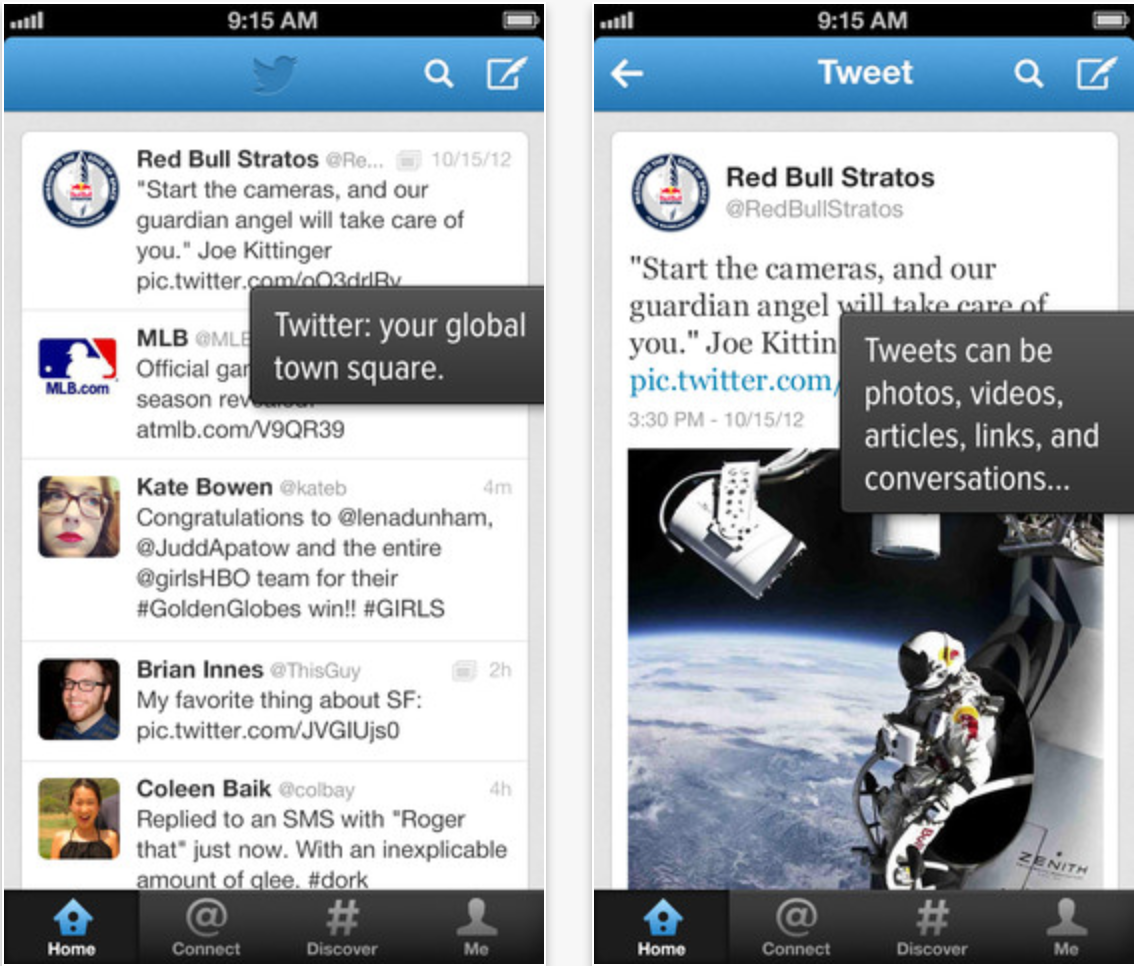
Twitter for iOS received an update today that brings location-based trends to your iPhone or iPad, first reported by AllThingsD.
See what’s happening near you or around the world by viewing Trends in hundreds of locations.
Also:
• Invite friends to join Twitter from within the app
• Improved playback of Vine videos
• Replies to retweeted Tweets now include both the author and person who retweeted the Tweet
• Enjoy a smoother experience due to bug fixes and other improvements.
AT&T U-Verse customers will be pleased to learn that today they have access to new content on their iPhone and iPad. The WatchESPN app was previously available to most that subscribe to an ESPN package, but up until today AT&T U-Verse subscribers were not included. With update to version 1.6.6 today, U-Verse customers can now access live streaming feeds from ESPN, ESPN2, ESPN3 and ESPNU directly from within the universal iOS app for iPhone and iPad.
More great TV content is available on iOS devices today for AT&T U-Verse subscribers. The FOX Now iPhone and iPad app, which provides access to latest episodes from popular FOX shows like Family Guy, American Dad, and Hell’s Kitchen, was updated today providing access to both AT&T U-Verse and Suddenlink subscribers. The app also gets a bunch of new features including automatic full screen for videos, a streamlined universal navigation drawer, filters, and much more.
Your Vine stream will probably start to include a lot more faces, for better or worse, as the Twitter-owned video-sharing app received an update today to include support for the iPhone’s FaceTime camera as well at mentions:
Today we’re introducing an update to Vine that we think you’ll love. Over the last few months, we’ve asked for your feedback on a lot of things, from reporting bugs to suggesting new features. We’ve been listening. Here are a few new additions to Vine:
You can now shoot with the front-facing camera. When creating a post, tap the button in the bottom left corner to try the front-facing camera. You can switch back and forth between the regular and front-facing camera as many times as you want.
Vine now supports mentions, so you can tag people in your post. Users who are mentioned will receive a notification in Activity. To mention a user, type @username and select the name among the suggestions you’ll see. See the screenshot below for an example — when I type @chris, I see suggestions for Chris Fry, Chris Hardwick and Christofer Drew. When I select Chris Hardwick, his Vine profile will automatically link in my post’s caption.
Jawbone, the company behind the Jawbone Up fitness tracking wristband and companion app, today is announcing some big news including a new API to allow other apps to access its fitness tracking data and the acquisition of competitor BodyMedia. The new API dubbed the “Up Platform” will see the company create its own app ecosystem of sorts, allowing other developers to access Jawbone UP data and integrate their apps to “complement your UP experience.”
To go along with the new API, Jawbone has already updated its UP iOS app with a new side menu that allows users to share their data with integrated apps and the ability to “to seamlessly integrate new data into your feed, lifeline, and trends.”
Initially Jawbone has partnered with a number of fitness related apps including: IFTTT, LoseIt!, Maxwell Health, MapMyFitness, MyFitnessPal, Notch, RunKeeper, Sleepio, Wello and Withings. Here are a few examples of how Jawbone UP integration works with these third-party services:
-Log a run or bike ride with RunKeeper or MapMyFitness, and view your workout data in UP, including maps of your route, to see how last night’s sleep may have impacted your speed or distance.
-Step on your Withings Smart Body Analyzer and automatically import your weight into UP to track it in the context of how you sleep, eat and move, and get support from your UP teammates as you work toward your goal.
-Create IFTTT Recipes to receive nudges based on your UP activity, like texting you to go for a run if the weather is sunny, or tweeting at your workout partner when you reach 15,000 steps.
-Complete a workout with a live personal trainer in your home or hotel room using Wello, and log the workout directly into UP.
Developers Objective Development just announced a nice update to its extremely popular network and application monitoring tool known as ‘Little Snitch’. For those of you unfamiliar, Little Snitch allows users to set up rules that control network access for specific apps and services, allowing you to control when and how apps on your machine talk to the internet. A previous update brought profiles to the app, offering users the ability to switch between different sets of rules for different workflows. Today’s update to version 3.1 enhances that feature by offering Automatic Profile Switching:
With the new Automatic Profile Switching these profiles now can be activated automatically when the computer starts using a specific network connection (e.g. the office, home or some public network) – thereby adapting your network security to the current environment…The first time you connect to a network, Little Snitch presents you the new Profile Switching Alert which lets you define the profile to be activated automatically the next time you join the same network. Of course, this also activates the profile right when you click the OK button.
After some controversy for the popular Mailbox iOS app earlier this week, some good news for Mailbox users comes today in the form of confirmation of new features and an iPad app coming soon.
As noted in the tweets above and below, the Mailbox devs have publicly confirmed in a number of recent tweets that and iPad version of the app is currently “in the works” and expected to launch soon. We also learn that desktop and Android versions of the app are on the company’s roadmap, while iCloud support, landscape typing, alias support, and “Send as” features are also on the list for future updates:
Today we’re announcing a few improvements to Twitter for Mac:
Photos: It’s easier than ever to share photos. Simply click the camera icon in the lower-left corner of the Tweet compose box, and choose a photo to share. If you prefer, you can still drag and drop photos from the desktop.
Retina display support: Now Twitter is even more vibrant and detailed on the highest resolution Mac notebooks. With this update, Tweets will be clearer and sharper, creating a more vivid experience.
14 more languages: In addition to English, Twitter for Mac now supports Dutch, French, German, Indonesian, Italian, Japanese, Korean, Malay, Portuguese, Russian, Simplified Chinese, Spanish, Traditional Chinese, and Turkish.
Along with these updates, Twitter for Mac offers keyboard shortcuts, support for multiple accounts and timelines, and other features that you’ve come to love.
You can get this update now in the Mac App Store. Keep an eye out for more improvements to come, too.
P.S. I'm taking a break from iOS to work on Twitter for Mac full time.
As part of its new revamped Contacts section coming soon for select users on the desktop, LinkedIn today is also launching a standalone Contacts app for iPhone that allows users to manage address books, emails, and calendars by contact and access all content related to specific contacts from one easy to access location. The Contacts app will also provide alerts for changes to jobs and birthdays, and allow you to access meetings and past conversations directly from an individual’s Contacts profile:
LinkedIn Contacts brings together all your address books, emails, and calendars, and keeps them up to date in one place. From these sources, we’ll automatically pull in the details of your past conversations and meetings, and bring these details directly onto your contact’s profile.
On top of the recent announcement that it will be bringing sponsored posts, aka advertisements, to its mobile apps, Tumblr today released an updated iOS app that includes new sharing features, the ability to save content for later reading, new templates for sharing posts through email, and much more.
Other enhancements include animated GIFs while scrolling, an alphabetized and searchable Following list, and support for sharing directly to Twitter and Facebook. A full list of what’s new in version 3.3.1 of the universal iOS app is below:
What’s New in Version 3.3.1
Now you can do more than just reblog when you find something you love.
– Share posts via Twitter, Facebook, and more
– Save stuff for later using Instapaper and Pocket
– Email an entire post with our beautiful new template
– Fling a photo up or down to close it!
– GIFs animate while you scroll*
– Following list is now alphabetized and searchable
*iPad 2, 3 and 4, iPad Mini, iPod Touch 5th Generation, iPhone 4S and 5 only
Apple’s iAd Producer tool for creating HTML5, CSS3, and Javascript ads for its iAd platform gets updated to version 4.0 today and adds a number of notable new features on top of some performance enhancements that Apple outlined in a knowledge base article. The updated app now allows users to create iBooks Author widgets, iTunes LPs, and iTunes Extras. Apple provides more information on the new features, such as creating an iBooks Author Widget for iBooks Author projects on the iAd Producer support page:
You can create an iBooks Author widget for use in your iBooks Author projects. For example, you can create a widget that allows users to stream video from the Internet, draw using their finger, or interact with a timeline.
A full list of what’s new in iAd Producer 4.0 including: folder-based organization support, new HTML, Stack, Drawing, and Panorama objects, in-app quick previews, CSS filter support for objects, and much more below:
New in iAd Producer 4.0
This release contains a number of new features and improvements
Improved Object library interface
Improved Actions library interface
Support for folder-based organization in the asset library
New HTML, Stack, Drawing, and Panorama objects
New actions for adding and removing CSS classes, animating background position, animating image masks, and text slide-in animation
Support for applying CSS filters as well as image and gradient masks to objects.
In-app quick preview
Project-wide search in the Code Editor
Better export performance
Improved menu layout
Improved font support, including support for OpenType fonts
Improved rulers and alignment guides
Enhanced inspectors, with pop-up color pickers, and gradient sliders that now represent opacity
Support for QuickLook previews in iAd Producer project files
Support for iTunes LP, iTunes Extras, and iBook Author widget project types
– Choose to receive notifications that let you know exactly when you’re eligible for upgrade pricing on a new iPhone. And since all you need to complete the order is your Apple ID and password, buying your new iPhone is fast and easy (US only).
– Stay on top of your delivery with notifications. We’ll let you know when your order ships, keep you informed of any updates, and notify you when it’s delivered.