video

See All Stories
Site default logo image

Apple updates WWDC app with uninterrupted videos and more ahead of Monday’s event


Ahead of Apple’s big keynote address to kick off its WWDC 2013 developer conference next week on Monday, Apple today updated its WWDC app for iPhone and iPad with a number of tweaks and fixes.

The most notable updates include videos that “now continue to play over AirPlay when the device locks or after interruptions” such as phone call, as well as a tweak so the audio ringer switch doesn’t mute audio in videos.

You can check out everything we expect to see at WWDC next week in our roundups here and here.

Other improvements included in version 1.0.1 of the WWDC app below:

What’s New in Version 1.0.1

Thanks for all the great feedback. This release includes numerous bug fixes:

• Videos now continue to play over AirPlay when the device locks or after interruptions, e.g., a phone call
• When playing videos, the audio ringer switch no longer mutes audio
• Favorites in Events go all the way to 11 PM
• Duplicate section headers in the videos list no longer appear
• The navigation bar in Events no longer disappears
• Blurry text in session details has been corrected
• Version information has been added to augment future bug reports or feedback

To get the most out of the WWDC app, make sure you sign in with your Registered Apple Developer account. If you’re not a Registered Apple Developer, you can still use the app — just tap Cancel when you’re prompted to sign in.

Site default logo image

Gameloft releases first trailer for upcoming Modern Combat 5 title [Video]

With each instalment of the popular FPS Modern Combat series on iOS and Android, Gameloft seems to be getting a little closer to matching the quality of gameplay we expect from the top of the line console games in the genre such as Call of Duty.  While it’s no secret the Modern Combat series has borrowed a lot from COD (as have many other FPS games), the latest trailer for the upcoming Modern Combat 5 title looks to be the closet thing to an immersive, action-packed COD-like shooter that we’ll have on mobile devices. Note: On top of the gameplay, the logo towards the end of the video (including the animations) is little too close to the Call of Duty Modern Warfare series for my liking. Gameloft has been accused several times of knocking off games from big developers in the console world, most notably with its Gangstar (aka GTA clone) and NOVA (aka HALO clone) series.

We don’t learn a whole lot from the trailer itself, but it does appear much of the action will be taking place in Venice, Italy this time around. Despite the shameless similarities to other big franchises, those excited for the upcoming Modern Combat 5 will seemingly have to wait until E3 to hear more about when and for how much it will be coming to iPhone, iPad, and Android.

Site default logo image

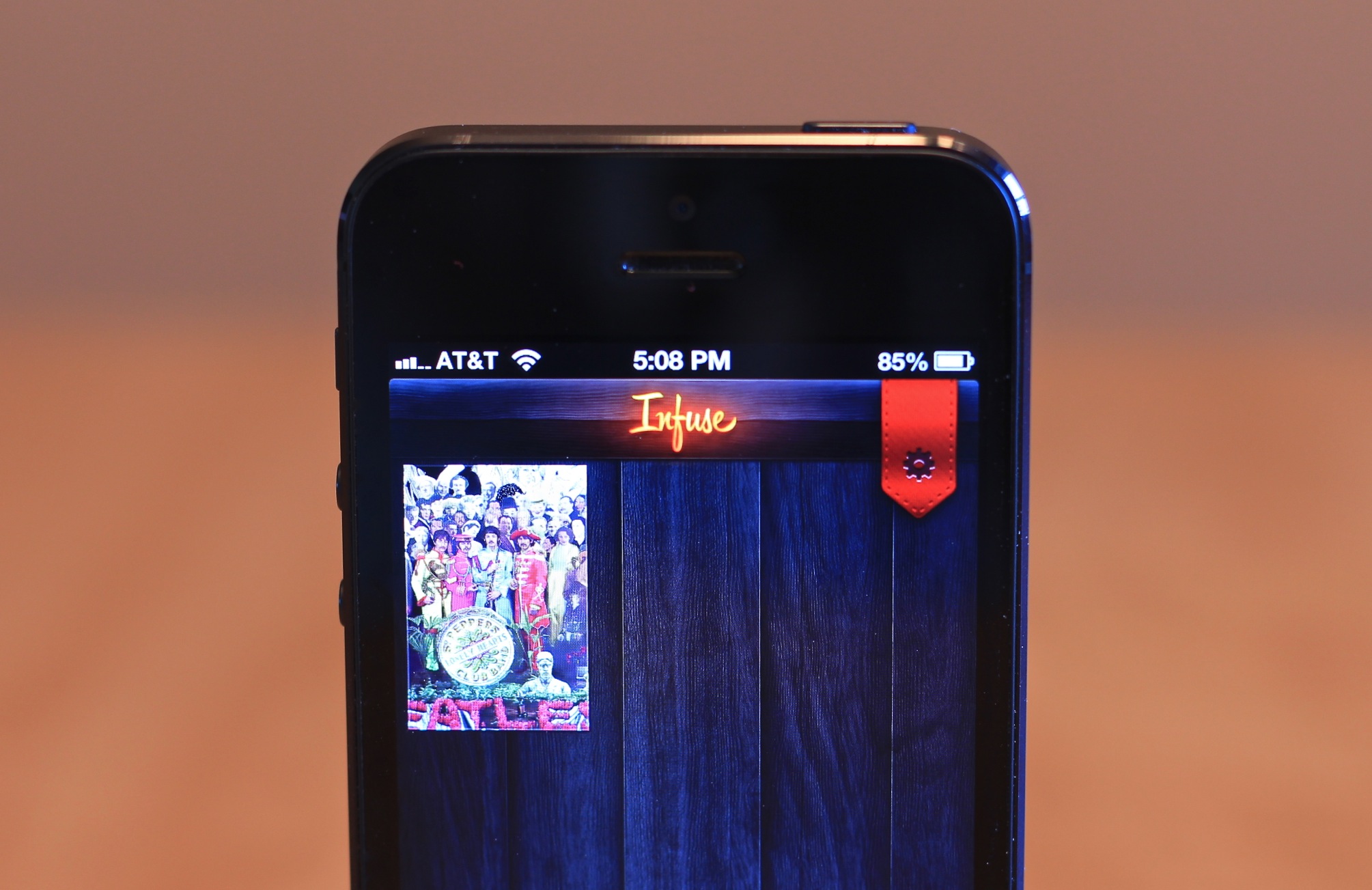
Video player app Infuse receives update, AirPlay and web interface coming soon

Last month, we reviewed the Infuse video player app by FireCore, the creators of aTV Flash. Today, the popular app received an update that addresses performance issues, metadata support, and more. FireCore also notes that AirPlay and HDMI support will be arriving soon in a 1.3 update.

The following changes and improvements have been implemented in version 1.2.4:

• Pause or resume videos using headphone controls
• Updated movie search for recent TMDb API change
• Improved support for embedded metadata
• Re-enabled access to synced music videos
• Minor visual improvements to cover art on iPad
• Minor performance improvements


Expand
Expanding
Close

New iOS 7 concepts imagine Jony Ive’s ‘very flat’ iOS redesign [video]

Site default logo image

Since we’ve posted our exclusive details on what Apple and Jony Ive has in store for iOS 7, there have been a ton of great concepts popping up that take into account the company’s new “very flat” approach to redesigning the OS. The first concept, above, comes to us from Simplyzesty.com’s  art director Philip Joyce who has imagined a flat iOS including a new look for Siri and the lock screen, a customizable home screen, and redesigned icons that all take the “flat” approach to heart.

Another new concept for iOS 7 was posted today by apfelpage.de, below, that shows off a flat look for shortcuts, a new multitasking experience, widgets, and much more:
Expand
Expanding
Close

Site default logo image

Blockbuster On Demand app finally launches on iPhone & iPad

Earlier this year Blockbuster relaunched its digital video rental service dubbed “Blockbuster on Demand” by releasing apps for Android, Roku, Samsung Smart TVs, PC & Mac and introducing new features such as 1080p HD streaming and 5.1-channel surround sound. The service hasn’t picked up much steam since relaunching in January, but today it appears Dish is pushing ahead by finally releasing an app for iPhone and iPad. 

Available as free download on the App Store now the app offers single title rental options that can be streamed instantly or saved for later viewing on any supported device. Users initially complained of no HD video support on mobile devices but, according to the app’s iTunes page, the iOS app does indeed support “stunning HD and full Surround Sound.”

•Thousands of hit movies and new releases – rent and watch instantly or save to your Watchlist and view later
•Tons of movies you love – hand-selected titles with the highest ratings from Rotten Tomatoes®
•Stream Instantly — phone, tablet, laptop, Samsung Smart TV, Roku, and more
•Amazing sound and video – stunning HD movies in full Surround Sound
•Easy shopping and viewing – prime movie watching experience
•No subscription or late fees – pay only for what you watch

Review: Infuse by FireCore is a versatile way to watch videos on your iOS device

Site default logo image

As more and more consumers switch to using iOS devices to enjoy media, the need is becoming apparent for a more full featured and well-rounded video player. While Apple’s Videos app provides basic and simple functionality for viewing movies, when it comes to storing, organizing, and viewing your entire library of videos and movies, Apple’s stock app falls flat.

FireCore, the group behind the popular aTV Flash software for jailbroken Apple TVs have released a new app called Infuse, which promises to fix all of that, offering you a versatile way to view and organize videos in a variety of different formats. Let’s check out how it worked.


Expand
Expanding
Close

Site default logo image

Mother’s Day must have: Felt app lets you create and send beautiful handwritten cards via iPad for $4/ea

Just launched on the App Store in time for Mother’s Day, the Felt iPad app lets you create and send real handwritten cards directly from your iPad for a flat rate of $3.99 including shipping. It has competitors with Apple’s own Cards app ($4.99 per card), and the Inkly app, which lets you upload handwritten messages via a photo, but neither have found a way to integrate the handwritten aspect right in the iPad app like Felt. The slick interface shown in the video above allows you to easily handwrite not only the letter but also address the envelope by hand. Once your done the app handles the rest by sending out a real card printed on “premium Mohawk card stock and a kraft paper envelope” within 24 hours.

Site default logo image

MirrorCase for iPad lets you shoot video and take notes at the same time

Just launched on Kickstarter today, RHP Multimedia is hoping to bring an iPad version of its MirrorCase originally launched for iPhone that allows users to shoot hands free photos and video while continuing to use the iPad. Normally iPad users would be forced to hold up the tablet in a vertical position in order to capture photos and video using the device’s main, rear camera. MirrorCase offers a hands-free solution by integrating “a high-quality first surface mirror to reflect back any image that is in front of the device”, allowing you to keep the iPad in a horizontal position ideal for taking notes or multitasking while shooting video.

The key is the MirrorCase companion app that the company is attempting to fund through its Kickstarter campaign. The app will include, for instance, the ability to take notes or make annotations while viewing a live, resizable preview of the video you’re shooting, PDF and Dropbox integration, and adjustable video resolution and frame rates.

You can preorder a MirrorCase for iPad now for $50 with shipments expected to start in August.

Site default logo image

New “Learn More About In-App Purchases” section helps protect consumers from apps like this [video]

In March Apple decided to add “offers in-app purchases” warnings in iTunes and on the App Store following a class action lawsuit brought on by parents arguing the iOS freemium model, i.e. in-app purchases, allowed children to easily rack up thousands of dollars. Today, as noted by AppAdvice, Apple has now added a new “Learn More About In-App Purchases” section on the App Store detailing how in-app purchases work and how parents can manage they preferences through Parental Controls (pictured below). On a related note, in the video above IGN shows off how kids could easily spend thousands of dollars in apps that aggressively push ridiculously expensive in-app purchases to games clearly aimed at children.

Site default logo image

YouTube app for iOS now offers access to Live Streams, TV queuing

Today, Google has updated its YouTube for iPhone, iPad, and iPod touch application with a few important new enhancements. Notably, users of the application can now access Live streams directly from within the app.

Additionally, the interface has been updated for quicker access to subscriptions via the My Subscriptions feed. TV queuing, another notable addition, will allow users to create a queue of videos to watch later on their TV.


Expand
Expanding
Close

T-Mobile launches its first iPhone commercial as it officially begins selling the $99 iPhone 5

Site default logo image

We can’t say we didn’t know it was coming. T-Mobile already started accepting preorders for the iPhone 5 back on April 5, and today marks the first day of official availability for the iPhone on the carrier’s revamped “Un-carrier”, no-contract, unlimited voice and data plans.

To accompany the launch, T-Mobile is also kicking off its first iPhone ad campaign today that begins with the first TV spot above (via TMO News). Of course the ad not so surprisingly focuses on its new carrier approach more so than the device itself:

“It’s the phone that’s revolutionizing phones, make sure its running on the carrier that’s revolutionizing wireless… Only T-Mobile lets your iPhone 5 be as great as an iPhone 5.”

Earlier this month T-Mobile started rolling out a carrier update for existing unlocked iPhones on its network that brings LTE support, improved battery life, visual voicemail support and more. It also started a campaign offering users trade-in value for their old devices to make the switch to T-Mobile.

The iPhone 5 is available to purchase for $99 down with a $20 per month financing plan through T-Mobile’s website and brick-and-mortar stores. As noted by TMONews, the carrier has also started setting up its in-store displays and advertising for the iPhone (Gallery below):
Expand
Expanding
Close

Site default logo image

Google’s interaction designer talks revamping Google Search on iOS (Video)

http://www.youtube.com/watch?v=5fpggknHC2c

In a recent “Life at Google” video (above), Interaction Designer on Google’s search team Noah Levin walks us through his work building the latest version of the Google Search app on iOS:

After just three months at Google, Interaction Designer Noah Levin helped change the way our users interact with Google Search on the iPhone and iPad. Learn how he takes a complex system and makes it a simple user experience for our most well-known product: Search.

Site default logo image

Latest iOS 7 concept shows slick widget integration, enhanced lockscreen & much more

We’ve seen lots of iOS 7 concepts popping up lately thanks to all the rumors that Jony Ive’s new role on the software side of things could mean major changes for the next major iOS update. Many of the concepts borrow from features already available to jailbreak users, and there seems to be a big focus on widgets and lock screen enhancements. We’re not too sure that iOS 7 will get the full Ive treatment like some are expecting, but this latest iOS concept from designer F. Bianco certainly gives us a taste of the possibilities. Rather than just focusing on one area of iOS, Bianco presents a number of concepts for widgets, app switching, media controls, and much more. Go past the break for screenshots:

Site default logo image

Adobe releases preview 2 of Edge Reflow, gives first look at ‘CSS Designer’ Dreamweaver features

http://www.youtube.com/watch?v=aSgbZPlWlQs

Adobe today announced the second preview of its responsive web design tool known as “Edge Reflow.” Adobe first released a public preview of the app to Creative Cloud members in February, and it today added “more styling and layout capabilities” in the release of preview 2.

In terms of layout, one of the most frequent requests we have received from web designers is the ability to leverage absolute and fixed positioning, as well as their z-index.  These new layout types provide the flexibility to create the responsive designs you envisioned.

Adobe also provided a sneak peek at a new ‘CSS Designer’ feature that will be available to Dreamweaver users later this year through Creative Cloud. Adobe said the feature “gives users the ability to visually apply and set different media queries for web content to be presented in different sized media.” A video showing off the CSS Designer below:

http://www.youtube.com/watch?v=IF20ozzviwg

Adobe is currently offering 60 percent off Creative Cloud memberships through its website.

Site default logo image

Apple analyst Gene Munster still clinging to HDTV this year, warns no major product announcements until June iPhone 5S launch (Video)

[ooyala code=”1rcW5oYTpTmicot6ItPNIE4t19rtj_tb” player_id=”undefined”]

Piper Jaffray Apple analyst Gene Munster is out today with an updated outlook for the company, warning that Apple will not have any major product announcements until June and likely miss its June guidance with lower-than-expected iPhone and Mac sales.

In other words, the Retina iPad mini he predicted would launch in March—not happening. Instead, Munster said Apple could announce an incremental upgrade to iPad or iTunes in April and wouldn’t have a major product announcement until the iPhone 5S lands in late June. He also told Bloomberg this morning (video above) that a cheaper iPhone would be announced in September through a deal with China Mobile and ship in September or October.

Gene still prays for an Apple HDTV this year, telling Bloomberg this morning there is “no question whether it’s a set-top box versus a TV, it’s an actual TV.” He hopes Apple will announce its full-fledged television set by the end of the year.

Gene also thought Apple’s iWatch won’t make an appearance until 2014, while also noting that wearable technology has an opportunity to cannibalize the phone market within 5 to 10 years.

NVIDIA graphics chip promises four times the speed, but not until 2016

Site default logo image

NVIDIA has announced its latest GPU, Volta, that promises 1Tb/s of memory bandwidth—almost four times the speed offered by its current top-of-the-range Titan GPU. However, don’t expect to see the chip appear in a Mac near you until 2016.

Reporting from the GPU Technology Conference in San José, Forbes explained the speed of the chip would enable it to process all the video on a full Blu-ray disc in just 1/50th of a second.

NVIDIA CEO Jen-Hsun Huang told the conference:

Volta is going to solve one of the biggest challenges facing GPUs today, which is access to memory bandwidth. We never seem to have enough! This is unbelievable stuff.

The speed is made possible by stacking DRAM layers on a single chip and drilling holes through the silicon to connect them. This far ahead, the company has sensibly avoided committing itself to either a price or a more specific release date.

The Lightning Digital AV Adapter doesn’t do native 1080P out, possibly because it is an AirPlay receiver

Site default logo image

The hacked apart cable costs as much as a Roku because it has the same kind of horsepower

The fine software developers over at Panic are working on some new AV software, and they are investigating Apple’s new-ish Lightning Digital AV Adapter. What they found is that unlike the earlier 30-pin module, the Lightning adapter doesn’t carry a native 1080p signal. In fact, when mirroring, Apple says the optimum resolution is 1,600-by-900, and, when that signal is shown on a 1080p display, it is likely up-converted, showing artifacts consistent with streaming and uncompressing video data

Before it is ripped apart, via Amazon

What’s more interesting is that they split open the cable and found a full ARM processor with 256MB of RAM to process video signals inside the adapter cable. We knew way back in September that the 8-pin adapter wouldn’t carry video natively, but Apple was able to build a cable. How? Panic thinks that it is actually streaming an AirPlay network signal through the cable, and the ARM processor is decoding it.

Why would Apple do this? It’s likely Apple wants to move people to AirPlay wireless streaming to Apple TV, so this is just a stopgap solution. Rather than making a larger Lightning cable, it sacrificed on wired video-out quality and HDMI (And VGA?) cable costs.

Update: Our friends at Braeburn and an anonymous Apple Engineer sent along their takes on the situation below:


Expand
Expanding
Close

Site default logo image

A look at Apple’s reseller program circa 2007 [Video]

http://www.youtube.com/watch?v=Owg08q1DZTQ

The above video, titled “Internal – Apple Authorized Service Provider 101,” appears to be from 2007 (some things might have changed since then).

Sonny Dickson has posted these Internal Apple videos about the repair and QA checking of iPhones and iPads this morning.

It will be interesting to see if Apple takes down these videos.

https://www.youtube.com/watch?feature=player_embedded&v=JYZmAgZ8eJ4#!

In the meantime, have a look. You also might want to download these locally if you like them. A bunch of other videos are on his YouTube channel and below:
Expand
Expanding
Close

iOS 6 bug lets institutional users bypass ‘Don’t Allow Changes’ account restriction, install unapproved apps (Update: fixed)

Site default logo image

Update (Feb 21st): This has been fixed according to a reader. The iTunes and App Stores use HTML on the backend so Apple can “push” updates via backend code changes:

As of this morning, the bug is gone! No update required! Looks
like the somehow they pushed the update! I can no longer change the
account in the App Store or iTunes store! This reminds me when I was
beta testing 6.0 and Apple changed the behavior of downloading updates
not requiring a password (they also allowed free apps with no password
for a short while). That didn’t need an update to change either.
They seem to have ways of fixing App Store behavior without needing to
update iOS. I’m still running 6.1 on my devices, haven’t gone to
6.1.2 yet.

Would be nice for an official answer from Apple, but so far, it’s
working correctly! Also, I see redeem and send gift are grayed out
also, at the bottom of the App Store. Same for iTunes Store.

For those unaware, iOS 6 received some beefed up Restriction settings when it was released that allowed users to select “Don’t Allow Changes” for an entire account linked to an iOS device. This option was particularly useful for schools and organizations that wanted to limit a device to a specific account and keep students and others from installing apps not approved by the institution. Without the restriction, students or employees could easily change the iTunes account linked to the iOS device. Unfortunately, as noticed by one frustrated 9to5Mac reader, it seems there are several backdoor methods of bypassing the setting…


Expand
Expanding
Close

Cycloramic app captures 360-degree, handsfree video by rotating your iPhone with vibrations (Video)

Site default logo image

[youtube=http://www.youtube.com/watch?feature=player_embedded&v=Brfr7–6ESc]

A new iPhone app released just before Christmas provides a new spin on the panoramic, 360-degree video app, of which there are many competitors in the App Store. Normally, shooting 360-degree video would require the help of a hardware peripheral, such as the GoPano micro, or some crafty manual handwork to maneuver the device 360 degrees. With the new Cycloramic app from Egos Ventures, the iPhone will self-spin around by vibrating at certain frequencies. This allows you to capture hands-free, 360-degree video without a tripod or stand. The video above speaks for itself.

The developers warned the iPhone must be placed upright on a flat, hard surface without a case or stand. They also noted the iPhone 4s “will only turn very slowly on perfectly level glass. This is really designed for iPhone 5.”

The Cycloramic app is available for 99 cents on the App Store now, and you’ll find some demo videos from the developer’s YouTube page below. There’s even one of Woz trying out the app in his kitchen:


Expand
Expanding
Close

Apple CEO Tim Cook’s full NBC Rock Center interview [Video]

Site default logo image

[msnbc id=”50112247″ width=”650″ height=”375″]

NBC just posted official clips from its exclusive interview with Apple CEO Tim Cook earlier today. The interview aired at 10 p.m. ET tonight, and now the full video of the interview has already made its way to YouTube. In the interview, Cook talked about product design, Apple’s plans to bring production of some Macs back to the United States in 2013, his thoughts on Apple, being CEO post-Steve Jobs, and his “intense interest” in TV. We’ll update this post when the official high quality versions hit the web. Part 2 of the interview is continued below:

Expand
Expanding
Close

Site default logo image

Former Apple execs Pascal Cagni, Tony Fadell, and others talk Apple at LeWeb (Video)

[youtube=http://www.youtube.com/watch?feature=player_embedded&v=sMmme6wvJCw#!]

The LeWeb conference is running Dec. 4 through Dec. 6 in Paris, and father of the iPod and Nest creator Tony Fadell sat down yesterday to talk about Nest, product design, and the company’s future plans to bring Nest to 500 retail shops starting with Canada. Of course, as usual, Fadell’s former employer Apple was a topic of conversation. Fadell talked a little bit about what he learned from Steve Jobs in terms of product design, and he talked about his time at Philips compared to Apple and Nest.

Another interesting guest that made an appearance is Apple’s former Vice President and General Manager for Europe, Middle East, and Africa Pascal Cagni. He resigned in May. Pascal talked about his time at Apple and his former role at the company. He also talked about his working relationship with Jobs, his continued admiration for the company, and secrecy at Apple. The full video is below:

[youtube=http://www.youtube.com/watch?feature=player_embedded&v=dzSrB-b5yNs]

Zorro Macsk Review: Instantly add touchscreen gestures to your iMac with infrared sensors (Video)

Site default logo image

For a few years now PC manufacturers have been attempting to pack a touchscreen into their all-in-one iMac competitors. It’s a feature Steve Jobs made clear back in 2010 that Apple had spent significant time testing on Macs before determining touch was “ergonomically terrible”  on a vertical display. Steve noted “you start to fatigue and after an extended period of time, your arm wants to fall off.”  While that does not mean Apple will never do it (see iPad mini), for now Apple has made its bet on hand gestures staying horizontal on Macs– trackpads in its notebooks, and multi-touch gestures with Magic Mouse and Magic Trackpad for desktops.

Third-party touchscreen solutions for Mac do exist: Troll Touch will install a resistive touch panel on your Mac for no less than $800 and up. However, with that price on top of the cost of the iMac itself… for obvious reasons it has not been an extremely popular solution. We’ve been playing with what appears to be the only affordable product on the market bringing touchscreen like gestures to iMac, the $199 Zorro Macsk from Shenzhen based TMDtouch.

Early reviews of the Zorro Macsk should perhaps be updated, as we’ve been playing with the product following an update at the end of October that the company said vastly improved performance and fixed many of the issues reviewers were experiencing. 
Expand
Expanding
Close