watchOS

See All Stories

Simple, minimalistic, small: The platform for the best smartwatch on the market

watchOS only runs on the Apple Watch and launched alongside the product back in 2015. It has seen several major revisions since its launch, such as axing glances, the friends UI, and more.

The original version of the software was very slow and relied on your iPhone for its apps. Everything presumably ran over Bluetooth, and would be unable to open any apps if your connected iPhone was out of range.

Apple quickly moved away from interaction model and pushed native applications as of watchOS 2.0, where the majority of the app’s interface and information were installed on your Apple Watch, instead of your iPhone.

watchOS 3.0 added support for background app refresh, which allowed apps to run in the background, but also enabled complications to be updated without needing to completely launch an app.

With watchOS 4.0, and the Apple Watch Series 3 with LTE, Apple took this interaction model a step further. The company introduced APIs to allow applications to run completely independently of the iPhone. This meant that users were allowed to stream Apple Music, get the latest News, or take a phone call without being in the range of your iPhone. However, an iPhone is still required to setup and manage your Apple Watch.

Learn more about watchOS by reading the articles below:

Apple releases watchOS 2.0.1 for Apple Watch with battery life improvements and other bug fixes, tvOS GM for Apple TV

Alongside updates to iOS and OS X, Apple has released watchOS 2.0.1 with a whole host of changes and bug fixes. As well as including the new emoji character set like Apple’s other operating systems, watchOS 2.0.1 includes bug fixes for poor battery life, stalling software updates, Calendar event syncing and much more.

It has also seeded developers with the Gold Master release of tvOS for Apple TV. We’ll update with any changes …


Expand
Expanding
Close

Opinion: Is iOS’s Home screen heading towards text-free 3D icons?

Is Apple considering another round of major changes to iOS’s Home screen? If watchOS and tvOS are any indication, the answer could be “yes.” Earlier this year, Apple launched the Apple Watch with a purely text-free Home screen, requiring users to identify 20-some initial apps (and manually-added third-party apps) by icon designs alone. This month, it will release the fourth-generation Apple TV with a refreshed UI, again almost entirely eliminating below-app text in favor of redesigned icons with 3D depth.

While it would be easy to write off Apple’s changes to text labels as one-off decisions for “really small screen” and “really big screen” devices, they collectively raise an interesting question: if developers properly redesigned their iOS icons, would text labels — a staple of graphical user interfaces for decades — really be necessary any more? I’ll take a look at some of the pros and cons below…


Expand
Expanding
Close

watchOS 2: Walkthrough of all the new features now available on Apple Watch

After slightly missing the originally announced release date due to a last-minute bug, the watchOS 2 software update is now available for downloading through iOS 9’s Watch app and installing on your Apple Watch.

watchOS 2 comes just six months after the Apple Watch officially launched, and what Apple is labeling as a full successor to watchOS 1 feels a lot like a more polished version of what it likely had in mind from the start. It incorporates a few features first shown off last September and even includes fixes for a few common complaints over the original software.

The big story with watchOS 2 is support for native apps, which launch quicker and have more access to hardware, but there’s several small changes within the update worth discussing as well. Let’s explore:
Expand
Expanding
Close

watchOS 2 GM adds new Sport band-matching color options to Apple Watch faces [Gallery]

Apple released a gold and rose gold Apple Watch Sport plus a new fall collection of Sport bands today, and inside the watchOS 2 software update due out next week is a variety of Sport band-matching color options. These new colors let you personalize the watch face with many more choices than the current software version. Check out each new color below:
Expand
Expanding
Close

Apple seeds watchOS 2 beta 5 for Apple Watch to developers

Apple is continuing to fine tune the upcoming watchOS update for Apple Watch ahead of the software update’s release this fall, and now registered developers can test their apps against the latest build as watch OS 2 beta 5 is now available.

The watchOS 2 update allows developers to build native (read faster) apps that do not rely as much on the iPhone for processing power, third-party complications or widgets for the watch face, and closer access to hardware like heart rate sensor data and more. For consumers, watchOS 2 adds new features like Nightstand Mode, using photos or albums as a watch face, and various app refinements.

The last watchOS 2 beta notably added support for colored complications including Activity with increased legibility on certain watch faces including Utility and Modular. We’ll explore the latest watchOS 2 beta to find other new changes coming this fall, and let us know if you discover any differences between the last beta as well.
Expand
Expanding
Close

Apple Watch 2: Apple plans FaceTime camera, iPhone-free Wi-Fi, $1000+ models, similar battery

Site default logo image

Two months after the initial launch of the Apple Watch, and only a day following the device’s debut at Apple Stores, sources have revealed Apple’s considerations for the 2016 release of a second-generation model. According to multiple sources familiar with Apple’s plans, the Apple Watch 2 is planned to gain a video camera, a new wireless system for greater iPhone independence, and new premium-priced models. Interestingly, it will also feature similar battery life to its predecessor…


Expand
Expanding
Close

Users struggle with Apple Watch downgrades as Apple charges service fees to fix watchOS issues

Deleted posts from Apple’s support forums and active discussions elsewhere online indicate a growing concern for Apple Watch users: the inability to downgrade from a newer version of watchOS to an older version. The issue, which first became apparent when users discovered that watchOS 1.0.1’s heart rate monitoring was less frequent than in watchOS 1.0, is that the Apple Watch apparently lacks a user-accessible recovery or DFU (device firmware update) mode. While there has been a spike in downgrade-related complaints since Apple released the beta version of watchOS 2 on Monday, the issue remains a concern for some watchOS 1.0.1 users, as well.

Without access to such a mode, users with watchOS-related problems are currently being instructed by AppleCare representatives to send their new Apple Watches back to the company for service, often with “out-of-warranty repair” charges. By comparison, iPhone, iPad, iPod, Apple TV and Mac users all have the ability to downgrade to earlier OS versions on their own, without sending their devices back to Apple…


Expand
Expanding
Close

Everything you need to know about Apple’s WWDC announcements | Happy Hour 018

WWDC has brought a ton of announcements for Apple’s software and services. This week, we’ll discuss the important topics, what you need to know, and how we feel about iOS 9, watchOS 2, OS X El Capitan, and more. The Happy Hour podcast is available for download on iTunes and through our dedicated RSS feed…

[soundcloud url=”https://api.soundcloud.com/tracks/209738122″ params=”auto_play=false&hide_related=false&show_comments=true&show_user=true&show_reposts=false&visual=true” width=”100%” height=”150″ iframe=”true” /]


Expand
Expanding
Close

Opinion: Does watchOS 2 make it time for ‘first-generation refuseniks’ to jump on board?

Site default logo image

I described my own journey with the Apple Watch, from smartwatch skeptic to daily user, in a four-part diary (parts one, two, three and four). My uncertainty was less to do with the specifics of the Apple Watch and more to do with whether there was a role in my life for any kind of smartwatch.

But there are those who have been holding off for another reason: they steer clear of first-generation Apple products of all kinds. Their thinking is that the 1st-gen model tends to have a bunch of glitches, with the 2nd-gen product not just getting those worked out but also adding significantly to the functionality too.

This is a perfectly reasonable viewpoint, with significant historical evidence behind it – from the original Macintosh onward (one could even say from the Apple I). But with Apple having added a whole bunch of functionality to the existing Watch via watchOS 2, has the company managed to give the first-gen refuseniks enough reason to reconsider … ? 
Expand
Expanding
Close

What’s new in watchOS 2 for Apple Watch [Photo Galleries + Hands-On]

Less than two months after the Apple Watch went on sale (and just as it’s becoming available for same-day purchase), Apple officially announced watchOS 2 — the first major software update for its new platform — at WWDC in San Francisco. Available in beta form for developers now and in final form for consumers this fall, watchOS 2 adds a collection of new features to the Apple Watch, some of which are clearly visible in the beta.

In the galleries below, you’ll see all three of watchOS 2’s new watch faces, improved Digital Touch drawing, enhancements to music playback, the new Nightstand mode… and much more! All of the galleries are clickable, which can help you see more detail in the iOS 9-related Apple Watch shots…


Expand
Expanding
Close

Apple announces watchOS 2 with third-party Apple Watch apps, new Timepieces, video playback, much more

Site default logo image

Apple today announced watchOS 2, a new version of the operating system for the increasingly available Apple Watch, promising support for native third-party apps, on-screen video playback, and a collection of many new features for both users and developers. The developer beta for watchOS 2 will be available today, and offered for free to everyone in the fall.

“For us, this is a giant moment,” said Apple CEO Tim Cook, discussing opening up the platform to new and powerful third-party uses before introducing Kevin Lynch to detail features, including…

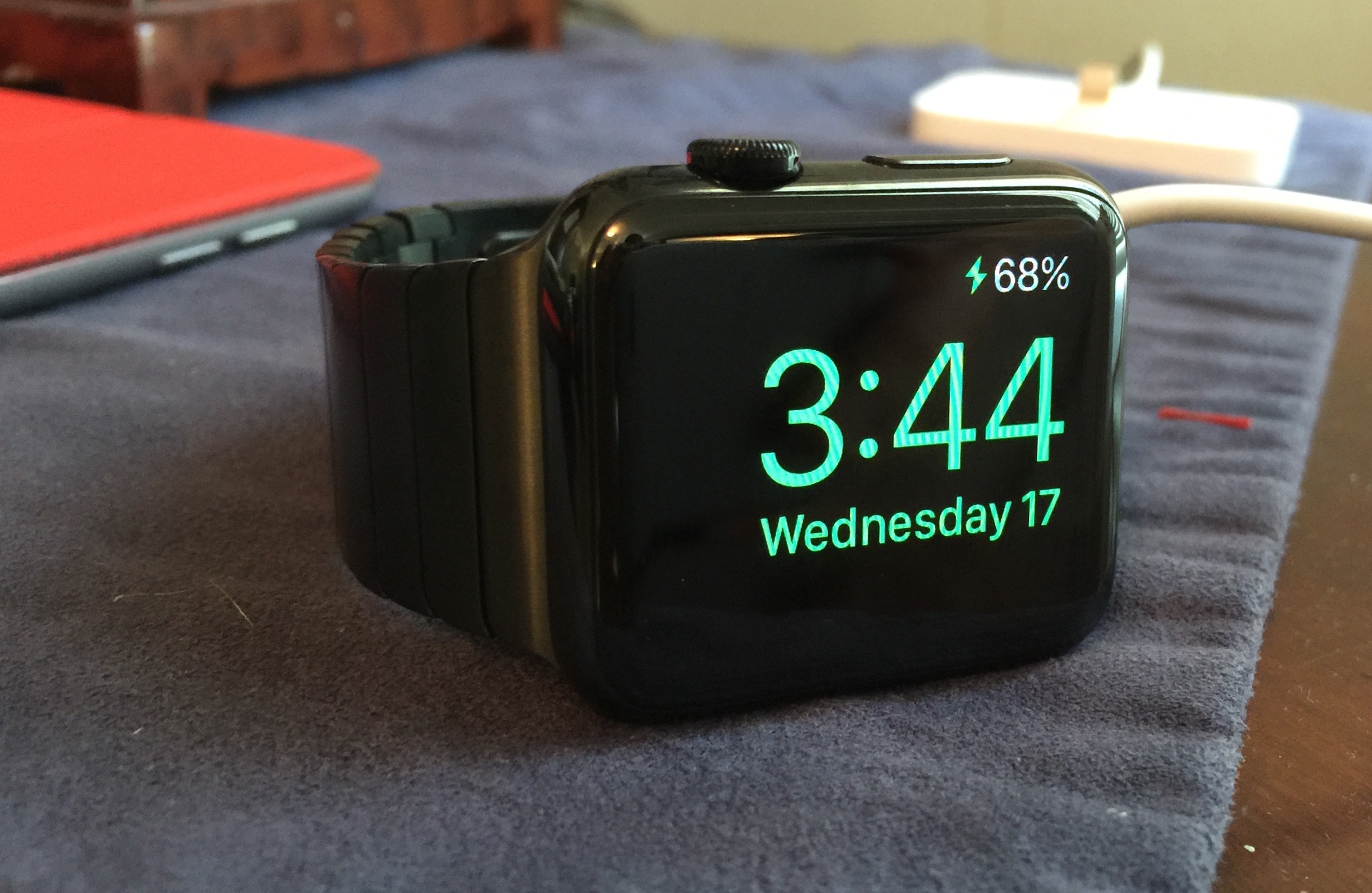
New Timepiece functions: Apple is adding Photo face, Photo Album face, and a Time-Lapse Face covering five different cities to the collection of Watch faces; Photo and Time-Lapse were slated to be part of watchOS 1.0, but didn’t make the cut. Additionally, Complications are being opened to developers; they’ll work on Modular face and others that support Complications currently. Twisting the Digital Crown, a new feature called Time Travel will let you see meetings and other events in the future all getting updated as the clock moves forward. Additionally, a new Nightstand mode will display the time and an alarm, when the Watch is laid on its side during charging on your nightstand.

Communication: You will now be able to add friends directly through the Friends secreen, and use multiple colors in Digital Touch drawings. Mail will let you reply to email, and Phone will let you receive FaceTime Audio calls with superior audio quality to regular phone calls.

Many more new features, including video playback, are discussed below…


Expand
Expanding
Close

Simple geometric banners depicting iOS, OS X and ‘watchOS’ spotted at WWDC

Site default logo image

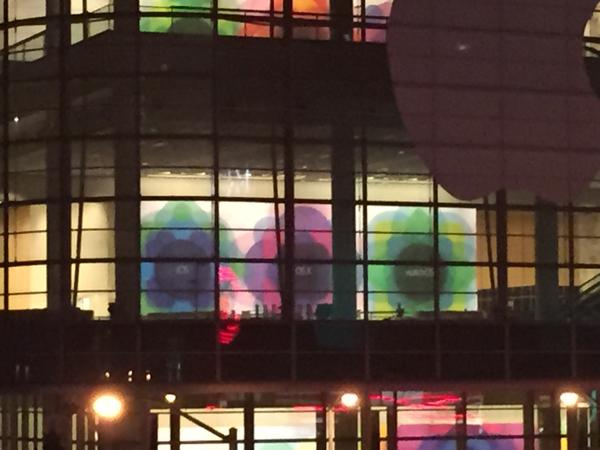
MacStories’ Federico Viticci has posted an interesting image of WWDC banners from the second-floor of Moscone West, the WWDC event venue.

These images show Apple highlighting its three platforms: iOS, OS X and watchOS. These banners do not follow the same pattern as previous years with dramatic photography in rectangular banners. These are more like full-height wall posters with simpler geometric logos. Each image has the name of Apple’s OS written in a light font-face (the image is not clear enough to see whether this is Sans Francisco) on a simple background of multicoloured translucent shapes.

What’s particularly striking about this photo is that it confirms a rebranding of Apple’s smartwatch operating system. On Apple’s current public marketing, the Apple Watch is described as running ‘Watch OS’. By these banners, it can be seen that the new name for this platform is actually ‘watchOS’.
Expand
Expanding
Close