Research firm IDC is out with an updated 2013 forecast for worldwide tablet shipments today and, on top of increasing its prediction from 172.4 million units to 190.9 million for the year, claimed Android tablets would continue to grow and cut into Apple’s market share. IDC said Android will capture 48.8-percent of the tablet market by operating system by the end of the year, while Apple is estimated to take home 46 percent. That’s down from 51 percent of the market for Apple in 2012 and just 41.5-percent for Android in IDC’s previous forecast. IDC estimated tablets in the 8 inches and below category will continue to grow and expects Windows tablets to increase from 1 percent to 7.4-percent by 2017 at the expense of iOS and Android:
As noted by ArsTechnica, Adobe just released an unscheduled patch to address two vulnerabilities that could be the source of malware attacks on both OS X and Windows. Apple has also issued a KB urging users to update. According to the advisory posted by Adobe, the attacks targeted Firefox or Safari users on Mac:
Adobe is also aware of reports that CVE-2013-0634 is being exploited in the wild in attacks delivered via malicious Flash (SWF) content hosted on websites that target Flash Player in Firefox or Safari on the Macintosh platform, as well as attacks designed to trick Windows users into opening a Microsoft Word document delivered as an email attachment which contains malicious Flash (SWF) content.
The update is available through Adobe’s website here.
According to a job listing from game developer DICE, EA might be looking to bring its popular Battlefield 3 franchise to OS X. The Battlefield3Blog pointed us to the job listing seeking a Mac OS X engineer to be”part of a team focusing on bringing Frostbite to Mac.”
Frostbite is looking for developers who want to join us in taking our engine to the next level. You will be part of a team focusing on bringing Frostbite to Mac and work closely with game team customers and the Frostbite team to deliver an engine as great on OS X as it is on Windows and traditional console platforms.
With plans to bring the Frostbite game engine to Mac, it could also mean EA plans to bring Frostbite-powered titles previously only available on Windows, Xbox, and PS3 to the Mac. There is no mention of specific games, but on top of the Battlefield series, Frostbite has been used for Need for Speed and Medal of Honor titles. We’re assuming this is for Frostbite 2, but there’s also a possibility it could be a next generation of the engine.
If you haven’t heard, those who purchased a new Mac with Apple’s built-to-order 3TB hard drive option found themselves unable to utilize Boot Camp assistant to install Windows. Boot Camp Assistant is currently limited to drives up to 2.2TB. Apple hinted that support might come at a later date, but TwoCanoes shares a step-by-step guide for getting the job done in Boot Camp until then:
Since it is not possible to get around the 2.2 TB limitation with booting Windows, it is possible to organize the partitions so that Windows is the last of the first four partitons and is within the first 2.2 TBs of space on the drive. Since the Mac can see the remaining space above the 2.2 TB limit, this space can be used for addtional storage space for OS X.
In order for Windows to boot successfully and still be able to utilize all of the available space on a 3 TB (or larger) hard drive, Windows must be installed on the fourth partition. You can use Disk Utility to create the partition, but since Disk Utility does not show hidden partitions, it can be difficult to see what is going on if some partitions are hidden. To have Disk Utility show hidden partitions, open Terminal and run the following command:
As customers begin receiving the new iMac this month, business-end users and gamers may find one issue when booting up their new machine. As reader Michael Verde first shared with us, the built-to-order 27-inch iMac configuration with a 3TB Fusion Drive (an extra $400) will not allow any Boot Camp use. This essentially cuts off access to a full Windows experience that some Mac users may want to benefit from. Many might consider this a bummer, as a sizable amount of users turn to Boot Camp to access necessary Windows programs or just simply enjoy Windows paired with Mac hardware.
Apple highlighted the issue on both its iMac configuration and Fusion Drive explanation page. “Boot Camp Assistant is not supported at this time on 3TB hard drive configurations,” Apple said in buried text. “At this time,” could mean the feature is enabled down the road in a software update, but it is non-existent as of now.
There are virtualization solutions, such as Parelles and VM Ware, that provide a Windows experience, but they do not offer a full experience that many may want. Boot Camp users include gamers who want to run games at full settings and business users looking to use specific business apps in a full Windows environment.
Right now it is not clear what the cause is, or if it has anything to do with Apple’s new Fusion Drive technology, but it seems that Boot Camp is limited to hard drive with less than 2TB of space (PC World has a good explanation for this). Announced in October and shipping in the new Mac Mini and iMacs, the top Fusion Drive configuration provides 128GB of flash storage coupled with 3TB of HDD space. The cheaper configuration, 128GB Flash Storage + 1TB HDD, supports Boot Camp. So, we have to wonder: what is holding back the more expensive configuration? We reached out to Apple for comment.
Mac bundle season continues with a big one from StackSocial. Dubbed the Mac Utility Bundle, they’ve managed to knock $20 off the price of Parallels ($79 regular price) alone and added 4 more helpful utilities to boot. Great way to start off any Mac purchase you may be doing this holiday season.
Internet software firm Avast conducted a USAToday survey of Windows users to determine the number of people willing to upgrade to the latest Microsoft operating system, and the findings churned out some surprising responses.
According to USAToday, which noted the survey polled users of Avast’s anti-virus PC software on Oct. 25, the day before Windows 8 launched, nearly half of Windows 7, Windows Vista, and Windows XP users intend to switch to an Apple product rather than upgrade to Windows 8.
“Many households already have multiple PCs, and people are keeping their computers longer,” explained Avast’s Director of Strategy Jonathan Penn. “More people are going to the iPad as their second or third computing device.”
Parallels introduced a big update today for Parallels Desktop 8 for Mac. It includes new features for Windows 8 users, full USB 3.0 support, and improved Retina display settings. On top of support for Windows 8 tablet gestures, Parallels is including a Windows 8 tile that allows users to access shared Mac apps. According to Parallels, the update also includes faster USB 3.0 performance, an increased limit for virtual machines running large apps, and “Smooth transitions when entering and exiting Coherence mode”:
Now Mac users can enjoy new features including Windows 8 tablet gestures and use a Windows 8 interface tile to access shared Mac apps. These updates, plus the already deep Parallels Desktop 8 integration of Mac OS X and Windows 8, enable people to also use Mountain Lion’s Dictation feature in Windows applications, add Windows apps to Launchpad and the Mac Dock, enjoy brilliant Retina display resolution for Windows apps and more – making Parallels Desktop 8 an ideal way to run Windows 8 on a Mac without rebooting. Expand Expanding Close
A working exploit for Sophos 8.0.6 on Mac is available, however the
techniques used in the exploit easily transfer to Windows and Linux,
due to multiple critical implementation flaws described in the paper.
Testcases for the other flaws described in the paper are available on
request.
Sophos responded with a post on the multiple vulnerabilities, and it responded over and over that “Sophos has seen no evidence of this vulnerability being exploited in the wild.” But, is that really good enough? How about issuing a fix in the two plus months that they’ve known about these issues? It only takes one wild exploit.
Sophos gave 9to5Mac the following comment:
Some were fixed last month, and for others we started rolling out patches to our users today. :-)
Users of Sophos products should be automatically updated, but if anyone wants to be sure they can initiate a manual update. Expand Expanding Close
Parallels for Mac virtualization software has been getting major updates this year with the recent release of version 8, making it even easier to run Mac and Windows apps side by side. In version 7, it made it a lot easier to upgrade and buy copies of Windows directly from within the app, and we even had a Windows 8 developer preview up and running. Unfortunately, with today’s launch of Microsoft’s Windows 8, Parallel’s is warning Mac users that the app is not ready to update to the new OS.
In a support document on the company’s website, it issued a “critical and urgent Windows 8 service advisory” telling customers it should wait before upgrading from an existing installation of Windows to Windows 8: Expand Expanding Close
Apple acquired Authentec in July. It is a company that held the rights to fingerprint-reading technology since 2010, but the tech was originally developed by a company called UPEK. According to a report from ArsTechnica, citing several security researchers, a product that uses the fingerprint technology now owned by Apple, UPEK Protector Suite, has been exposed as a serious security threat for Windows users:
Security consultants have independently confirmed a serious security weakness that makes it trivial for hackers with physical control of many computers sold by Dell, Acer, and at least 14 other manufacturers to quickly recover Windows account passwords…The weakness came to light no later than September, but Apple has yet to acknowledge it or warn end users how to work around it. No one has accused Apple of being responsible for the underlying design of fingerprint-reading software.
Both applications were configured to virtualize Windows on a 2011 27-inch iMac running on OS X 10.8.1 at 3.4 GHz with 16 GB of RAM for this showdown. The comparison specifically measured their ability to handle the 64-bit versions of Windows 7 Professional and Windows 8 Pro.
From a purely performance-based perspective, Parallels has won this year’s competition of virtualization software on OS X. The good news for consumers, however, is that Fusion is not far behind in most categories and, while Parallels is indeed faster, Fusion is often fast enough for common tasks.
Both Parallels and VMware announced new versions of their software over the last 12 hours. Which software do you use to run Windows applications, if any? Do you Virtualize Linux or other builds of MacOS X?
Leave comments on your experience.
For the record, I have been using Parallels to deal with @#$% QuickBooks most recently, but off and on for years overall. VMware has also impressed me when I have tried it. Both products are so much better than the slow SoftWindows- type solutions we had in the PowerPC days.
BlueStacks, the tool that allows Android apps to run on Windows, is now available for Macs.
The software, which is often touted as the “Parallels for Android”, now supports 17 Android apps on OS X. Pulse and Words With Friends are two of the more notable apps packaged in the launch, while high-resolution support for Retina Macs and additional apps are on the horizon.
The company attempted to court more developers—and celebrate the launch of its Mac Alpha —with a mock wedding for Android and Apple at Google I/O yesterday. The free download is available on the BlueStack’s website.
From 9am-11am PT, Parallels drops the price of its flagship Parallels 7 desktop virtualization product to just $28 to celebrate its 6th birthday. The price will increase 5% every 2 hours, so obviously you’ll want to jump on this soon. Parallels is the best-selling, most-trusted solution for running Windows applications on your Mac – without rebooting.
It is also nice for running Linux or even another instance of the Mac OS and for $28 why not?
As an added bonus, Parallels is giving away a few ‘party favors’: just by sharing, you’ll have a chance to win an iPad 3, Parallels Mobile, and Parallels Desktop 7 for Mac.
A developer, called “Businesscat2000,” posted videos on the CrackBerry forums last weekend that depict iPad-based apps running on the RIM tablet. According to The Verge, CrackBerry’s Kevin Michaluk subsequently confirmed the developer’s efforts after conducting some tests:
Michaluk had the developer write out “Hi CrackBerry” on the SketchBook Mobile iOS app, as well as run the iPhone app for the site iMore. By successfully completing those tests, the developer proved that he wasn’t just playing videos of iOS apps on the PlayBook — the hack is the real deal.
Businesscat2000 also detailed his feat in the forums:
The CPU isn’t emulated on Playbook (though it is on Windows). It works very similarly to how WINE works to run Windows applications on Linux. The app binary is mapped into memory and imports are resolved to point to my own implementation of the various APIs needed. iOS actually uses a few open APIs already, which Playbook supports just as well (GL ES, and OpenAL). The bulk of the work has been in implementing all of the objective C classes that are required. The ARM code of the applications run as-is – the armv6/v7 support on PB/iDevices are pretty much identical, and the code is designed to run in USR mode. No SWIs, GPIO accesses or any of that kind of shenanigans.
More videos by the dev are below, including iOS apps running on Windows.
We told you about Mac OS X apps AirParrot and Reflection in the past. Developed by app makers Squirrels, AirParrot allows you to mirror your Mac’s screen on an Apple TV-connected TV, while Reflection provides mirroring of iOS devices to any Mac display. The developers have since followed up with updates to both of the apps bringing many requested features such as audio and Mountain Lion support, but they released PC versions of both apps today that allow you to mirror your iOS device to a Windows machine or a PC’s screen to an Apple TV.
As for the Windows version of Reflection, it will release with all the same features as the OS X client, including: screen recording, audio support, frame colors, full screen mode, multiple device mirroring, and more. The first release of the AirParrot PC app will just provide basic screen mirroring features initially due to roadblocks during development. Head developer David Stanfill, who is also the founder of Napkin Studio, told us about the difficulties of bringing the AirPlay mirroring functionality to PCs and provided us with screenshots of the apps below:
The Amazon Cloud service unveiled last year, but now users can play with the desktop app counterpart, rather than their browser, to manage files in the cloud. Folders and files can transfer in the background, but the service does not support syncing or a native desktop browsing client like Google Drive, Dropbox, SkyDrive, and SugarSync.
Cloud Drive offers all customers 5GB of free online storage with unlimited access from any computer. Additional storage plans start at 20GB and extend to 1,000 GB. Unlimited music space is currently available with any paid Cloud Drive storage plan for the duration of an existing plan term. Click here to start installing the free Mac app now.
The install is easy, as seen in the gallery below. There are a few ways to get a file or folder into Amazon’s Cloud once the app is installed: Just drag and drop to the new Cloud icon (looks similar to iCloud) in the Menu bar, or right-click/control-click on files and folders to see a new menu item that allows uploading.
Good ‘ole Walt Mossberg from The Wall Street Journal warned readers today about not buying a new laptop this spring:
Apple is overdue for redesigned laptops, especially in its MacBook Pro line, and it is a good bet that new, possibly heavily redesigned, models will begin appearing later this year. Current Macs will likely be upgradable to Mountain Lion, but if you buy now, you’ll miss out on the likely new hardware.
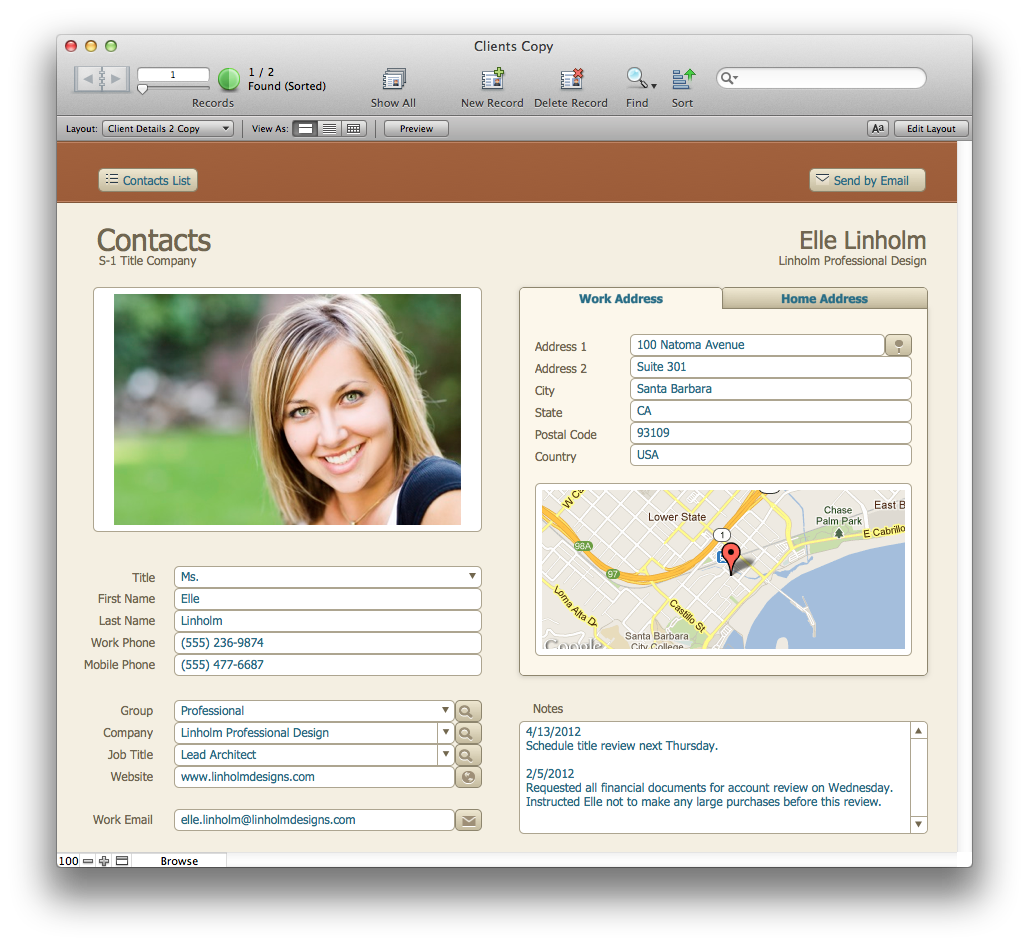
Apple subsidiary FileMaker has announced a new version of their flagship software product, FileMaker 12, with new database creation tools and themes. The Mac version of FileMaker 12 gain improved 64 bit support as well as wide area network support, enhance support for large databases, and add fast file and multimedia-content streaming. Database and project creation are now easier and faster with new and more intuitive themes on the Mac. The most important addition to the product is its more streamlined interface for creating interfaces that run on iPads, iPhones, and iPod touches. Additionally, a new iOS device application is available for free. The app takes many features from the desktop product but is mostly used to run Mac-created databases. The Mac and iOS apps work in tandem.
Microsoft issued the Windows 8 Consumer Preview today for everyone to download and try. Demonstrating the operating system’s ability to scale from the smartphone screen all the way to high-end PCs and beyond, the Redmond, Wash.-headquartered software giant showcased Windows 8 on a monstrous 82-inch display that is capable of detecting up to 100 simultaneous touch events or 10 simultaneous users.
Unfortunately, AnandTech, which reported the story, does not have a video online yet. However, I think it is safe to take Microsoft’s word. Now, if the operating system only ran Apple’s Keynote, the ninja PC-plus-Windows 8 combo coupled with a huge projector-based display would make for an impressive keynote rig.
By the way, we would love to hear impressions from our tech-savvy readers that have managed to dual-boot Windows 8 Consumer Preview alongside OS X using Boot Camp (go here for the FAQ detailing system requirements).
The Windows 8 Consumer Preview product demonstration video is right below the fold.
VideoLAN, the organization behind the open-source cross-platform VLC media player, is geared to launch VLC 2.0—a total rewrite of the program with new capabilities and an all-new user interface on the Mac platform. Available on Mac OS X, Windows and a variety of Linux/Unix platforms, VLC 2.0 [changelog] includes enhancements such as a native full screen mode in Lion, a redesigned subtitle manager, support for multiple video files inside RAR archives and enhanced video output modes. The Mac version will also support unprotected Blu-ray media, and Windows users will get to enjoy a 64-bit version.
The developers also added support for VLC’s lua-based extensions, letting users get information about movies from Allociné, post to Twitter, fetch subtitles automatically, and so forth. No disc burning features are included because “there are more suited apps for that.” One of the developers on the project Felix Kühne published a series of screenshots (more available on Flickr) highlighting the new Mac interface, credited to designer Damien Erambert. According to Kühne:
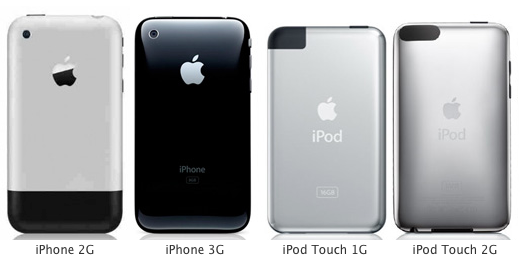
In recent years, as newer iOS devices begin to shine, the older ones start to be left in the dust due to newer iOS features. Luckily, a new custom firmware called Whited00r brings some of these features to older devices such as the iPhone 2G/3G and older iPods. The firmware does not call for a jailbreak, but instead it is based off iOS 3.1.3 to bring you some of the latest features.
Whited00r added features like multitasking, app folders, reminders, improved home screen, video recording, and faster speed. What about iCloud? Whited00r used Dropbox syncing throughout the operating system to sync files with other devices. Whited00r also used a custom Newsstand to deliver news. (via TechCrunch)