Yesterday, we reported that Qualcomm announced it was having “trouble meeting demand” for its next-generation chips that would likely find their way into an LTE-enabled iPhone 5. While the announcement was a clear indication that Apple’s rumored October release window was much more likely than talk of a June unveiling at WWDC, Piper Jaffray analyst Gene Munster agreed and said the new device will be the mother of all hardware upgrades:
“We think one of the big features of iPhone 5 is going to be LTE… when iPhone 4S came out it was obviously the same form factor… this is going to be a big hardware upgrade… this is going to be the year of the hardware… the mother of all upgrades “
Since CNET posted the iPhone 5 story this weekend…
…the iPhone 5 is a “complete redesign. This is a very large project that Steve dedicated all of his time to. He was not that involved in the 4S because his time was limited.”
…we thought it would be a good time to tell you what our sources think happened to the iPhone 5 that some were expecting. We’ve heard from Foxconn managers as well as Apple employees and carrier partners on this and have tried to piece together the full story.
The iPhone 4S as you see it was originally planned to be released at WWDC with iOS 5, like every iPhone before it.
But something happened around February of this year that threw everything off. Apple was still integrating the Siri team and code into iOS and it was going much slower than planned. In February, Apple knew they weren’t going to be able to get an iOS 5 Beta to developers in April and they sure weren’t going to have a stable version by WWDC. They would be lucky to get a final version of Siri into customers’ hands by the holiday shopping season (Siri is currently in Beta in three languages).
At the same time, Apple’s iPhone 5 (teardrop) plans were moving along on or ahead of schedule and the first prototypes were testing well. CNET says that Steve Jobs was overseeing this project which sounds about right.
With mid-October being the earliest possible date of a Siri-fied iOS being ready – with “Apple-levels” of polish –Apple had to look at its options. Would they release the iPhone 4S at WWDC with a modified version of iOS 4? Without Siri and the other iOS 5 improvements, the update might have seemed a little bland to the average customer.
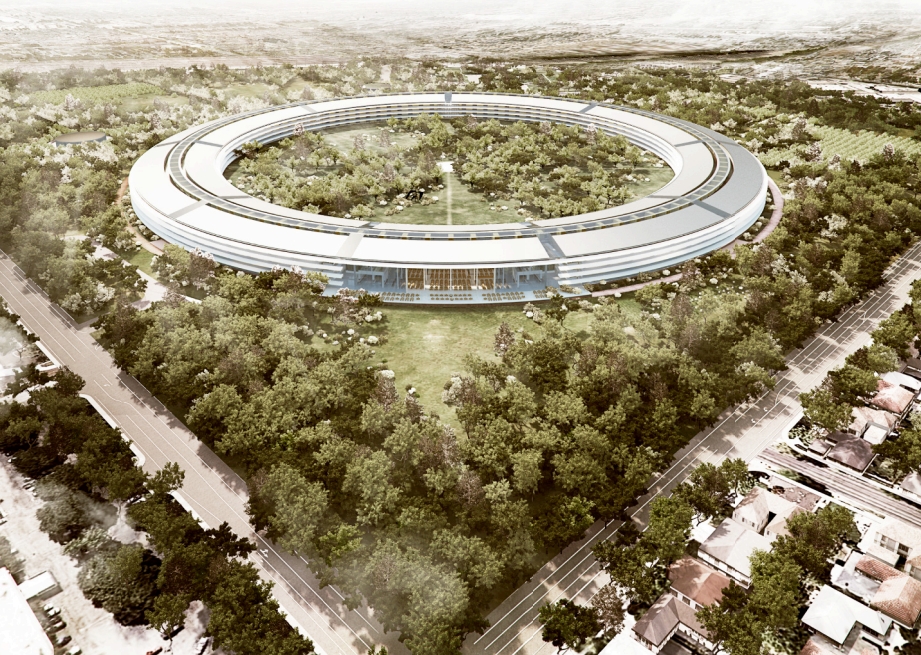
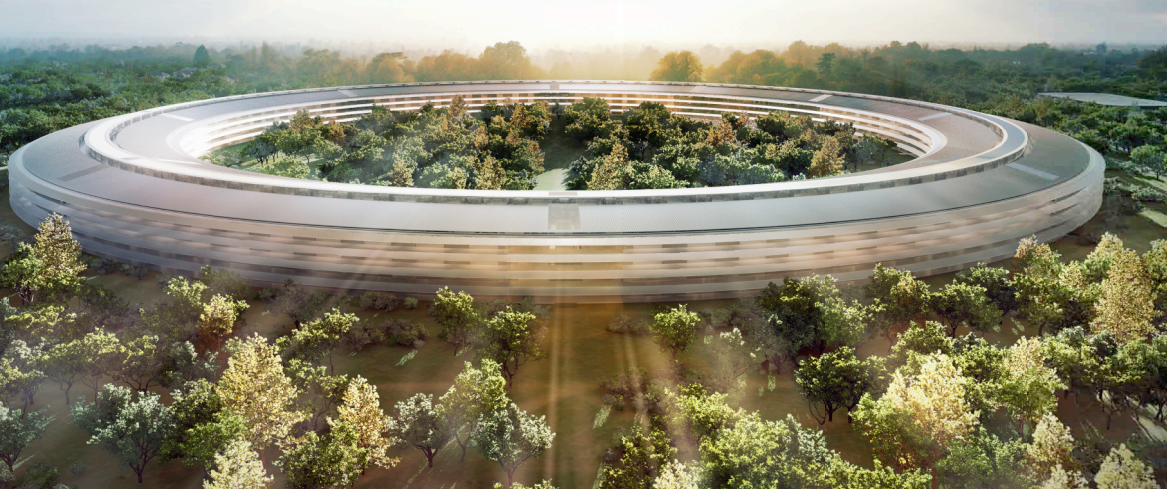
In a series of PDFs released today (Intro, Site Plan/Landscaping, Floor Plans and Renderings), the City of Cupertino released detailed floor plans of Apple’s 20,000 plus person super-structure.
Jobs called the new building “a spaceship” and said Apple will use its experience in building retail store masterpieces to construct this “architectural landmark”. Parking underneath, the building would perhaps be used for events like the WWDC – Jobs mentioned that it would have a large auditorium and a single cafeteria [below] that could seat 3,000 at a time.
Cupertino’s Mayor went on record a few weeks later saying “there was no way they weren’t going to approve the deal”.
The massive building’s plans detail the main building and a mostly subterranean adjacent parking structure with Solar roof (below).
Before we even start, obviously this is something that isn’t covered by warranty and may destroy your phone. Once you go to iOS 5, you cant go back. APPLE WILL LIKELY FIX THIS IN AN UPCOMING iOS 5 UPDATE AND YOU WON’T BE ABLE TO USE YOUR DEVICE (until iOS 5 final is released or a developer adds your phone to his or her device list).
Gizmodoposts a video on how to activate an iPhone on iOS without having your device ID provisioned by a developer/Apple. The exploit uses a combination of Voiceover and the pull down notifications to activate the phone. The user that found this exploit says the device continues to work after restarts (so you won’t need to activate it every time you restart). The steps are below:
1. Download the iOS 5 IPSW file from the web (it’s easy and readily available. Just Google it and torrent it down). 2. Update your iPhone using iTunes. To do this, connect your iPhone to your computer, click on the Check for Update button with theOption (Mac) or Shift (PC) key pressed. Select the iOS 5 IPSW file from the place you downloaded it to. 3. Wait until it upgrades. A new activation screen will appear.
Activate iOS 5
1. Triple click the home button. This will activate the Voice Over. 2. Triple click the home button and Emergency Call will appear. 3. Click on Emergency Call and, while it’s switching, swipe with your three fingers down. 4. The Notification Center will appear! 5. Click on the Weather widget. The Weather app will load. 6. Click on the home button to exit to the iPhone’s springboard.
TUAWnotes that inside the USB device profiles of iOS 5 are profiles for two never before seen devices called “iPad3,1” and “iPad3,2.” Obviosuly Apple is going to be making more iPads in the future and devices often show up in these profiles many months before they are delivered. However, there was some speculation earlier this year that an enhanced iPad 2 or iPad 3 with a Retina display would be released in time for the holidays.
Most analysts currently estimate that the next version of the iPad will hit at the beginning of next year so.
Interestingly, TUAW notes that there are no new iPod touches listed. Touches usually are released in the Fall, but with no new iPhone hardware announced or released at WWDC, Apple’s traditional hardware release schedule has been put in question. Expand Expanding Close
The Mac OS X Lion segment of the WWDC 2011 keynote has just begun. Apple previously previewed some of the features last Fall and on their homepage, including iPad-like Launchpad, full-screen apps, deep multi-touch gestures integration, and Mission Control. There are more than 250 new features in Lion and Apple will be demoing ten today, most of the stuff we’ve seen already.
Go past the fold for an overview of the feaures… We’re updating this story with new capabilities as Phil Schiller reveals them on stage at San Francisco’s Moscone West. For other keynote news, check out the complete WWDC 2011 coverage and follow us @9to5mac.
With five days to go before WWDC, Apple now is the official registrant behind iCloud.com. It appears that there may just be some live iCloud demos in store (shocking, we know). Also, it explains why Apple had to go public about the iCloud.com – the domain registration would have went public beforehand anyhow