YouTube

See All Stories

YouTube is a major video platform owned by Google — and it has grown to be one of the most famous social media destinations on the web.

When it comes to Apple and iOS, YouTube has a storied history. When Apple first launched the iPhone and iPod touch, it infamously had a first-party YouTube viewing application which was deprecated after the launch of the App Store.

Now, YouTube is one of the most popular apps on the App Store, and we regularly cover news and updates. There’s also a YouTube app for Apple TV, and of course, there are always privacy conversations to had at the intersection of any Apple product and a Google service.

Read more about YouTube and the latest news around the video platform over at our sister site, 9to5Google.

Site default logo image

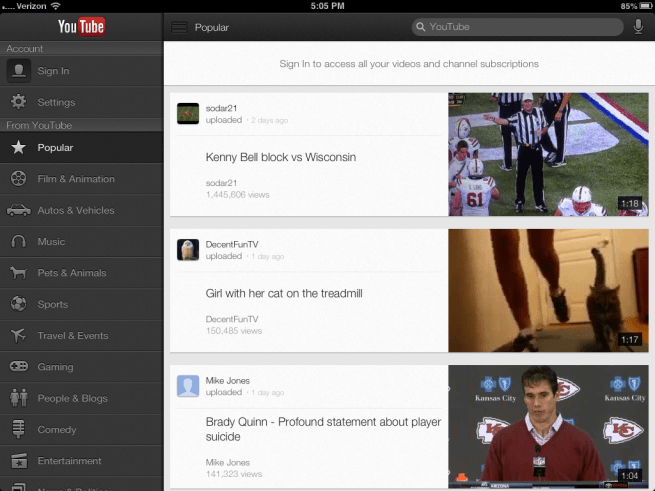
YouTube for iOS updated with ability to choose video quality on Wi-Fi, iOS 7 improvements

YouTube has updated its app for iPhone and iPad today to version 2.2.0 and with it comes a few performance enhancements and new features.

One highly requested feature that YouTube is making available in the latest version of the iOS app is the ability to select video quality, much like you can on the full desktop website, while over WiFi.

The updated app also includes improvements for iOS 7 compatibility and Accessibility.

What’s New in Version 2.2.0

* Choose your video quality while on Wi-Fi
* Accessibility improvements
* iOS 7 compatibility improvements

Site default logo image

Amazon ‘Firetube’ to take on Apple TV and Chromecast for living room supremacy?

It appears that Amazon’s long-rumored TV product may be called ‘Firetube’ according to recent Trademarks filed in the US and Canada. There are, of course, rumors of an Amazon TV that stretch back quite awhile. Lots of rumorsBloomberg thinks Fall 2013 is the planned launch window. That’s right now.

As for Amazon on iOS products, Amazon has pushed out a lot of updates, including Airplay last month, but noticeably absent is an Apple TV app.  Currently, the best way to watch Amazon content directly on a TV is through a Roku box or Google TV.

Head over to 9to5Google for the full story. 
Expand
Expanding
Close

Site default logo image

Hulu Plus iOS app adds support for Chromecast for big-screen viewing

hulu

Google has announced that Hulu has added Chromecast support to its Hulu Plus app, enabling online shows to be viewed on the big screen – something it promised back in July.

Now you can easily enjoy your favorite shows, such as “Modern Family,” “New Girl” and “Parks and Recreation,” on your big-screen TV by casting from Hulu Plus on your mobile phone or tablet. It’s the same intuitive, remote-free experience you’ve come to enjoy with the other Chromecast-supported apps, and is as simple as pressing the Cast button which will now appear in the app … 

Chromecast is a small, $35 stick that plugs into the HDMI port of a TV set or monitor and allows users to stream content, such as YouTube and Netflix, from devices like computers, tablets, and smartphones. Think of it as a tiny, cut-down Apple TV with functionality limited to AirPlay-style casting of content. It’s available from Amazon with free shipping. The Hulu Plus app is available for both iOS and Android.

Adobe updates Photoshop and Premiere Elements 12 with professional features and Cloud access

Site default logo image

This morning, Adobe announced Photoshop and Premiere Elements 12, an upgrade to their consumer photo and video editing tools for Mac and PC.  A year to the day from the release of Elements 11, this release focuses on cloud organizing, sharing, syncing and editing photos and videos with Adobe Revel Cloud. New features like Content Aware Move and Auto Smart Tone for Photoshop and additional FilmLooks and Subject Spotlight for Premiere headline the updates.

What’s New in Photoshop Elements 12:

Photoshop Elements 12 gives you new options for perfecting and sharing your favorite memories with friends and family. Organize, edit, enhance, and share more quickly and easily thanks to bold icons, a helpful Action bar, and the ability to choose from Quick, Guided, or Expert editing modes so you can edit your photos the way that works best for you.

  • Take your photos with you wherever you go: Easily view, relive, and share your Elements photos on your smartphone and tablet. And finally—unlock the photos from your mobile device, and see them in your Elements albums back at home.
  • Share: Quickly and easily post on Facebook, YouTube, Vimeo, Twitter, and more. Share your Elements photos in Private Web albums, and view them on your smartphone or tablet.
  • Easily move objects: Move objects in a photo and have the background automatically filled in with Content Aware Move.
  • Add your personal touch in an instant: Use one-touch Frames, Effects, and Textures to add depth to your snapshots.
  • Correct pet eye: Remove green, yellow, and other “pet eye” discolorations as easily as you remove red-eye in photos of people.
  • Make it uniquely yours: Get intelligent photo corrections with Auto Smart Tone, which learns your preferences in a snap.

New in Premiere Elements 12:
Expand
Expanding
Close

Site default logo image

Google Play Books for iOS updated with Single Sign-On support

Google has been adding Single Sign-On support to lots of its iOS apps in recent months, making it easier to sign into Google apps on their iPhone or iPad. With Single Sign-On, users can sign in once in any Google app supporting the feature and will automatically be signed into all the other apps. The idea is to eliminate having to sign-in multiple times to the same Google account for different apps. The latest app to get the update is Google Play Books, which was updated today to version 1.6.1 with support for Single Sign-On and copying selected text.

Google also recently added Single Sign-On support for its Chrome, YouTube, and AdSense iOS apps.

What’s New in Version 1.6.1

Added support for Google Single Sign-On, so that you only need to sign in once to access all of the Google apps on your device.
Added support for copying selected text, if copyright allows.
Stability improvements.

Site default logo image

Facebook testing silent, auto-playing videos in News Feed for its mobile apps

Facebook announced today that its beginning to test auto-playing videos in News Feed for its mobile apps. Videos in the News Feed will automatically begin playing as users scroll, but they’ll be silent until users tap to switch to a full-screen view with sound:

Today we’re starting to test an easier way to watch videos on Facebook. Now when you see a video in News Feed, it comes to life and starts playing. Videos initially play silently, and if you want you can tap to play with sound in full screen. Scroll past if you don’t want to watch.

It didn’t mention specific platforms, but did post the image of its iOS app above. Facebook’s Instagram app, which implemented new Vine-like video features back in June, already auto-plays videos by default as users scroll.

The company’s blog post notes that the silent, auto-playing videos in Facebook will include videos posted by individuals, musicians, and bands initially, but it does have plans to “explore how to bring this to marketers in the future.”

The new feature will be rolling out as a limited test in the coming weeks through its mobile apps and “continue to roll out over time.”

http://www.youtube.com/watch?v=8iCH9ReoH_I

Join us for a live Hangout during today’s keynote

Site default logo image

[youtube http://www.youtube.com/watch?v=T14HAvdtX8A]

Despite our best hopes and wishes, it appears Apple won’t be providing a livestream for today’s event. While you’re keeping tabs right here for our liveblog and tweets, we’ll also be hosting a live Google Hangout starting about 15 minutes before the 10 am PST event and extending through the duration of the keynote.

Check it out here.
Expand
Expanding
Close

Site default logo image

Supposed video of red iPhone 5C hits web, fails to impress

It wouldn’t be hard to put a little red plastic around the edges of an iPhone 5 and do the same thing here, but it is getting some play so we’re posting it for discussion. A little more proof would simply be flipping the iPhone over to see the backside which suspiciously isn’t done.

This could also be an iPhone 5 with the now common iPhone 5C plastic shell slapped on the back.

A re-uploaded YouTube of the video is below:


Expand
Expanding
Close

Site default logo image

Google brings unified account sign-in to YouTube & AdSense iOS apps

Following an update to version 2.0 for the YouTube iOS app yesterday, users have noticed that Google appears to have turned on shared account logins for at least YouTube and the recently released AdSense app. That means logging into one app will automatically log you into the other without having to re-enter your account and password. Although the majority of Google’s iOS apps require users to sign into a single Google account used across its services, up until now each app required users to enter their account info when when launching for the first time.

Google didn’t list the new feature when it updated the YouTube app or in the release notes for the new AdSense app, but the support page for YouTube does note, “If you’ve signed in with another Google app on your iOS device, you may see this account listed.” Removing an account in either the AdSense or YouTube app will also remove it from the other app if installed on your device, but Google doesn’t offer users any control over the feature as of yet. Google doesn’t mention support for any specific apps, but we’d imagine this is likely a feature that will make its way to other Google iOS apps in the near future.

Site default logo image

YouTube for iOS gains video playback while searching, improved ChromeCast integration

http://www.youtube.com/watch?v=ir1xdtIb-g0&feature=player_embedded

Google has announced an update for its YouTube for iPhone, iPad, and iPod touch application that brings multiple new features. Notably, the app will now allow users to watch a video in the corner of the display while browsing and searching for other videos.

The app also gains support for viewing playlists and more content on mobile. Also new is deep integration with the ChromeCast:

The Cast button on YouTube already lets you send YouTube videos from your phone or tablet to your connected TV, like on Chromecast, Google TV, Playstation 3 and other TVs. To make it easier to choose what to watch next, you’ll see a preview screen when your devices are connected and you select a video, with options to play the video to queue it up to watch next.

The app update is available now on iTunes for iOS and is also available for Android.


Expand
Expanding
Close

Site default logo image

Plants vs. Zombies 2 hits US App Store

[youtube=http://www.youtube.com/watch?v=GJX8dWX4ym4]

As we noted last month when it launched in Australia/New Zealand, the popular Plants vs. Zombies 2 launched today.  [Free iTunes]

[youtube=http://www.youtube.com/watch?v=gbcBYs0ljI0#at=14]

Unlike the original title, which is currently available for 99 cents on the App Store, PopCap is making the new game entirely free to play with some in-app purchases available, but not necessary to enjoy the full game:

Free to download, Plants vs. Zombies 2 will expand and extend the classic gameplay of the original and provide players with dozens of all-new levels, plants and zombies across multiple worlds at no cost. While the vast majority of the game will be entirely free to play (players can face every zombie and access every level in every world at no cost), Plants vs. Zombies 2 players will also be able to purchase upgrades and other in-game items.

PopCap adds that “New worlds with new levels, plants, zombies and new ways to play will be released on an ongoing basis.”

Designed from the ground up as a live service, the ever-expanding universe of Plants vs. Zombies 2continues the epic struggle of plants defending your brainz against zombies from your backyard through the vast reaches of time, both past and future. New worlds with new levels, plants, zombies and new ways to play will be released on an ongoing basis. Leveraging the touch interface of Apple’s popular mobile devices, Plants vs. Zombies 2 includes all-new touch-screen power-ups that enable players to “break the fourth wall” and interact with zombies directly, as well as via plant defenses.

Microsoft takes its first hit at iPad mini with new ad showcasing 8-inch Acer tablet

Site default logo image

http://www.youtube.com/watch?v=-J09HaPkExA&feature=youtu.be

Following its string of ads pinning up Windows 8 tablets against the full-sized iPad, Microsoft has just posted a new ad that pits the 8.1-inch Acer Iconia W3 against Apple’s 7.9-inch iPad mini. The point of this ad is to demonstrate that Windows 8 can even handle Microsoft Word documents and powerful gaming even at the small screen…


Expand
Expanding
Close

Site default logo image

YouTube co-founders launch MixBit video editing app for iOS

Available starting today, YouTube co-founders Chad Hurley and Steve Chen have launched a new app called “MixBit” that appears to be a Vine-like approach to video editing on the go. Unlike Vine, and Instagram’s new video feature, MixBit will allow videos much longer than the rather short, up to 15 second long videos offered through competing services. You’ll also find the majority of videos uploaded to the service are much longer than those on Vine and Instagram, making the experience of browsing and watching videos feel much more like YouTube than Vine. MixBit will allow users to record video clips up to 16 seconds in length and stitch up to 256 clips together into a single video that plays back seamlessly. Videos on MixBit can be up to an hour in length.

It also differs from the other guys in that clips are stored separately even after stitching them together and uploading a video. That means you’ll be able to pull from individual clips from your own or other’s videos at any time to create another video in the future. Some basic editing functions for rearranging clips exist, but the app doesn’t go much beyond that yet. For now the app is only available on iOS, but an Android version is on the way.

Watch Ashton Kutcher talk about upcoming JOBS film in live YouTube hangout

Site default logo image

Ashton Kutcher and Josh Gad, stars of the upcoming JOBS film, are currently hosting a live hangout on YouTube to answer questions about what it was like playing Steve Jobs and Steve Wozniak in the film. You can tune in live above and submit questions for Kutcher and Gad to answer through #AskJobsMovie.

Yesterday, we posted the latest clip from the film showing the key moment when Jobs and Wozniak came up with the “Apple Computer” name.
Expand
Expanding
Close

Apple’s Developer Center is back after over a week offline

Site default logo image

After being offline for more than a week, Apple’s Developer Center is back. Access to the portal was removed by Apple after it was discovered that a breach into the system granted individuals access to the names, mailing addresses, and email addresses of registered developers. Apple confirmed that sensitive personal data such as credit card information and developer passwords were encrypted and secure.

The Developer Center looks the same as it was prior to its removal, but we assume Apple has followed through with its promise to overhaul the entire system by updating its server software and rebuilding its databases from scratch so as to prevent another intrusion.

While most of the main developer services have returned, Apple is still in the process of restoring the entire portal to normal. Some areas of the site such as the forums, pre-release documentation, and development videos, are still offline as per Apple’s System Status page.

Apple has also emailed developers with this new information:


Expand
Expanding
Close

Site default logo image

Graphic: The $35 Chromecast dongle is no replacement for the $99 Apple TV (not yet, anyway)

The Verge snapped together the chart below illustrating the feature set of the Chromecast dongle as compared to the Apple TV’s Airplay functionality.

In reality, we are looking at two different ways of looking at place-shifting content. Apple’s is directly from an iOS device or a recent Mac’s display. The Chromecast is sending instructions to the dongle to start playing content from the cloud (meaning you need a pretty healthy Internet connection).

In its present state, the $35 Amazon/Best Buy (in stock) Chromecast is a convenient way to show Netflix, YouTube and Google Play content on a TV. But a lot of the good programming lies outside of this sphere.  Sure you can ‘Chromecast’ videos from your Chrome browser as you watch Hulu, Amazon Instant Video, or just about anything else that works in a browser including .MKV, MP4, AVI files, etc, but that’s not elegant (and Chrome/Android chief Pachai says websites, like Hulu, could turn off the functionality at any time)! Also, you get no dedicated remote with the Chromecast (though Android devices can be found pretty absurdly cheap) like with the AppleTV.

You can’t help but wonder if the Apple TV could be put in the Dongle format and perhaps given some more content sharing options. Google reached across the aisle and built Chromecast to provide Apple Mac and iOS users the same compatibility as Chrome and Android users. Sure Chromecast needs external power such as that provided by a USB port, but the form factor and, more importantly, the price, seem very compelling. If Apple could squeeze its current format Apple TV into a dongle and cut the price in half, why shouldn’t it?

Update: Search Engine Land simplifies and throws in Roku for good measure


Chrome for iOS adds support for opening links in Google apps, voice & text-to-speech enhancements, fullscreen iPad, & data cost savings

Site default logo image

Google has just issued a big update to its Chrome app for iPhone and iPad that brings new “interoperability with other Google Apps” and a number of other notable features. That means that you’ll now be able to open all links for YouTube, Maps, Google+ and Drive in their native apps instead of in the browser. You’ll also now be able to access the apps with a single tap from within Chrome.

The update also brings enhancements to the newly introduced voice search capabilities, including: always visible controls from the toolbar and text-to-speech support for “all variations of English, Spanish, German, Italian, French, Japanese, and Korean.”

Other improvements in today’s update include fullscreen support on iPad, easier access to browser history, and, according to Google, data cost savings:

Reduce data usage and speed up page load times. View data savings in Bandwidth Management settings. This feature is being rolled out and will be available to all users over time.

Google explained the experimental data cost savings feature in a whitepaper when it was first introduced on Android. In the document, Google says its tests showed the feature can reduce data usage by up to 50%:
Expand
Expanding
Close

Apple and Google having ‘lots and lots’ of meetings, getting along better, says Eric Schmidt

Site default logo image

Photo: salon.com

The sometimes stormy relationship between Apple and Google appears to be growing friendlier, with Google Executive Chairman Eric Schmidt telling Reuters at the annual Allen & Co conference in Sun Valley that the two companies were having “lots and lots” of meetings.

Schmidt did not provide details about the nature of the meetings during comments to reporters at the annual Allen and Co media conference in Sun Valley, Idaho on Thursday. He noted that Google Chief Business Officer Nikesh Arora, who joined him at the press briefing, was leading many of the discussions.

The two companies are in “constant business discussions on a long list of issues,” Schmidt said.

The two companies started out close. Schmidt joined Apple’s board in 2006, and the iPhone launched with both Googlemaps and YouTube on board. That was to change after Google’s Android platform began growing in popularity. It was revealed in Walter Isaacson’s Steve Jobs biography that Jobs threatened “thermonuclear war” on Google over what he felt was a copycat product … 
Expand
Expanding
Close

Site default logo image

YouTube app for iOS updated with suggestions for what to watch next

Simultaneous with Instagram’s video-focused update, Google’s YouTube video service has updated its iPhone, iPad, and iPod touch application with a couple of neat new features. For those interested in receiving suggestions for which video to watch next, the YouTube iOS app can now provide overlaid suggestions. Additionally, closed-captioning support is available for live-streamed video. Stability improvements, including fixes for app crashes, are also available in this free (version 1.4) update. 


Expand
Expanding
Close

Apple posts new video: Making a difference, one app at a time

Site default logo image

http://www.youtube.com/watch?v=PGtP6ZQ6Lt8

Apple has just posted a new video to its YouTube channel titled “Making a difference. One app at a time.” The nine minute video highlights ways that developer’s apps change people’s lives.

Featured apps in the video include Skyscape Medical Resources, Galileo, Cherokee Language, and Proloquo2Go.

Coming hot off the heels of Apple’s WWDC keynote on Monday, the video is a collection of stories from individuals who’s lives have been touched thanks to some of the remarkable apps developers have created for the iOS App Store.

At Monday’s keynote, Tim Cook also addressed his appreciation for developers, citing that Apple has paid developers over 10 billion dollars.

Apple today also posted its full iOS 7 promotional video to its YouTube channel (below).
Expand
Expanding
Close

Site default logo image

Apple trolls us with ‘iWatch’ tease in latest iPhone music ad

Here’s an amusing little image for your Friday: the screenshot above is a clip from Apple’s newest “Music Every Day” ad, which was posted on their YouTube channel last night.

If you pay attention at around 0:30 in the commercial, you’ll see what would almost appear to be someone wearing a large, wrist-device while listening to music on their iPhone.

While obviously Apple wouldn’t leak a real product through their advertisements, we can’t help but think that this is perhaps a subtle troll on Apple’s part.

Flickr, Vimeo integration likely to bolster social ties in iOS 7

Site default logo image

Flickr/Vimeo iOS Apps

In the upcoming overhaul of its iPhone, iPad, and iPod touch operating system, iOS 7, Apple plans to include an increased presence of third-party social networks, including Flickr and Vimeo, according to a person familiar with the software. Since the new software is yet to be even officially announced, there is a very real possibility that any feature in testing could be removed prior to the announcement, this person said (much like Facebook integration was removed from iOS 4). More details below:


Expand
Expanding
Close